
100 AI Image Prompt Ideas Generated Automatically 한국어 요약
이 페이지는 ZView Space의 영어 원문을 한국어 검색 사용자도 이해할 수 있도록 정리한 SEO 요약입니다. 핵심은 단순한 얼굴 중심 이미지가 아니라 패션 에디토리얼, 룩북, 아웃핏, 프롬프트 테스트, 이미지 생성 워크플로우를 실제로 어떻게 구성할지입니다.
핵심 요약
- 원문 주제: 100 AI Image Prompt Ideas Generated Automatically
- 목적: AI 이미지 생성에서 outfit, silhouette, fabric, pose, location, camera framing을 더 명확하게 설계합니다.
- 활용 범위: Z-Image Turbo, Krea2 Turbo, Qwen Image, Anima, SeedVR2 같은 이미지 생성 및 업스케일 워크플로우에 적용할 수 있습니다.
- SEO 관점: 제목, 설명, 이미지 alt, 프롬프트 예시가 실제 검색 의도와 맞아야 색인 가능성이 높아집니다.
한국어 사용자를 위한 체크포인트
1. 프롬프트가 얼굴 묘사에만 머물지 않고 전체 스타일과 의상 구성을 설명하는지 확인합니다. 2. 패션 이미지라면 상의, 하의, 아우터, 신발, 액세서리, 소재감, 촬영 장소를 분리해서 씁니다. 3. 생성 결과는 바로 게시하지 말고 디테일, 손, 의상 형태, 배경 일관성, 이미지 품질을 비교합니다. 4. 글 본문에는 실제 테스트 기준과 실패를 줄이는 방법이 들어가야 검색엔진에서 얇은 콘텐츠로 보일 가능성이 줄어듭니다.
원문 미리보기
A blank prompt box slows down more image projects than the model itself. The practical solution is not to wait for inspiration, but to generate structured prompt ideas from a repeatable system. This article shows how to turn a simple prompt matrix into 100 usa
---
A blank prompt box slows down more image projects than the model itself. The practical solution is not to wait for inspiration, but to generate structured prompt ideas from a repeatable system.
This article shows how to turn a simple prompt matrix into 100 usable AI image directions, then expands several of them into production-ready prompts you can copy, adapt, and test.
The simple system: 10 use cases x 10 visual treatments
To generate 100 image prompt ideas automatically, combine two lists:
- 10 concrete use cases
- 10 visual treatments or styles
For example, a product launch image can become a studio photograph, an editorial collage, a 3D render, a minimalist poster, a macro detail shot, or a cinematic lifestyle scene. The idea is not to create random prompts. It is to create controlled variations around a real creative need.
10 practical use cases
Start with the job the image needs to do:
1. Product hero image 2. Blog or newsletter header 3. Social media announcement 4. App onboarding illustration 5. Editorial portrait 6. Landing page background 7. Educational explainer graphic 8. Concept art environment 9. Fashion or lookbook image 10. Packaging or brand mockup
10 visual treatments
Then pair each use case with one of these treatments:
1. Clean studio photography 2. Cinematic lifestyle scene 3. Minimalist poster design 4. Editorial magazine style 5. 3D rendered composition 6. Isometric illustration 7. Hand-drawn sketch style 8. Macro detail photography 9. Surreal conceptual image 10. Retro print advertisement
Together, that gives you 100 starting directions. The strongest results usually come from choosing one use case, one treatment, a clear subject, and a few constraints around lighting, composition, and format.
Product and commerce prompts
Commerce images need clarity. The product should be easy to identify, and the style should support the buying context instead of overwhelming it.
Use these for ecommerce hero images, marketplace thumbnails, product launch pages, or ad creative.
Clean studio product photography of a matte ceramic coffee grinder on a warm beige surface, soft morning side light, subtle shadow, minimal kitchen props in the background, premium direct-to-consumer brand aesthetic, sharp focus, realistic materials, vertical composition, negative space at top for headline textCinematic lifestyle scene of a reusable stainless steel water bottle on a hiking trail at sunrise, dewy grass and distant mountains, natural backlight, realistic outdoor photography, active lifestyle brand mood, shallow depth of field, bottle label clearly visible, no people, horizontal banner compositionEditorial and publishing prompts
Editorial images work best when they communicate a point of view. Instead of asking for a generic person or scene, define the theme, mood, and publication context.
Use these for article headers, magazine-style visuals, thought leadership posts, or newsletter covers.
Editorial portrait of a climate technology founder in a modern laboratory, calm confident expression, soft window light, background with blurred equipment and green plant details, contemporary magazine photography, natural skin texture, muted color palette, medium shot, room for article title on the leftConceptual blog header image about digital burnout, a laptop on a quiet desk with floating translucent notification shapes dissolving into the air, soft blue and gray palette, realistic photography mixed with subtle surreal elements, calm reflective mood, wide 16:9 compositionSocial and campaign prompts
Social images often need to be understood quickly. Use strong composition, readable visual hierarchy, and fewer details than you would use in a poster or editorial spread.
These prompts are useful for launches, announcements, event graphics, or seasonal campaigns.
Minimalist social media announcement graphic for a new productivity app, abstract calendar blocks and checkmarks arranged in a clean geometric layout, bright white background, blue and lime accent colors, modern tech brand style, high contrast, centered composition, space for short headline text, square formatRetro print advertisement style image for a neighborhood bakery opening weekend, fresh croissants in a paper bag on a checkered counter, warm golden light, hand-painted 1970s commercial illustration feel, friendly local tone, cream and red color palette, poster composition with blank area for event detailsInterface, education, and explainer prompts
AI-generated images can support product UX, internal presentations, course material, and documentation. For these, avoid overly artistic outputs. Ask for clean structure and simple visual relationships.
Isometric illustration for a mobile banking app onboarding screen, small characters moving coins between secure digital wallets, clean vector-like shapes, soft gradients, accessible friendly style, blue and teal palette, simple background, clear focal point, suitable for app UI, no textEducational explainer diagram showing how solar panels, a home battery, and a house connect in a simple energy system, clean flat illustration, labeled-style layout without actual text, arrows and icons, white background, calm green and yellow palette, high readability, presentation slide formatCreative worldbuilding prompts
For concept art and visual development, give the model enough art direction to build atmosphere. Mention environment, scale, lighting, camera angle, and what the image should be used for.
Wide concept art environment of a quiet floating library city above a misty canyon, bridges connecting circular reading towers, warm lantern light against cool dawn fog, tiny human figures for scale, detailed architectural silhouettes, cinematic fantasy realism, atmospheric depth, panoramic compositionHow to turn this into 100 prompts automatically
Once you have the matrix, use a simple template:
- Use case: what the image is for
- Subject: the main thing shown
- Treatment: the visual style
- Setting: where it happens
- Lighting: how it feels
- Composition: crop, angle, and space for text
- Constraints: what to include or avoid
A reusable formula looks like this:
Create a [visual treatment] for [use case] featuring [subject] in [setting]. Use [lighting and color palette]. Compose it as [format and camera direction]. Include [important details]. Avoid [unwanted elements].Now rotate through the 10 use cases and 10 treatments. If you need more variety, add another variable such as season, target audience, color palette, material, decade, camera lens, or platform format.
A compact 100-idea map
Here is a fast way to think about the full set without writing every prompt manually:
- Product hero image x studio, lifestyle, macro, 3D render, retro ad, minimalist poster, editorial, surreal, isometric, sketch
- Blog header x conceptual, cinematic, abstract, collage, flat illustration, documentary photo, surreal, monochrome, magazine, 3D
- Social announcement x poster, bold typography layout, product still life, creator desk, event scene, seasonal image, retro card, clean UI graphic, collage, motion-inspired frame
- App onboarding x isometric, flat vector, soft 3D, hand-drawn, playful character, abstract UI, gradient background, icon system, cutaway diagram, monochrome line art
- Editorial portrait x studio, workplace, environmental, cinematic, black and white, magazine cover, documentary, surreal, fashion-lit, candid
- Landing page background x abstract gradient, workspace, product ecosystem, landscape, architecture, pattern, 3D shapes, blurred lifestyle, premium still life, futuristic interface
- Educational graphic x diagram, step-by-step illustration, infographic scene, cutaway view, timeline, comparison image, icon grid, classroom visual, simplified process, system map
- Concept art x city, interior, landscape, vehicle, creature habitat, marketplace, ruin, laboratory, space station, fantasy architecture
- Fashion image x studio, street style, lookbook, editorial, fabric macro, runway-inspired, vintage catalog, seasonal campaign, monochrome, surreal set
- Packaging mockup x shelf scene, studio close-up, exploded view, eco materials, luxury box, label system, gift set, retail display, flat lay, brand family lineup
Editing the generated prompts
Automatically generated prompt ideas are starting points, not final art direction. Before running them, tighten the prompt by asking three questions:
1. What must be immediately visible? 2. What format does the final image need? 3. What details would make the result unusable?
For example, a product image may need a readable label. A landing page background may need empty space for text. An educational graphic may need simplified forms rather than decorative detail.
Final workflow
Use the 100-idea matrix when you need breadth, then select the most relevant directions for actual production. Generate small batches, compare outputs by use case, and refine only the images that solve the communication problem.
The goal is not to produce 100 finished images. The goal is to create 100 controlled starting points so you can move from blank page to useful visual options faster.
<!-- zview-noindex-rewrite-media -->
Hands-On Prompt Test Pack: 4 Ready-to-Generate Examples
To make the 100-prompt matrix more practical, add a small test pack of production-ready examples. Each prompt below turns the article’s system into a visible output for a different use case, so readers can compare structure, composition, and clarity instead of stopping at abstract prompt ideas.
Product hero from a prompt matrix
Topic:
Automatic prompt generation for ecommerce visuals
Genre:
Commercial product hero image
Camera:
Full-frame mirrorless camera
Lens:
85mm prime
Lighting:
Soft diffused key light from upper left, subtle rim light, clean studio reflections
Location:
Minimal studio sweep with paper backdrop and acrylic risers
Style:
Clean studio photography, premium ecommerce aesthetic, controlled composition
Final Prompt:
A premium wireless earbud charging case displayed as a product hero image generated from a structured prompt matrix, centered on a matte off-white studio sweep with a transparent acrylic riser, lid slightly open to reveal the earbuds, crisp edges, brushed plastic texture, tiny status LED glowing softly, balanced negative space for headline placement, clean reflection under the product, palette of white, silver, and soft blue, ultra clear commercial lighting, front three-quarter angle, highly legible silhouette, image should prove how one use case plus one visual treatment creates a polished ecommerce result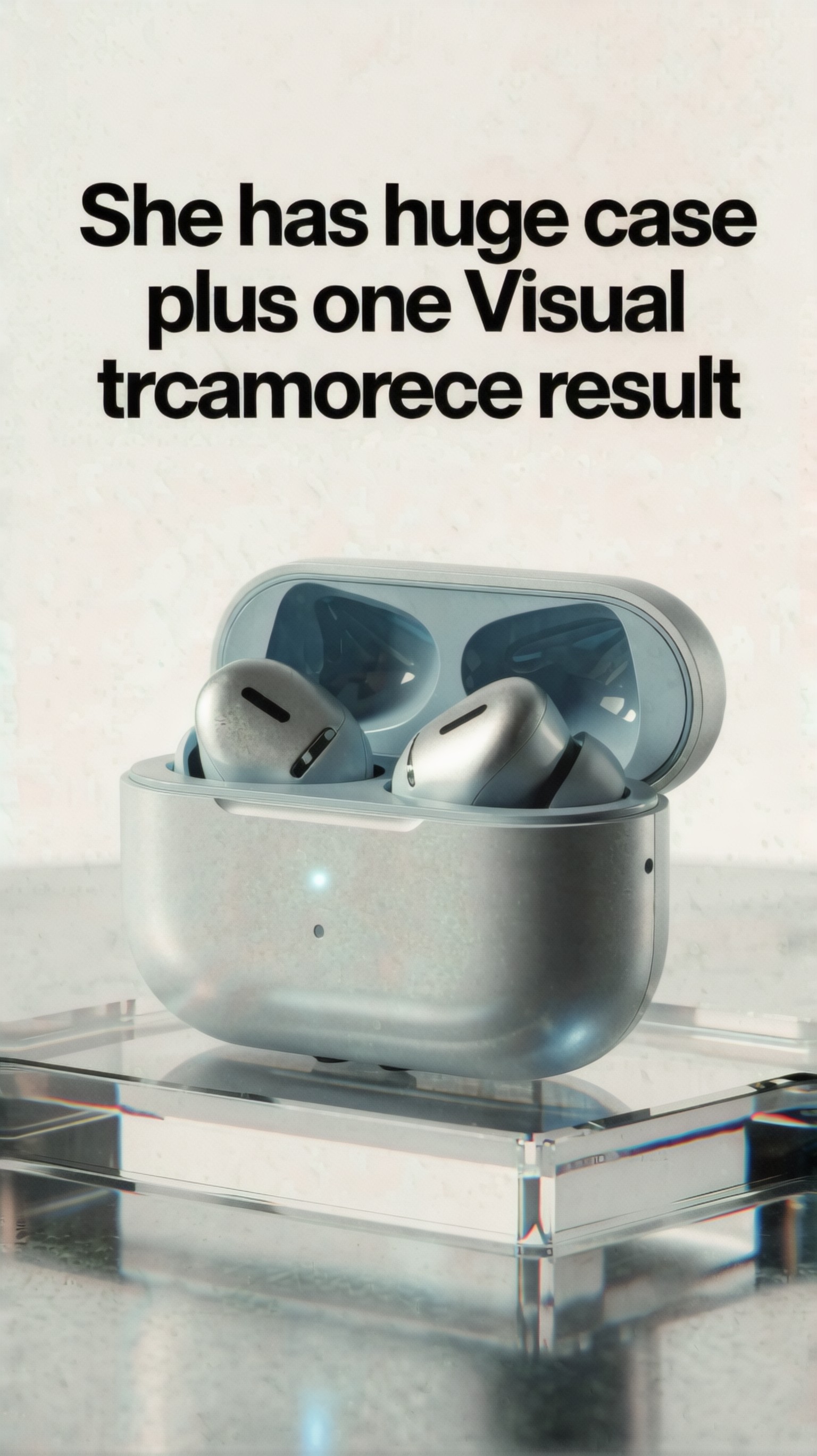
Use this image as a result check for the prompt above. Inspect whether the composition, lighting, subject clarity, and model-specific details match the article topic.
Editorial workflow collage
Topic:
Prompt workflow system for generating many article visuals
Genre:
Editorial magazine-style concept image
Camera:
Medium format digital camera
Lens:
50mm lens
Lighting:
Directional window light with gentle shadow falloff
Location:
Designer desk with printed prompt cards, notebook, and layout mockups
Style:
Editorial magazine style, layered collage realism, thoughtful publishing aesthetic
Final Prompt:
An editorial workspace showing a repeatable AI image prompt workflow, top-down composition over a wooden desk with printed cards labeled use case, style, lighting, and format, a notebook page filled with prompt combinations, thumbnail image sheets, black pen, coffee cup, and cropped magazine layouts, tactile paper texture, soft daylight from the side, muted palette of cream, charcoal, burgundy, and faded blue, carefully organized but visibly active creative process, strong visual hierarchy, image should prove that generating 100 prompt ideas can come from a simple structured matrix rather than random inspiration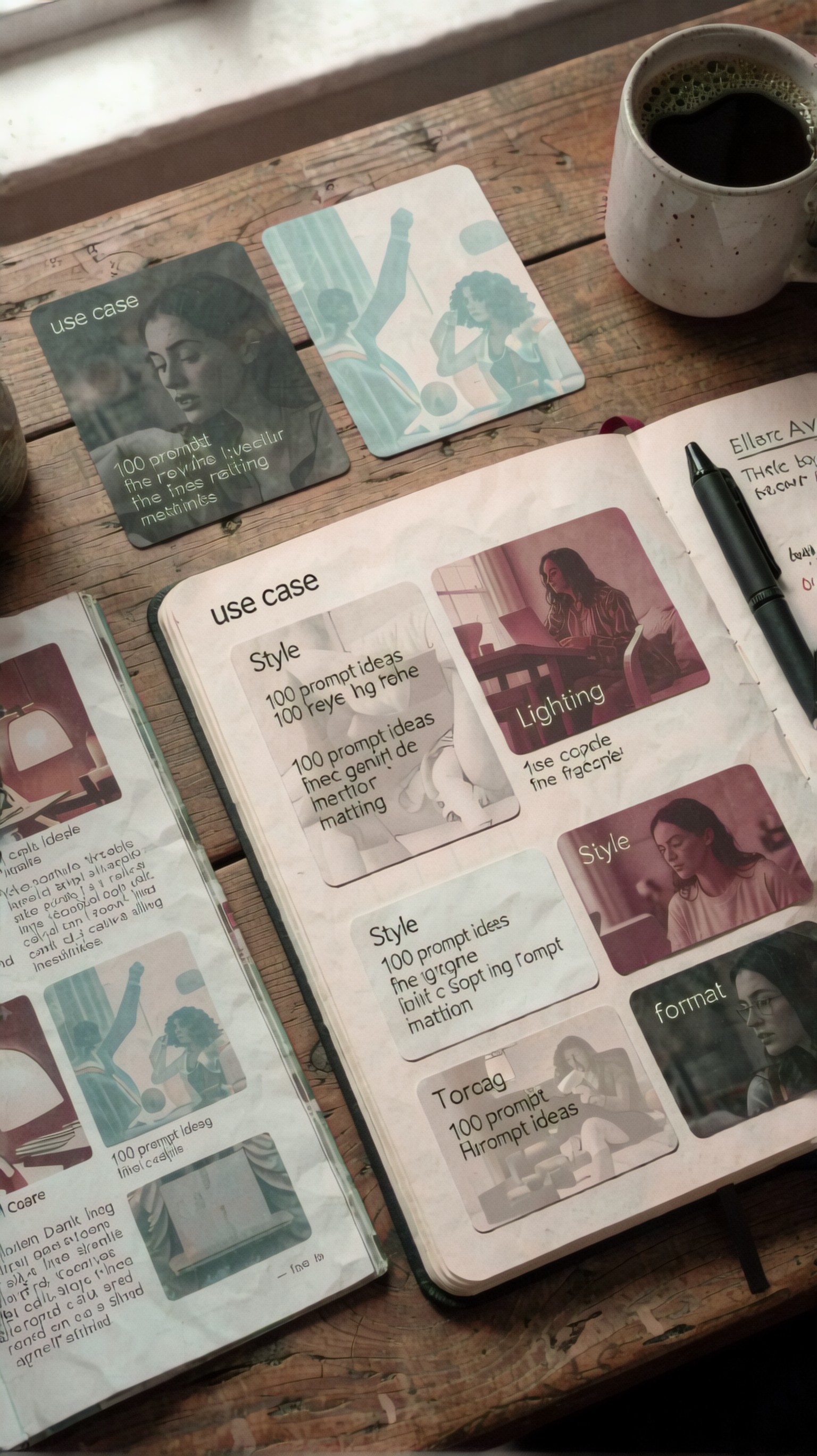
Use this image as a result check for the prompt above. Inspect whether the composition, lighting, subject clarity, and model-specific details match the article topic.
Social announcement poster variation
Topic:
Fast prompt variation for campaign graphics
Genre:
Minimalist poster design for social media announcement
Camera:
Virtual graphic composition camera
Lens:
35mm equivalent
Lighting:
Flat graphic lighting with bold contrast accents
Location:
Abstract poster space with geometric background panels
Style:
Minimalist poster design, campaign-ready, high readability
Final Prompt:
A square social media launch graphic illustrating prompt variation as a design system, featuring a central stack of four floating image cards with different treatments of the same product concept, large clean headline area, geometric blocks and arrows guiding the eye, bold composition with generous margins, sharp edges, subtle paper grain, palette of cobalt blue, warm orange, black, and white, simple but high-impact layout, modern campaign aesthetic, image should prove how one message can be adapted into multiple visual treatments while staying instantly understandable on a feed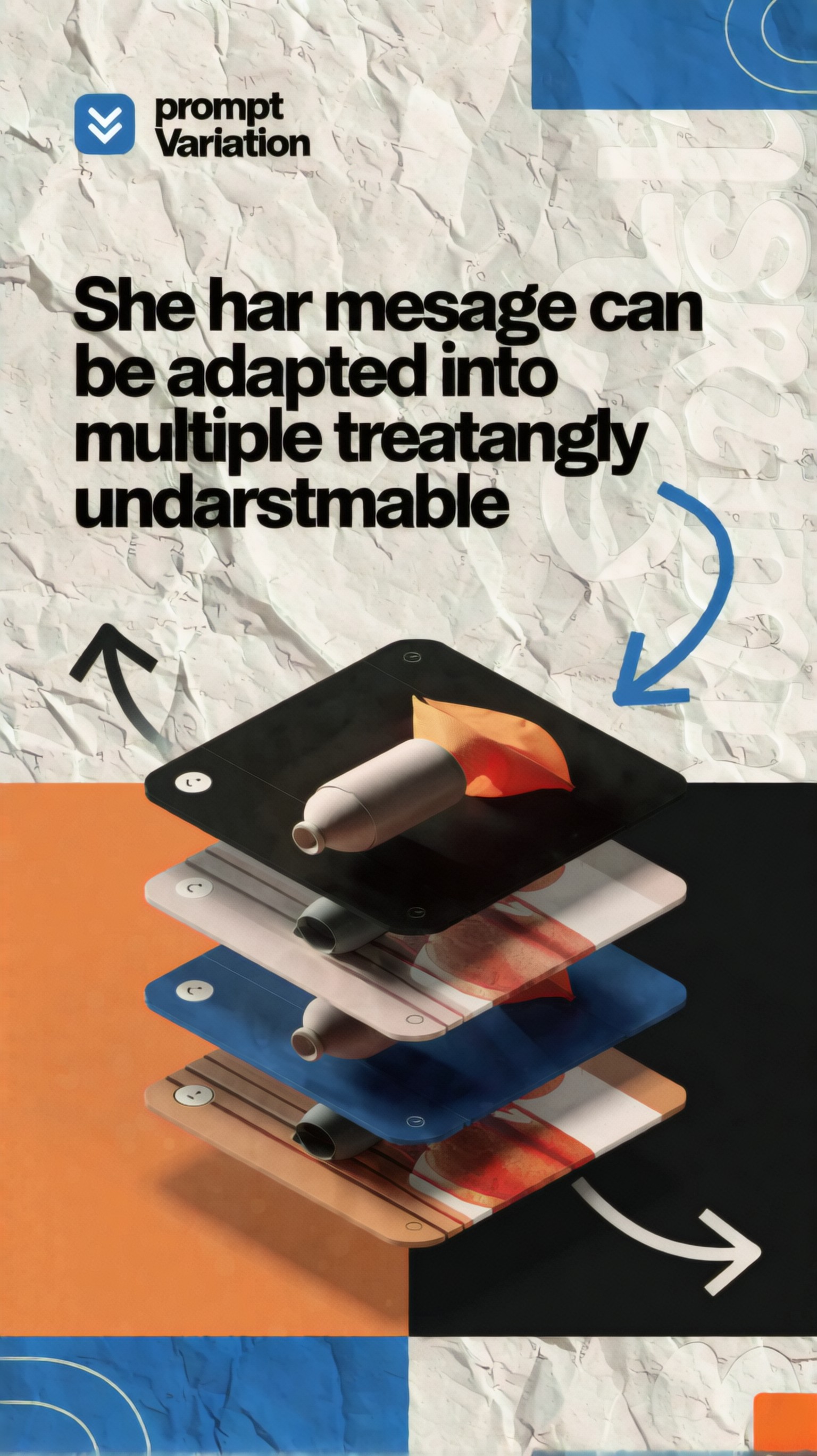
Use this image as a result check for the prompt above. Inspect whether the composition, lighting, subject clarity, and model-specific details match the article topic.
Concept art environment from structured inputs
Topic:
Worldbuilding prompt built from a use-case and style pairing
Genre:
Concept art environment
Camera:
Digital cinema camera
Lens:
24mm wide-angle lens
Lighting:
Moody dawn light with low fog and luminous practical lights
Location:
Futuristic transit hub carved into a canyon city
Style:
Cinematic lifestyle scene mixed with detailed environment concept art
Final Prompt:
A futuristic canyon transit hub designed as a concept art environment created from a structured prompt formula, wide establishing view with elevated perspective, layered platforms, suspended walkways, glowing train lines, small commuter figures for scale, weathered concrete, brushed metal, mist drifting through the lower levels, sunrise light catching edges of the architecture, amber practical lights against cool blue atmospheric haze, strong depth, leading lines into the station core, believable infrastructure details, cinematic composition, image should prove that the same prompt matrix method can extend beyond commerce into rich worldbuilding with clear art direction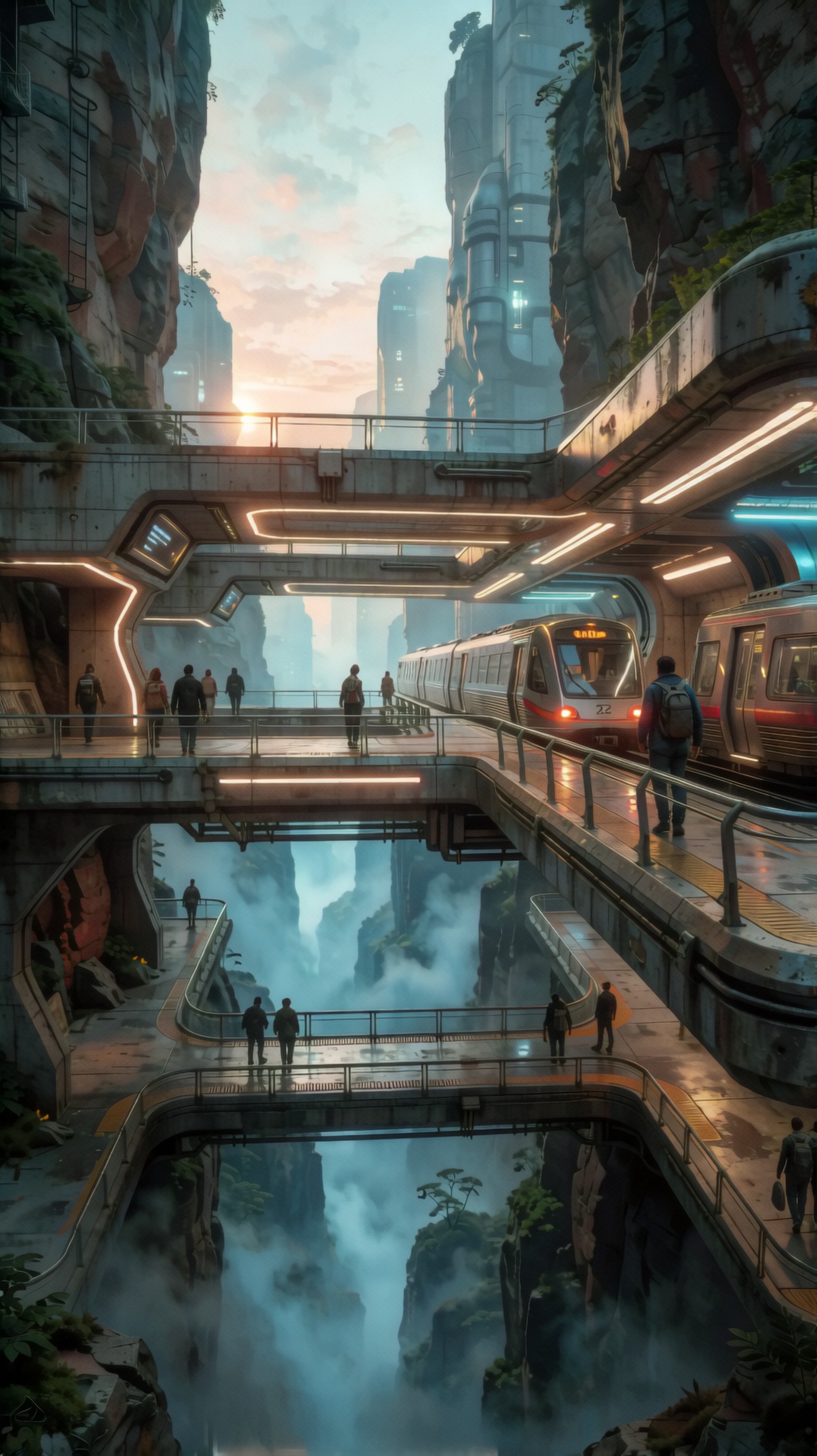
Use this image as a result check for the prompt above. Inspect whether the composition, lighting, subject clarity, and model-specific details match the article topic.
Result checks
- Does each image clearly reflect one use case plus one visual treatment, rather than a vague mixed concept?
- Can a viewer identify the main subject within two seconds, with enough negative space or hierarchy for real publishing use?
- Are lighting, composition, and palette consistent with the intended output type such as ecommerce, editorial, social, or concept art?
- If you swap only one field in the prompt structure, does the output change in a controlled and predictable way?
Failure risks
- Prompts become too broad when they name a style but fail to define subject, framing, and what the image must communicate.
- Generated images may look attractive but unusable if they lack clear hierarchy, crop safety, or realistic placement for text and UI.
- Too many modifiers can produce visual clutter, especially in social graphics and explainers that need instant readability.
- Mixing incompatible treatments in one prompt can weaken the test and make the matrix system feel random instead of repeatable.
Practical recommendation
Add this section after the explanation of the 10 by 10 matrix, then place generated examples under each prompt as markdown images with short notes on what changed and why. That turns the article from a list of ideas into a hands-on testing guide that better supports SEO, usefulness, and AdSense review.
_Image model used for these examples: krea2_turbo._