AI Image Generator for Product Photography: Which Tools Create the Most Ad-Ready Results? 한국어 요약
이 페이지는 ZView Space의 영어 원문을 한국어 검색 사용자도 이해할 수 있도록 정리한 SEO 요약입니다. 핵심은 단순한 얼굴 중심 이미지가 아니라 패션 에디토리얼, 룩북, 아웃핏, 프롬프트 테스트, 이미지 생성 워크플로우를 실제로 어떻게 구성할지입니다.
핵심 요약
- 원문 주제: AI Image Generator for Product Photography: Which Tools Create the Most Ad-Ready Results?
- 목적: AI 이미지 생성에서 outfit, silhouette, fabric, pose, location, camera framing을 더 명확하게 설계합니다.
- 활용 범위: Z-Image Turbo, Krea2 Turbo, Qwen Image, Anima, SeedVR2 같은 이미지 생성 및 업스케일 워크플로우에 적용할 수 있습니다.
- SEO 관점: 제목, 설명, 이미지 alt, 프롬프트 예시가 실제 검색 의도와 맞아야 색인 가능성이 높아집니다.
한국어 사용자를 위한 체크포인트
1. 프롬프트가 얼굴 묘사에만 머물지 않고 전체 스타일과 의상 구성을 설명하는지 확인합니다. 2. 패션 이미지라면 상의, 하의, 아우터, 신발, 액세서리, 소재감, 촬영 장소를 분리해서 씁니다. 3. 생성 결과는 바로 게시하지 말고 디테일, 손, 의상 형태, 배경 일관성, 이미지 품질을 비교합니다. 4. 글 본문에는 실제 테스트 기준과 실패를 줄이는 방법이 들어가야 검색엔진에서 얇은 콘텐츠로 보일 가능성이 줄어듭니다.
원문 미리보기
Brands no longer use AI image generation just for moodboards. The better tools can now produce product shots, ad concepts, lifestyle scenes, and marketplace ready visuals fast enough to matter in a real ecommerce workflow. The question is not whether an AI ima
---
Brands no longer use AI image generation just for moodboards. The better tools can now produce product shots, ad concepts, lifestyle scenes, and marketplace-ready visuals fast enough to matter in a real ecommerce workflow. The question is not whether an AI image generator for product photography exists. It is which tools can create images that actually look usable for paid ads, PDPs, social launches, and seasonal campaigns.
This guide compares the current options through a practical lens: realism, prompt control, consistency, editing workflow, and how well each tool handles common commercial tasks like packshots, hero images, lifestyle composites, and creative variations.
What "ad-ready" means in AI product photography
For product teams, ad-ready does not mean merely pretty. It means the result can survive scrutiny when placed next to real photography, brand design systems, and conversion-focused layouts.
The strongest AI tools for ecommerce photos usually need to do five things well:
- Preserve product shape, label, proportions, and materials
- Generate believable lighting and shadow logic
- Support multiple aspect ratios for ads, PDPs, and social
- Offer editing or reference controls for consistency
- Produce clean backgrounds or stylized scenes without visual artifacts
If a tool fails on product fidelity, it may still work for concept art or top-funnel social creative, but not for close-range commerce use.
The main ways brands use AI for product photography
The commercial use cases are broader than simple white-background product shots.
1. Studio-style hero images
Useful for landing pages, collection banners, launch graphics, and ad creatives where a product needs dramatic lighting and sharp detail.
Topic: Premium skincare bottle hero shot
Genre: Product Editorial
Camera: Canon EOS R5
Lens: RF 100mm f/2.8L Macro IS USM
Lighting: Studio softbox key light with controlled rim light
Location: Minimal luxury studio set with matte stone pedestal
Style: High-end beauty advertising
Final Prompt: Premium frosted glass skincare serum bottle with brushed silver cap centered on a matte travertine pedestal, clean commercial composition, subtle condensation detail, precise label alignment, softbox key light from camera left, gentle rim light defining edges, smooth shadow falloff, neutral beige and ivory palette, luxury beauty campaign art direction, macro-level texture detail, sharp reflections without glare, Canon EOS R5 realism, RF 100mm f/2.8 macro look, polished premium finish, ultra-clean background, high-resolution ad-ready product photography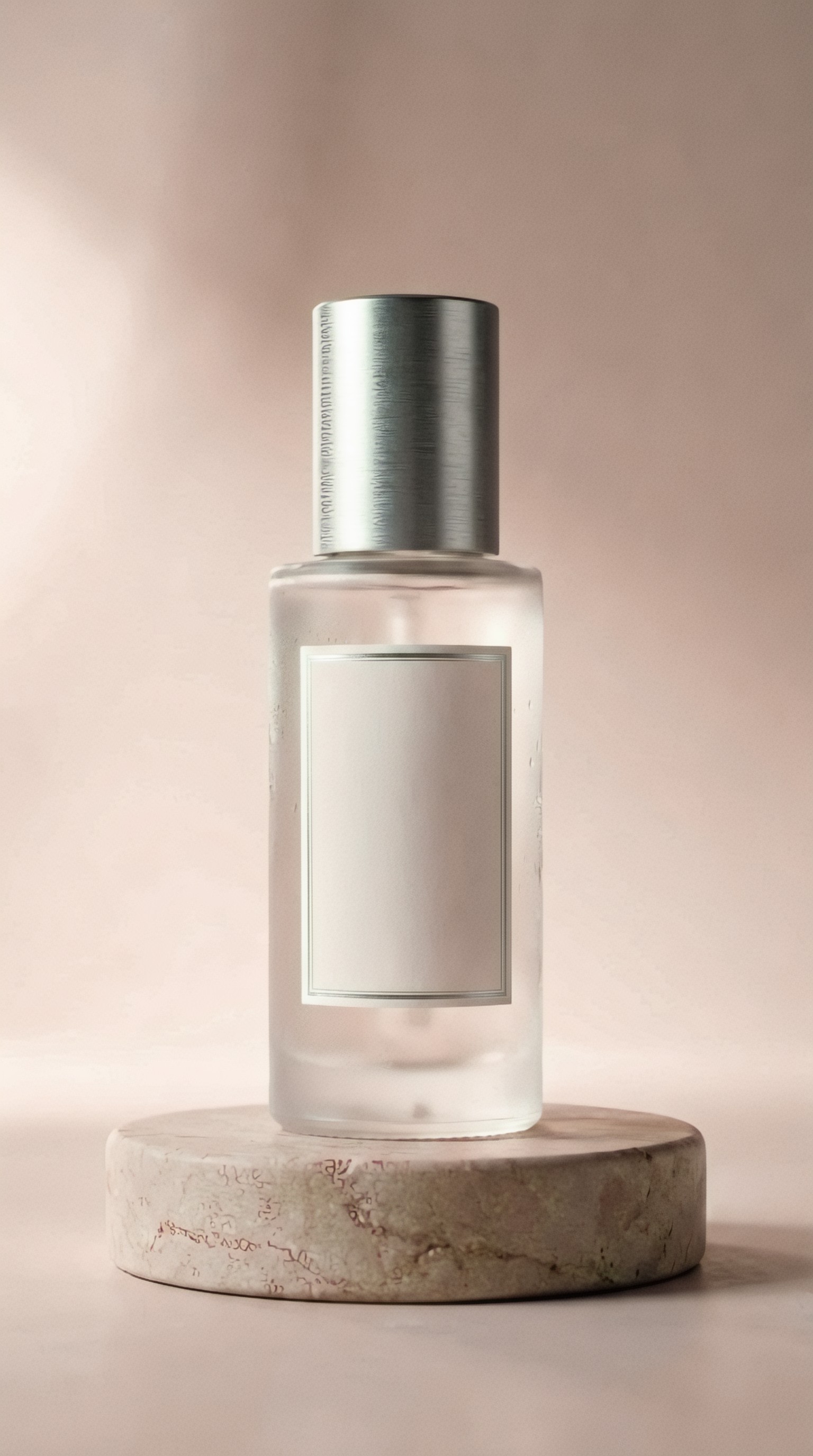
2. Lifestyle placements
Useful when a product needs emotional context: a coffee bag in a warm kitchen, headphones on a commuter, or a candle on a styled bedside table.
Topic: Specialty coffee bag in a morning kitchen scene
Genre: Lifestyle Product Campaign
Camera: Fujifilm GFX 100S
Lens: GF 80mm f/1.7
Lighting: Soft window light with overcast diffusion
Location: Scandinavian home kitchen with oak surfaces and ceramic mugs
Style: Clean commercial look
Final Prompt: Premium specialty coffee bag standing upright on a lightly textured oak countertop in a Scandinavian kitchen, warm morning atmosphere, ceramic mug with rising steam in the background, folded linen towel, subtle crumbs and natural styling for realism, soft overcast window light, tasteful negative space for ad copy, earthy palette of cream, oak, muted green, shallow depth of field with crisp focus on packaging, commercial ecommerce aesthetic, Fujifilm GFX 100S medium format detail, GF 80mm f/1.7 rendering, believable product proportions, ad-ready lifestyle image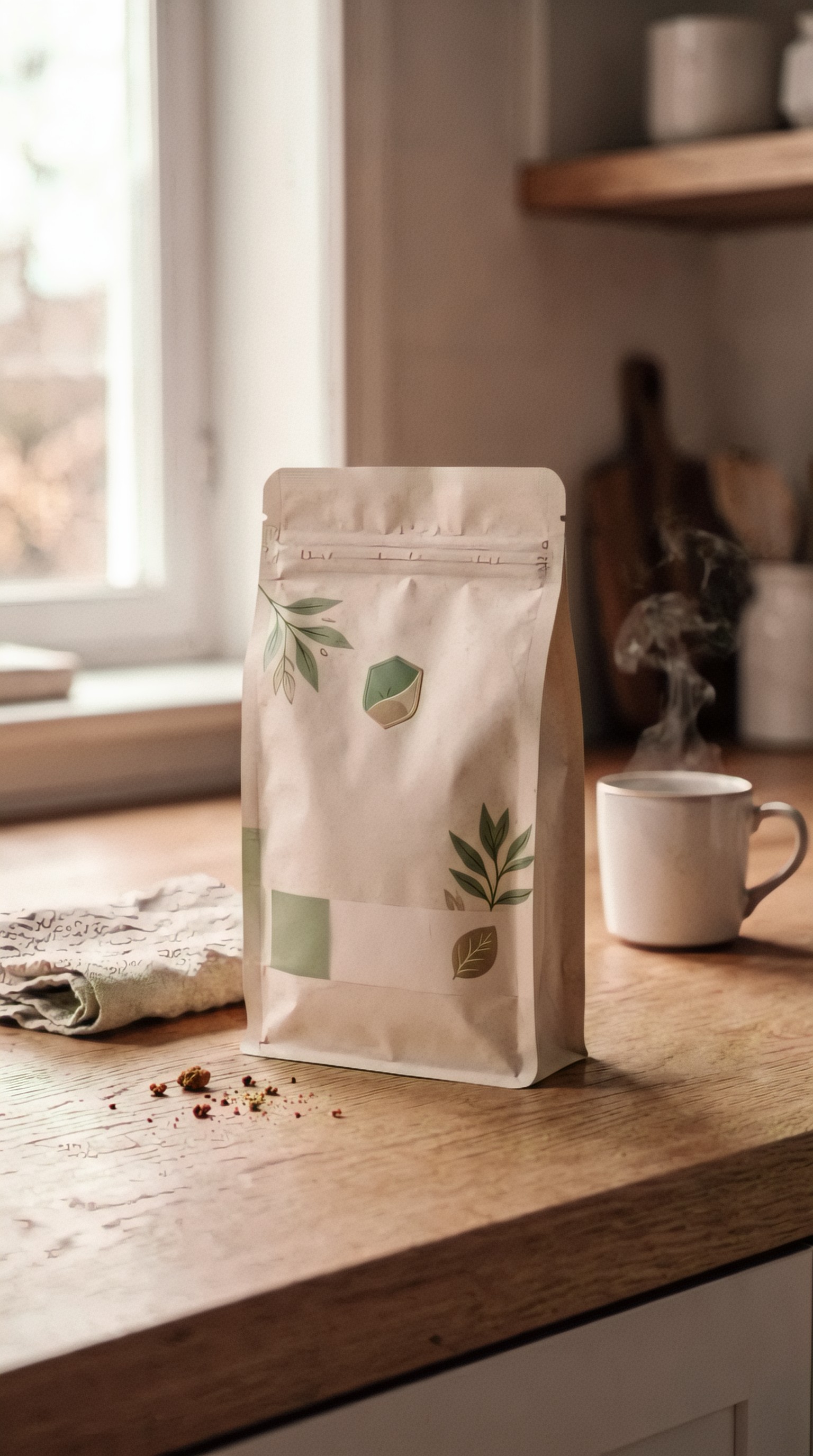
3. Seasonal ad variations
Useful for producing fast campaign concepts for Black Friday, summer launches, gifting, or limited editions without rebuilding full sets.
4. Marketplace background generation
Useful for sellers who have a real product cutout and need cleaner settings for Amazon alternates, Shopify tiles, or Meta creatives.
5. Concept testing before a real shoot
One of the best uses of commercial product photography AI is previsualization. Teams can test props, camera angles, and art direction before spending on studio time.
Which tools are strongest right now?
There is no single winner for every team. The best AI image generator for product photography depends on whether you need photoreal hero shots, fast ad concepts, controlled editing, or consistent branded outputs.
1. Midjourney: best for high-style campaign visuals
Midjourney is still one of the strongest tools for visually striking product ads. It excels at atmosphere, texture, dramatic composition, and premium-looking scenes. If your goal is to generate product ads with AI for social campaigns, mood-led launches, or luxury-style concepts, it often produces the most instantly impressive outputs.
Where Midjourney works best
- Beauty and skincare campaigns
- Premium food and beverage visuals
- Fragrance, jewelry, accessories, and fashion-adjacent products
- Seasonal ad creative with bold art direction
Where Midjourney is weaker
- Exact packaging fidelity
- Text and label accuracy
- Repeatable angle matching across many SKUs
- Structured editing compared with layer-based workflows
In practice, Midjourney is often best when used for top-funnel campaign visuals rather than strict catalog images.
Topic: Luxury perfume bottle holiday ad
Genre: Luxury Campaign
Camera: Hasselblad X2D 100C
Lens: XCD 90mm f/2.5
Lighting: Low-key studio lighting with amber rim light
Location: Dark lacquer tabletop with reflective holiday ornament styling
Style: Cinematic realism
Final Prompt: Sculptural luxury perfume bottle placed on a dark lacquer tabletop with subtle reflections, elegant holiday styling with smoked glass ornaments and deep burgundy ribbon accents, low-key studio scene, warm amber rim light tracing the bottle edges, rich black background with soft falloff, premium composition with negative space, jewel-toned palette of burgundy, gold, and charcoal, crisp glass reflections, refined shadow detail, cinematic realism, Hasselblad X2D 100C clarity, XCD 90mm f/2.5 compression, sophisticated ad-ready fragrance campaign image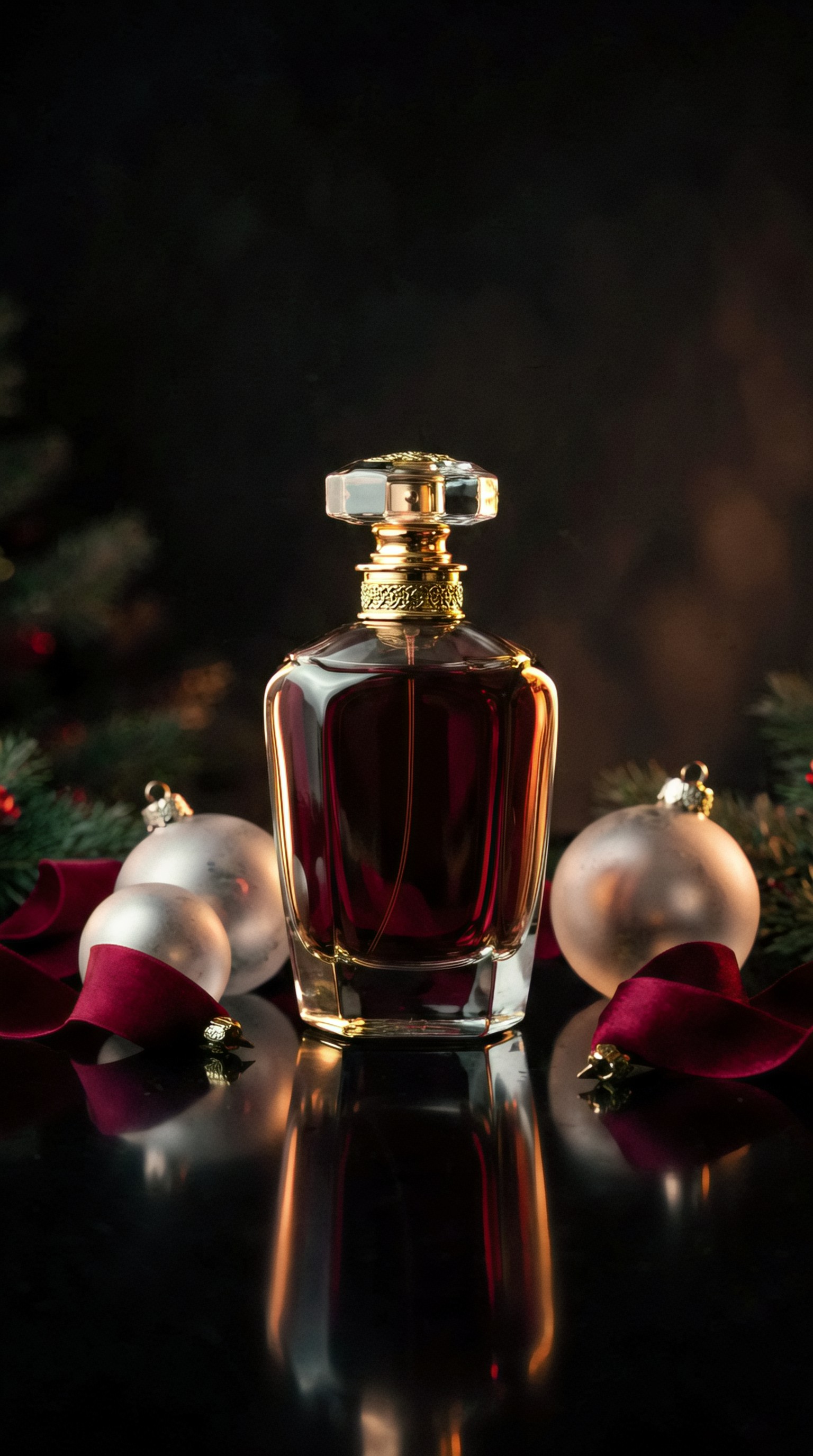
2. Adobe Firefly: best for brand-safe workflows and composite editing
Adobe Firefly matters because it fits into a broader production environment. On its own, its generations may feel less dramatic than Midjourney, but inside Photoshop it becomes much more useful for commerce teams.
The real advantage is controlled iteration:
- Extend backgrounds around product shots
- Add props or surfaces
- Replace environments behind a cutout
- Build multiple ad ratios from one source image
- Keep work inside existing Adobe workflows
For many teams looking for ai tools for ecommerce photos, this matters more than raw generative flair.
Best use case
Take a real product photo, then use generative fill or background generation to create ad variations around it. This often gives more reliable product accuracy than full generation from scratch.
Topic: Smartwatch product launch scene
Genre: Product Editorial
Camera: Nikon Z8
Lens: NIKKOR Z MC 105mm f/2.8 VR S
Lighting: Clean softbox overhead with subtle side kickers
Location: Futuristic light-gray studio platform with translucent acrylic props
Style: Clean commercial look
Final Prompt: Modern smartwatch with graphite metal case and textured black band displayed on a translucent acrylic platform in a minimal futuristic studio, precise front three-quarter angle, softbox overhead lighting with subtle side kickers for polished edge separation, clean light-gray backdrop, cool monochrome palette with hints of blue, crisp product reflections, premium tech launch aesthetic, tidy composition with room for headline placement, Nikon Z8 realism, 105mm macro sharpness, ad-ready ecommerce visual with believable materials and accurate industrial design details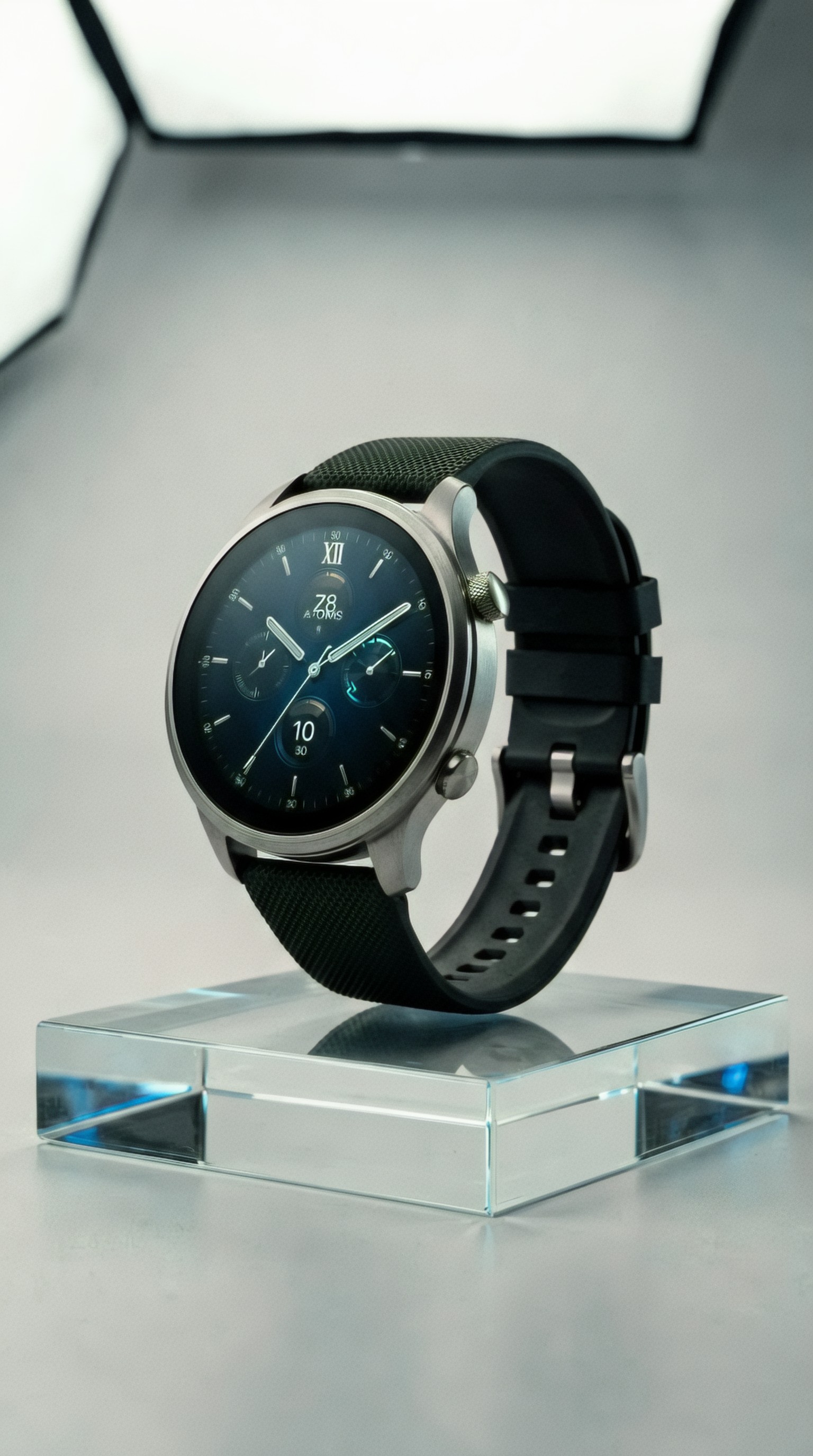
3. Flux and Flux-based apps: best for realism-to-control balance
Flux models have become serious contenders for product visualization because they can produce impressive realism while remaining available across flexible interfaces. The quality depends on the app, fine-tuning, and workflow around the model, but the overall appeal is clear: strong photographic output, good prompt responsiveness, and often better accessibility for power users than closed platforms.
Why Flux is worth considering
- Strong image realism
- Good detail handling for surfaces and packaging
- Broad ecosystem support
- Often better for custom workflows, LoRAs, and controlled experimentation
For teams that want a best ai product photo generator setup they can shape over time, Flux-based workflows may be more practical than relying entirely on one consumer-facing app.
Limitation
Results can vary a lot depending on the interface, settings, and model variant. It is less turnkey than a polished SaaS tool.
Topic: Athletic shoe ecommerce hero image
Genre: Product Editorial
Camera: Sony A7R V
Lens: 70mm f/2.8 macro
Lighting: High-contrast studio key light with cool rim light
Location: Minimal performance studio set with textured concrete block
Style: Sportswear campaign
Final Prompt: Performance running shoe in white, cobalt, and silver placed on a textured concrete block in a minimal studio, dynamic side angle showing sole pattern and upper mesh detail, high-contrast key light sculpting form, cool rim light adding energy, soft shadow grounding the shoe, crisp product realism, sporty campaign styling, desaturated gray background with blue accents, sharp focus on branding zones and material texture, premium commercial composition, Sony A7R V detail, 70mm macro clarity, ad-ready footwear image for ecommerce launch creative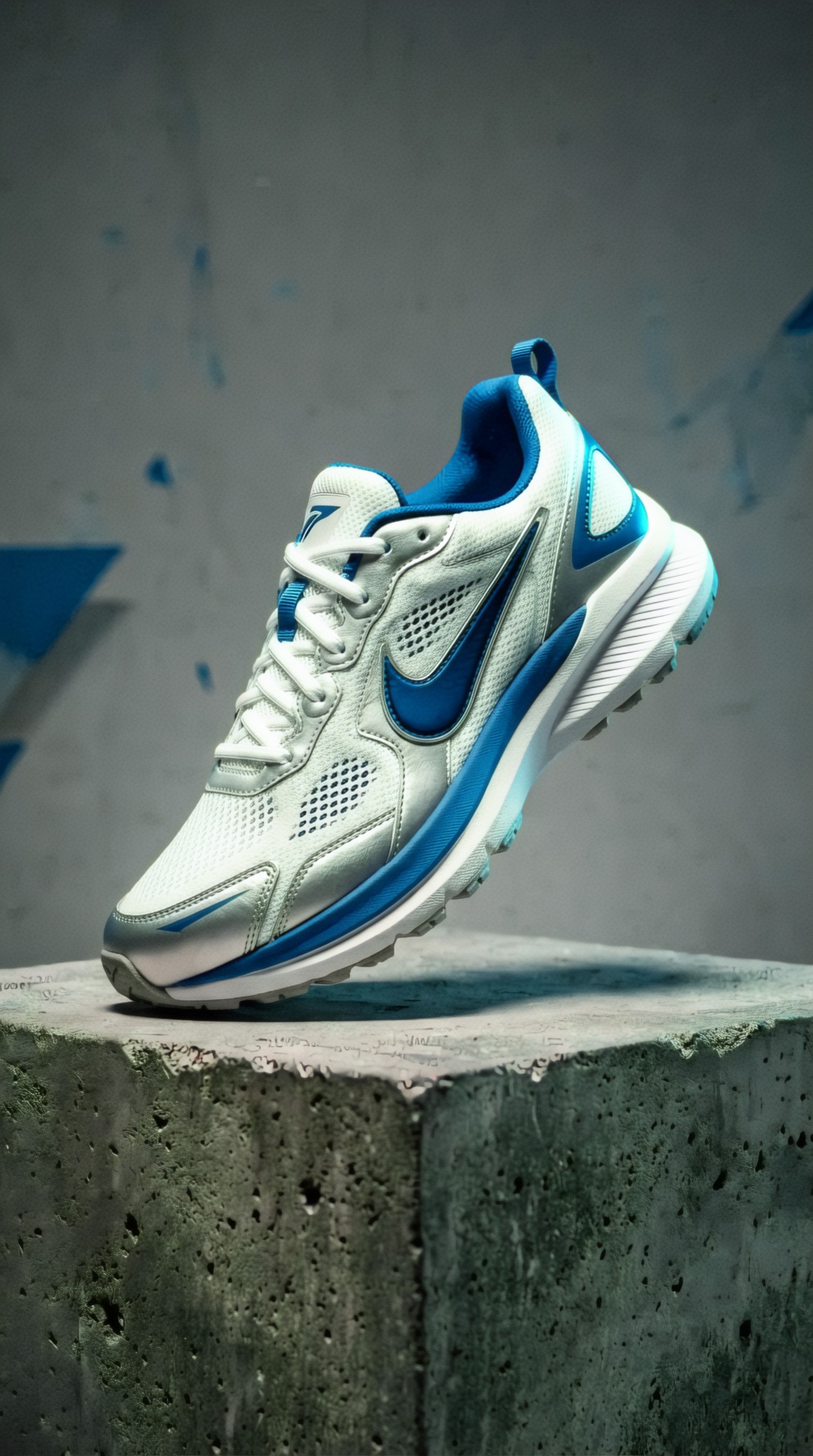
4. Ideogram: best for text-aware ad mockups and packaging-led concepts
Ideogram is especially useful when the image needs readable type, graphic layouts, or packaging-centered composition. It is not always the first choice for the most natural product photography, but it can be very effective for ad concept development where typography and branding matter.
Best uses
- Poster-style ad concepts
- Packaging presentation with legible copy
- Social creatives with embedded headlines
- Quick concept boards for launch campaigns
If you need a hybrid between image generation and light art direction for promotional graphics, Ideogram has a real place.
Topic: Organic tea tin social ad visual
Genre: Product Campaign
Camera: Leica SL2-S
Lens: APO-Macro-Elmarit-SL 100mm f/2.8
Lighting: Soft daylight key with pastel bounce fill
Location: Color-block studio set with paper backdrop curves
Style: Modern editorial advertising
Final Prompt: Cylindrical organic tea tin in sage green and cream placed on a pastel color-block studio set with curved paper backdrops, clean front-facing composition, soft daylight key with pastel bounce fill, elegant shadow gradients, fresh botanical prop accents kept minimal, modern editorial advertising style, spring palette of sage, cream, blush, and pale yellow, premium packaging emphasis with tidy spacing for text overlay, Leica SL2-S realism, 100mm macro precision, polished social ad visual with commercial product clarity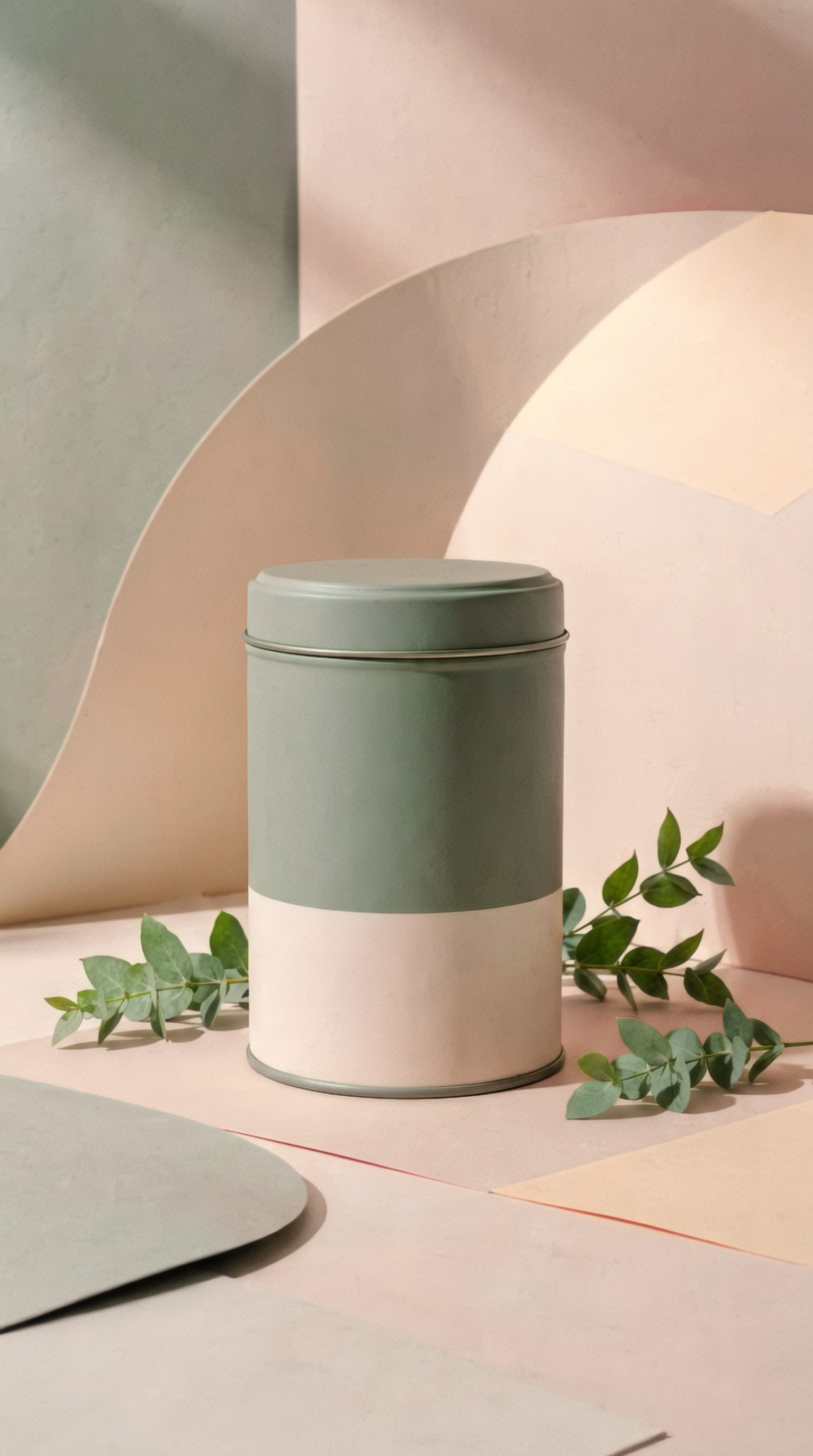
5. DALL·E in ChatGPT and similar assistants: best for fast concept iteration
If speed matters more than pixel-perfect fidelity, assistant-based image generation is useful for ideation. It is especially good for exploring angles, props, scene logic, and campaign directions through conversational prompting.
Strong use cases
- Brainstorming visual directions
- Generating first-pass ad concepts
- Testing product-market aesthetics
- Creating reference boards for designers or photographers
Weakness
For strict ecommerce production, you may still need to move into a more controllable workflow later.
Topic: Portable speaker beach campaign image
Genre: Lifestyle Product Campaign
Camera: Panasonic Lumix S1R
Lens: 50mm f/1.8
Lighting: Sunset backlight with beach reflection fill
Location: Windy coastal boardwalk near a sandy beach at dusk
Style: Summer lifestyle advertising
Final Prompt: Compact portable speaker in matte coral and sand colors placed on a weathered wooden boardwalk near the beach at dusk, glowing sunset backlight, soft reflected light from pale sand, casual summer props like rolled towel and sunglasses kept secondary, relaxed premium lifestyle composition, warm peach and ocean blue palette, light sea breeze atmosphere, shallow depth of field with clean focus on speaker grille and controls, Panasonic Lumix S1R realism, 50mm f/1.8 natural perspective, ad-ready summer campaign image with believable materials and aspirational mood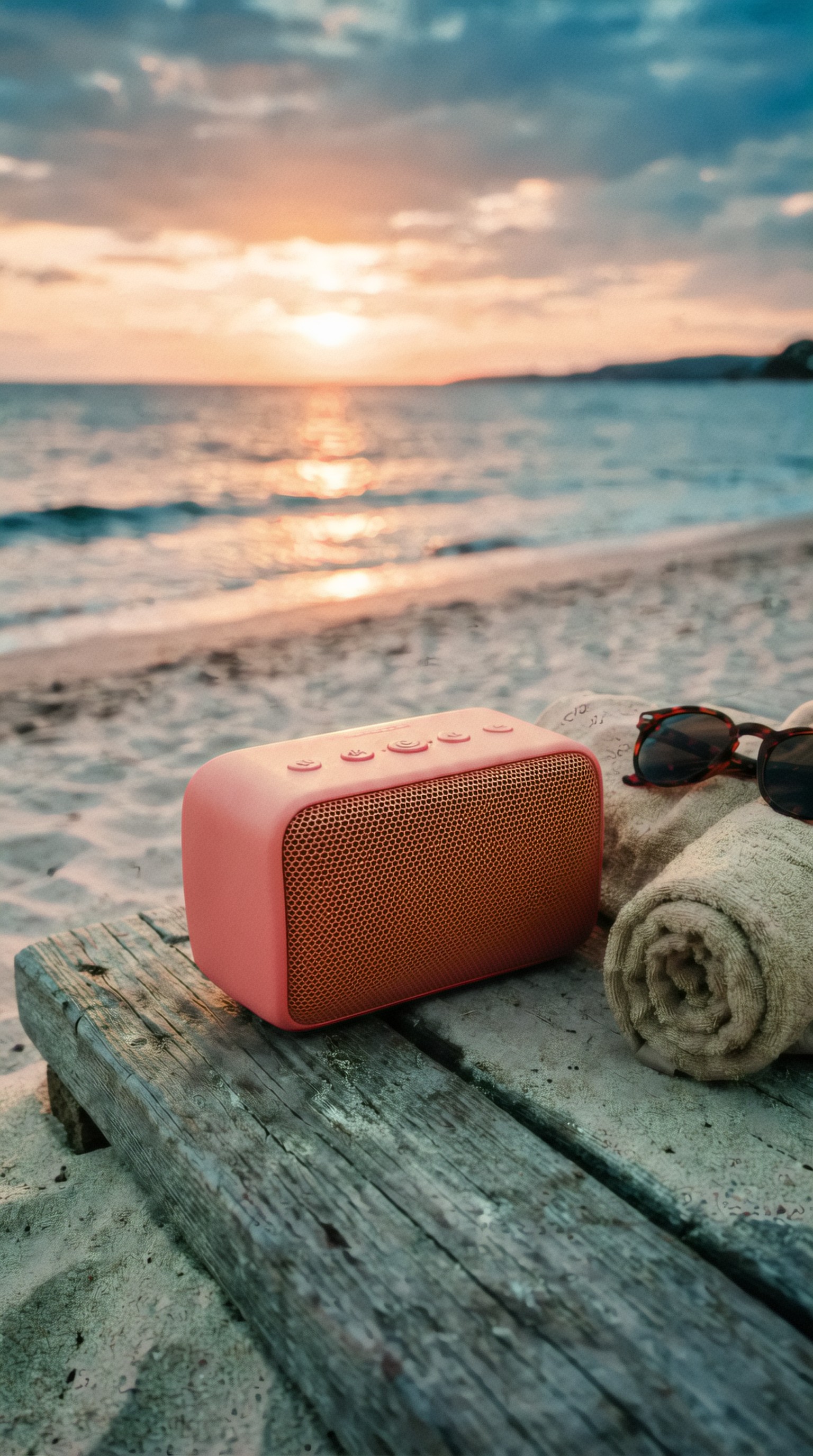
6. Stable Diffusion custom workflows: best for teams that need control at scale
Stable Diffusion is less a single tool than a production ecosystem. For advanced users, it remains one of the most flexible ways to create ai image generator for product photography workflows with custom training, inpainting, ControlNet structure guidance, and style consistency.
Why advanced teams choose it
- Fine-tuned brand aesthetics
- Template-based batch production
- Pose, angle, or composition control
- Integration into internal pipelines
- Potential cost advantages at scale
Tradeoff
It requires more setup, more testing, and usually more technical literacy.
Topic: Minimalist candle jar catalog image
Genre: Product Editorial
Camera: Phase One XF IQ4
Lens: Schneider Kreuznach 120mm LS f/4 Macro
Lighting: Studio butterfly light with soft underfill
Location: Seamless off-white catalog backdrop
Style: Clean commercial look
Final Prompt: Minimalist soy candle in a smoked glass jar with matte black lid, centered on a seamless off-white backdrop, front three-quarter angle, ultra-clean catalog styling, studio butterfly light with soft underfill for controlled shadow under the jar, accurate label placement, crisp glass edge definition, restrained neutral palette, tactile wax texture visible at top surface, luxury minimalism, Phase One XF IQ4 medium format detail, 120mm macro precision, ecommerce-ready packshot with polished but realistic reflections and no visual clutter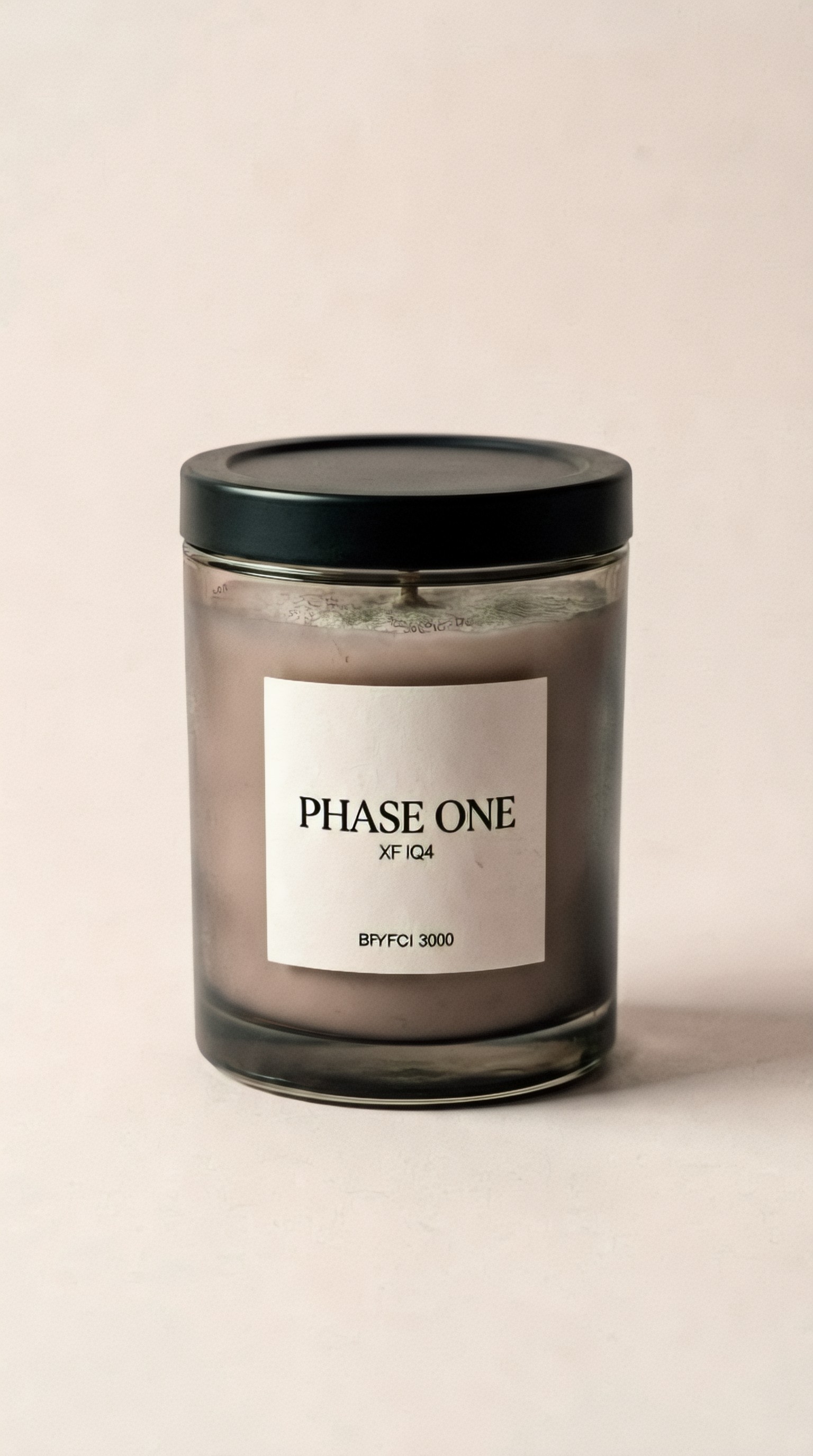
Best tool by use case
Here is the simplest way to think about the landscape.
For polished campaign mood and premium visuals
Choose Midjourney.
For editing around real product photos
Choose Adobe Firefly with Photoshop.
For flexible realism and custom workflows
Choose Flux-based tools.
For packaging-centered ad graphics with text
Choose Ideogram.
For conversational concept generation
Choose DALL·E-style assistants.
For structured production systems and advanced control
Choose Stable Diffusion.
What separates a usable product prompt from a weak one
A weak product prompt says: “generate a skincare product ad.”
A usable prompt specifies:
- Product type and materials
- Camera angle
- Lighting direction
- Surface and set design
- Color palette
- Ad style
- Negative space needs
- Product realism priorities
That is why prompt structure matters so much for generate product ads with ai workflows. Product photography lives or dies on visual precision.
8 prompt patterns that consistently improve results
Below are production-ready examples you can adapt for ecommerce, launch campaigns, and creative testing.
Prompt pattern: clean tabletop realism
Topic: Ceramic supplement bottle on a wellness countertop
Genre: Product Editorial
Camera: Canon EOS R3
Lens: RF 85mm f/1.2L USM
Lighting: Soft window light with white bounce fill
Location: Bright wellness bathroom with limestone countertop and folded towels
Style: High-end health brand campaign
Final Prompt: Matte ceramic supplement bottle with minimalist label placed on a limestone bathroom countertop, bright wellness setting with folded white towels and a subtle glass water carafe in the background, soft window light from the side with gentle white bounce fill, clean premium composition, fresh ivory and stone palette, realistic shadow grounding, crisp focus on bottle texture and cap detail, luxurious but understated health brand aesthetic, Canon EOS R3 realism, RF 85mm f/1.2 look, ad-ready product scene with natural commercial polish
Prompt pattern: beverage splash concept
Topic: Sparkling beverage can with citrus splash
Genre: Commercial Beverage Campaign
Camera: RED V-RAPTOR cinematic capture
Lens: 50mm T1.8 cinema lens
Lighting: Hard key light with backlit splash highlights
Location: Dark studio set with suspended citrus and water motion
Style: Bold commercial advertising
Final Prompt: Premium sparkling beverage can in vibrant lime and silver exploding through a controlled citrus splash in a dark studio, suspended lemon slices, dramatic hard key light from above, bright backlight catching water droplets, high-energy composition frozen mid-action, metallic texture and condensation sharply rendered, saturated palette of lime, silver, and black, premium advertising style, cinematic realism, RED V-RAPTOR high-speed commercial look, 50mm cinema framing, dynamic ad-ready beverage visual with crisp product legibility
Prompt pattern: fashion accessory lifestyle placement
Topic: Leather handbag cafe table campaign image
Genre: Luxury Campaign
Camera: Sony A1
Lens: 55mm f/1.8
Lighting: Golden hour window sidelight
Location: Elegant Parisian cafe terrace with marble table
Style: Luxury fashion campaign
Final Prompt: Structured leather handbag in warm chestnut brown placed on a small marble cafe table at an elegant Parisian terrace, golden hour sidelight through tall windows, espresso cup and fashion magazine styled subtly in frame, luxury campaign composition with soft background blur, rich brown, cream, and gold palette, tactile leather grain, refined feminine styling, polished yet lived-in atmosphere, Sony A1 realism, 55mm natural luxury framing, ad-ready accessory visual for premium brand storytelling
Prompt pattern: cosmetics macro detail
Topic: Lip gloss tube with reflective beauty lighting
Genre: Beauty Campaign
Camera: Nikon D850
Lens: 105mm f/2.8 macro
Lighting: Studio strip lights with glossy reflection control
Location: Glossy blush-pink acrylic beauty set
Style: High-end beauty advertising
Final Prompt: Transparent lip gloss tube with rose-gold cap placed diagonally on a glossy blush-pink acrylic surface, controlled strip-light reflections, precise highlight shaping, premium beauty campaign styling, macro focus on applicator tube, smooth glossy textures, soft pink and champagne palette, elevated composition with mirrored accents, Nikon D850 product realism, 105mm macro sharpness, polished ad-ready cosmetic image with luxury magazine feel
Prompt pattern: home goods in lived-in context
Topic: Scented candle on a cozy bedside table
Genre: Lifestyle Product Campaign
Camera: Fujifilm X-H2
Lens: 56mm f/1.2
Lighting: Warm bedside practical light with soft ambient fill
Location: Cozy bedroom with linen bedding and wood nightstand
Style: Intimate editorial realism
Final Prompt: Amber glass scented candle glowing gently on a wood bedside table beside a hardcover book and rumpled linen bedding, warm practical lamp light with soft ambient fill, intimate evening mood, earthy palette of amber, cream, walnut, and muted clay, realistic wax surface and glass reflections, shallow depth of field with candle label clearly visible, editorial realism with cozy upscale styling, Fujifilm X-H2 character, 56mm f/1.2 softness around the edges, ad-ready home fragrance lifestyle image
Prompt pattern: tech product precision shot
Topic: Wireless earbuds charging case studio launch image
Genre: Product Editorial
Camera: Canon EOS R5 C
Lens: RF 70-200mm f/2.8L at 135mm
Lighting: Cool gradient backdrop with focused key and edge lights
Location: Minimal dark studio with floating pedestal
Style: Modern tech advertising
Final Prompt: Premium wireless earbuds and open charging case displayed on a floating matte-black pedestal in a minimal dark studio, cool gradient backdrop fading from steel blue to charcoal, focused key light on product surfaces with crisp edge lights, sleek launch-event composition, premium industrial design detail, clean reflections, monochrome palette with electric blue accents, Canon EOS R5 C commercial realism, 135mm compression, high-end tech advertising style, ad-ready precision product image with elegant negative space
Prompt pattern: food packaging in retail mood
Topic: Artisan chocolate box gift campaign
Genre: Product Campaign
Camera: Leica Q3
Lens: 28mm f/1.7
Lighting: Soft holiday window light with candle glow accents
Location: Boutique holiday gift table with ribbon and textured paper
Style: Seasonal luxury campaign
Final Prompt: Artisan chocolate gift box with deep navy packaging and embossed gold details styled on a boutique holiday gift table, textured wrapping paper, velvet ribbon, subtle candle glow accents, soft winter window light, seasonal luxury campaign aesthetic, rich palette of navy, gold, ivory, and warm amber, inviting premium composition from a slightly elevated angle, Leica Q3 realism, 28mm environmental storytelling, ad-ready festive product image with elegant retail atmosphere
Prompt pattern: outdoor durability product scene
Topic: Reusable water bottle hiking campaign image
Genre: Outdoor Product Campaign
Camera: OM System OM-1
Lens: 40mm f/2.8 macro
Lighting: Early morning mountain light with cool atmospheric haze
Location: Rocky alpine trail overlook with pine forest below
Style: Adventure brand advertising
Final Prompt: Durable reusable water bottle in brushed steel and forest green placed on a rugged alpine rock at sunrise, early morning mountain light with cool haze in the background, pine forest and distant ridgelines below, adventure advertising style, crisp metallic texture with subtle condensation, grounded outdoor realism, color palette of steel, moss green, slate gray, and pale blue, strong product prominence with environmental context, OM System OM-1 outdoor clarity, 40mm macro detail, ad-ready campaign image for performance lifestyle branding
How to get more accurate product results
The biggest failure point in AI product generation is object drift. The bottle changes shape. The cap design mutates. The label becomes decorative noise.
To reduce that:
1. Start from a reference image when possible. 2. Describe exact materials: frosted glass, brushed aluminum, matte ceramic, woven nylon. 3. Specify the angle: front-facing, three-quarter, top-down, side profile. 4. Ask for clean commercial composition and realistic shadow grounding. 5. Keep props secondary to the product. 6. Mention label alignment and packaging fidelity if the tool supports it. 7. Generate several variations, then refine the strongest frame instead of endlessly extending one weak result.
A practical workflow for ecommerce teams
A reliable workflow is usually hybrid, not purely generative.
Option A: real product + AI background
Best for SKU accuracy.
- Shoot or cut out the product
- Place it into AI-generated environments
- Build seasonal variants quickly
- Use Photoshop or similar tools for cleanup
Option B: fully AI-generated ad concept
Best for early-stage campaigns.
- Prompt multiple art directions
- Select the strongest visual route
- Rework into paid ad formats
- Use the result as concept art or lightweight social creative
Option C: AI previsualization before studio production
Best for larger brands.
- Test set ideas
- Explore prop styling
- Align stakeholders faster
- Reduce wasted shoot time
What to watch out for before publishing AI product images
Even strong tools can introduce subtle issues that hurt trust.
Check for:
- Warped geometry
- Floating shadows
- Incorrect openings, seams, buttons, or closures
- Fake text where branding should be
- Implausible reflections on glass or metal
- Strange scale relationships between product and props
For close-up commerce images, human review is still essential.
So which AI image generator creates the most ad-ready results?
If the brief is premium, stylized, and campaign-led, Midjourney often creates the most visually impressive outputs.
If the brief is practical ecommerce production with real products and fast editing, Adobe Firefly inside Photoshop is often more usable.
If the brief is realism plus flexibility for deeper workflows, Flux and Stable Diffusion setups have the most long-term potential.
That is the real answer to the AI image generator for product photography question: the best tool depends on whether you value visual impact, product fidelity, editability, or workflow control.
For most teams, the smartest setup is not one tool. It is a stack:
- one model for campaign ideation,
- one workflow for realistic product control,
- and one editing layer for final cleanup.
That combination is currently what produces the most ad-ready results.