AI Image Generator for Startup Branding: Fast Visual Directions for Landing Pages and Ads 한국어 요약
이 페이지는 ZView Space의 영어 원문을 한국어 검색 사용자도 이해할 수 있도록 정리한 SEO 요약입니다. 핵심은 단순한 얼굴 중심 이미지가 아니라 패션 에디토리얼, 룩북, 아웃핏, 프롬프트 테스트, 이미지 생성 워크플로우를 실제로 어떻게 구성할지입니다.
핵심 요약
- 원문 주제: AI Image Generator for Startup Branding: Fast Visual Directions for Landing Pages and Ads
- 목적: AI 이미지 생성에서 outfit, silhouette, fabric, pose, location, camera framing을 더 명확하게 설계합니다.
- 활용 범위: Z-Image Turbo, Krea2 Turbo, Qwen Image, Anima, SeedVR2 같은 이미지 생성 및 업스케일 워크플로우에 적용할 수 있습니다.
- SEO 관점: 제목, 설명, 이미지 alt, 프롬프트 예시가 실제 검색 의도와 맞아야 색인 가능성이 높아집니다.
한국어 사용자를 위한 체크포인트
1. 프롬프트가 얼굴 묘사에만 머물지 않고 전체 스타일과 의상 구성을 설명하는지 확인합니다. 2. 패션 이미지라면 상의, 하의, 아우터, 신발, 액세서리, 소재감, 촬영 장소를 분리해서 씁니다. 3. 생성 결과는 바로 게시하지 말고 디테일, 손, 의상 형태, 배경 일관성, 이미지 품질을 비교합니다. 4. 글 본문에는 실제 테스트 기준과 실패를 줄이는 방법이 들어가야 검색엔진에서 얇은 콘텐츠로 보일 가능성이 줄어듭니다.
원문 미리보기
A good startup brand system usually begins before the full brand system exists. You need a mood, a visual angle, and a way to test whether the product should feel bold, calm, technical, playful, premium, or human. An AI image generator for startup branding is
---
A good startup brand system usually begins before the full brand system exists. You need a mood, a visual angle, and a way to test whether the product should feel bold, calm, technical, playful, premium, or human. An AI image generator for startup branding is useful here—not as a replacement for brand design, but as a fast method for exploring visual territory for landing pages, ads, and concept boards.
This guide shows how to use AI images to create fast visual directions that are specific, testable, and usable in real startup workflows.
Why startups use AI visuals early
Startups rarely begin with perfect design clarity. Most teams are still shaping the product story while building the first homepage, performance ads, investor deck, and social content. In that stage, AI-generated imagery helps with three practical tasks:
- testing multiple visual identities quickly
- creating temporary or campaign-specific hero imagery
- aligning founders, marketers, and designers around a shared look
The goal is not to generate random pretty pictures. The goal is to create images that answer branding questions.
For example:
- Should the product feel clinical or approachable?
- Should the landing page show abstract systems or people using the product?
- Should paid ads lean toward premium editorial visuals or clean tech graphics?
- Should the brand palette feel muted, electric, warm, or monochrome?
If you use a landing page image generator AI workflow with clear prompt structure, you can move from vague ideas to visual directions in a single session.
Where AI image generation fits in the branding process
AI images work best in the spaces between idea and execution.
Useful stages
1. Pre-brand exploration Before logo, typography, and full design system are locked.
2. Creative direction testing When comparing 2 to 5 visual approaches for a homepage or ad set.
3. Campaign mockups When marketing needs concept visuals before a photoshoot or illustration budget exists.
4. Moodboard acceleration When you want cohesive brand concept images instead of mixed references from different sources.
5. Localization and segmentation When different audience groups need different scenes, environments, or emotional cues.
Less useful stages
AI should be used more carefully for:
- final product screenshots
- exact UI demonstrations
- regulated before/after claims
- core logo design
- exact trademark-sensitive mascot work
For startup branding, AI is strongest when it generates visual direction, not legally definitive brand assets.
What makes a strong startup branding prompt
The best brand concept images AI prompts include more than subject matter. They define point of view.
A useful startup branding prompt should clarify:
- who or what is in frame
- what emotional tone the image should carry
- where the image will be used
- what brand traits it should express
- what visual references should guide the image
- what camera, lens, lighting, and composition should shape the result
This is especially important for ad visuals. A generic prompt often produces generic stock-style output. A structured prompt creates images that feel intentional.
Prompt ingredients that matter most
- Audience signal: founder, creator, developer, remote team, modern consumer
- Brand trait: trustworthy, sharp, efficient, premium, experimental, calm
- Format intent: hero banner, square ad, app store header, SaaS explainer visual
- Environment: studio, home office, futuristic workspace, architectural backdrop, urban exterior
- Color logic: cool neutrals, electric blues, muted earth tones, black-and-white with accent color
- Composition: copy space, centered product, off-center portrait, layered foreground-background depth
Use case 1: Hero images for a startup landing page
Many startups need a homepage visual before they have custom photography. AI can help generate hero concepts that fit the product story.
This is useful for:
- SaaS homepages
- product launch pages
- waitlist pages
- coming soon microsites
- feature pages with a narrow message
If the startup sells productivity software, the visual should imply clarity and flow. If it sells cybersecurity, the visual should signal precision and control. If it sells creator tools, the visual can become more expressive and editorial.
Here is a production-ready prompt for a clean SaaS hero direction.
Topic: Startup SaaS landing page hero for workflow automation
Genre: Product Editorial
Camera: Canon EOS R5
Lens: 35mm f/2
Lighting: Softbox key light with subtle window fill
Location: Minimal glass-walled startup office with large monitor and quiet morning atmosphere
Style: Clean Commercial Look
Final Prompt: A modern startup founder standing beside a large transparent display showing abstract workflow paths and calm data motion, minimalist tailored wardrobe in slate blue and soft gray, confident relaxed posture, focused expression, clean desk with a thin laptop and subtle product cues, shot in a minimal glass-walled startup office with quiet morning light, softbox key light balanced with natural window fill, Canon EOS R5 look, 35mm f/2 moderate depth of field, spacious composition with intentional copy space on the left for landing page headline, refined neutral palette with blue accents, crisp textures, polished commercial realism, premium SaaS branding atmosphere, high detail, natural skin tone, no clutter
That prompt works because it leaves room for copy, signals software clarity, and avoids overcomplicated sci-fi visuals.
Tip for landing pages
When generating homepage visuals, mention:
- copy space location
- screen direction
- emotional tone
- color accent linked to your UI palette
- whether the image should feel editorial or functional
Use case 2: Paid social ads that need one clear message
Ad creatives need faster iteration than brand decks. A startup might test 10 messaging angles in a week. AI images can support that pace if each image is built around a single visual promise.
Good ad visual directions usually focus on one of these:
- speed
- trust
- transformation
- simplicity
- aspiration
- category contrast
For paid ads, simpler is better. One subject, one setting, one emotional read.
Topic: Performance ad visual for fintech startup focused on financial clarity
Genre: Lifestyle Portrait
Camera: Sony A7 IV
Lens: 50mm f/1.8
Lighting: Overcast diffusion with subtle reflector fill
Location: Contemporary apartment workspace overlooking a city skyline
Style: Cinematic Realism
Final Prompt: A young professional reviewing a clean financial dashboard on a laptop at a contemporary apartment workspace, modern knitwear in charcoal and cream, calm relieved facial expression as if finances finally make sense, seated three-quarter pose near a large window, city skyline softly blurred in the background, overcast daylight with subtle reflector fill for natural contrast, Sony A7 IV look, 50mm f/1.8 shallow depth of field, vertical ad-friendly composition with negative space at the top, restrained palette of cool grays, muted teal, and soft skin tones, realistic home-office textures, trustworthy and grounded fintech branding feel, premium cinematic realism, high resolution
This kind of prompt is useful for a startup ad visuals AI workflow because it expresses an outcome without trying to literally visualize every feature.
Tip for ads
Add the intended emotion directly into the prompt:
- relieved
- focused
- curious
- in control
- energized
That helps produce clearer facial expression and body language.
Use case 3: Brand concept images for early positioning
Sometimes a startup is still figuring out what it looks like. You may have a positioning statement, a few adjectives, and a rough audience. That is enough to generate concept imagery.
For example, a wellness startup may be choosing between:
- soft human warmth
- premium scientific confidence
- editorial calm minimalism
Instead of discussing those directions in abstract language, generate them.
Topic: Brand concept image for digital wellness startup combining calm and science
Genre: Beauty Campaign
Camera: Nikon Z7 II
Lens: 85mm f/1.8
Lighting: Studio butterfly light with soft ambient edge fill
Location: Minimal pale-stone studio with translucent panels and subtle shadows
Style: High-End Beauty Advertising
Final Prompt: A serene portrait of a modern wellness-tech brand ambassador in an elegant cream outfit with minimal jewelry, composed front-facing pose, soft confident facial expression, translucent interface-like forms floating subtly in the background to suggest guided health insights, photographed in a pale-stone studio with translucent panels and refined shadow play, studio butterfly light with gentle ambient edge fill, Nikon Z7 II look, 85mm f/1.8 shallow depth of field, refined composition with luxury skincare campaign energy, palette of ivory, soft sage, and muted silver, polished skin texture without plastic smoothing, calm scientific credibility, premium editorial detail, clean negative space for homepage or campaign overlay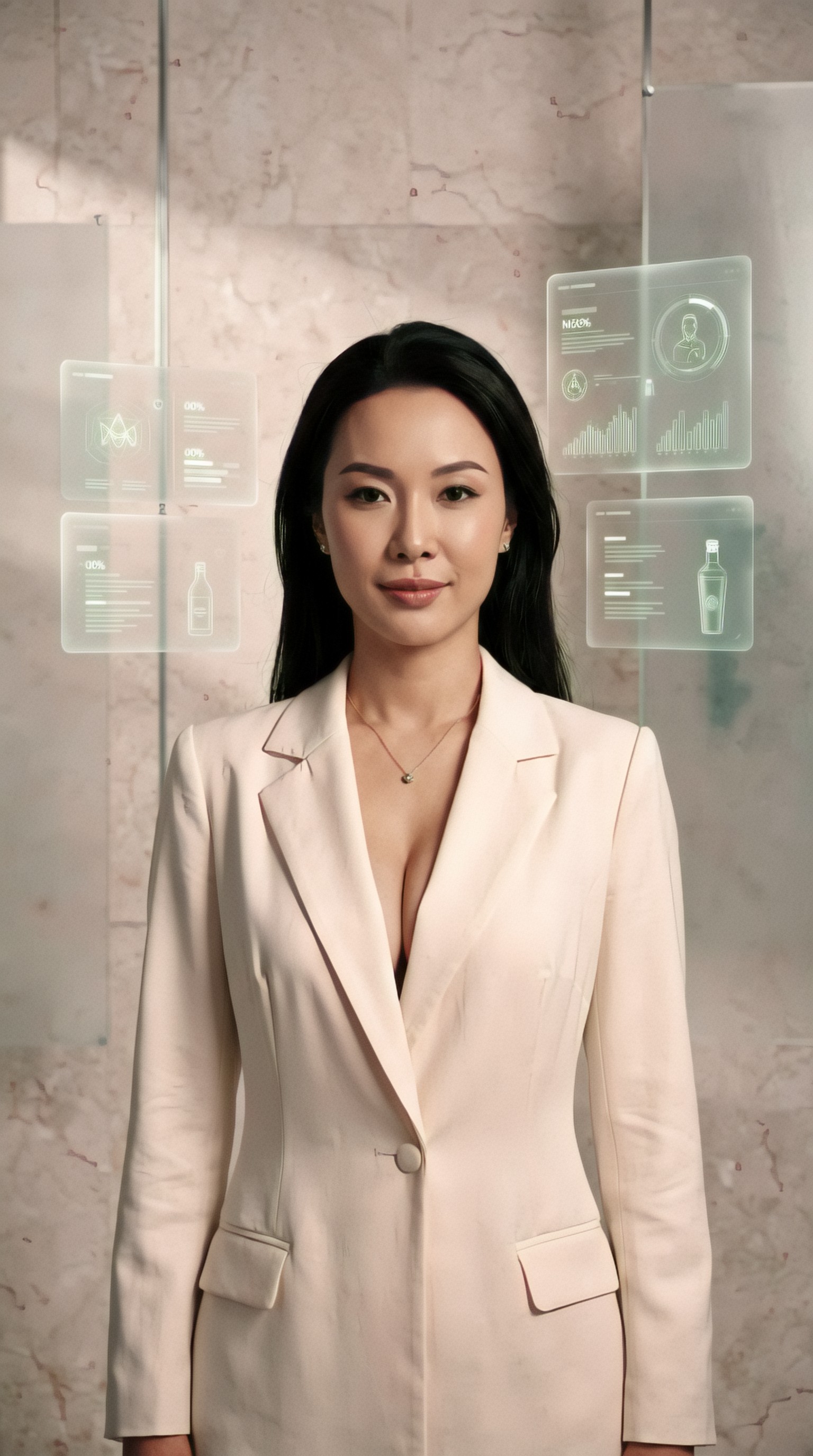
This is where fast brand visuals with AI become particularly useful. You can generate three distinct brand worlds in an afternoon and compare them side by side.
A practical comparison method
Build 3 prompt families:
- human-centered
- product-centered
- abstract-conceptual
Keep the product category the same, but change styling, location, lighting, and composition. That makes strategic differences easier to evaluate.
Use case 4: Abstract visuals for technical or invisible products
Some startups sell infrastructure, APIs, security systems, or back-end automation. These products are hard to photograph. AI can create conceptual visuals that feel premium without looking like generic floating shapes.
The trick is to connect abstraction to brand meaning.
- security: layered barriers, controlled light, architectural precision
- automation: flow, sequence, rhythm, modular movement
- AI infrastructure: intelligent systems, depth, invisible orchestration
- data products: clarity, pattern, structured illumination
Topic: Concept visual for cybersecurity startup landing page
Genre: Cinematic Travel
Camera: ARRI Alexa Mini LF
Lens: 40mm anamorphic T2.8
Lighting: Neon rim light with controlled shadow contrast
Location: Brutalist architectural corridor with reflective black floor and subtle mist
Style: Cinematic Realism
Final Prompt: A lone figure in structured dark contemporary clothing walking through a brutalist architectural corridor lined with translucent illuminated panels, strong sense of protected passage and controlled access, composed forward movement, serious focused expression, reflective black floor, subtle atmospheric mist, electric cyan edge light against deep charcoal shadows, ARRI Alexa Mini LF cinematic capture, 40mm anamorphic T2.8 wide cinematic framing, symmetrical composition with strong vanishing point, luxury-tech palette of black, steel, cyan, and soft white, tactile concrete textures, high-end security brand mood, sophisticated rather than sci-fi, premium landing page hero quality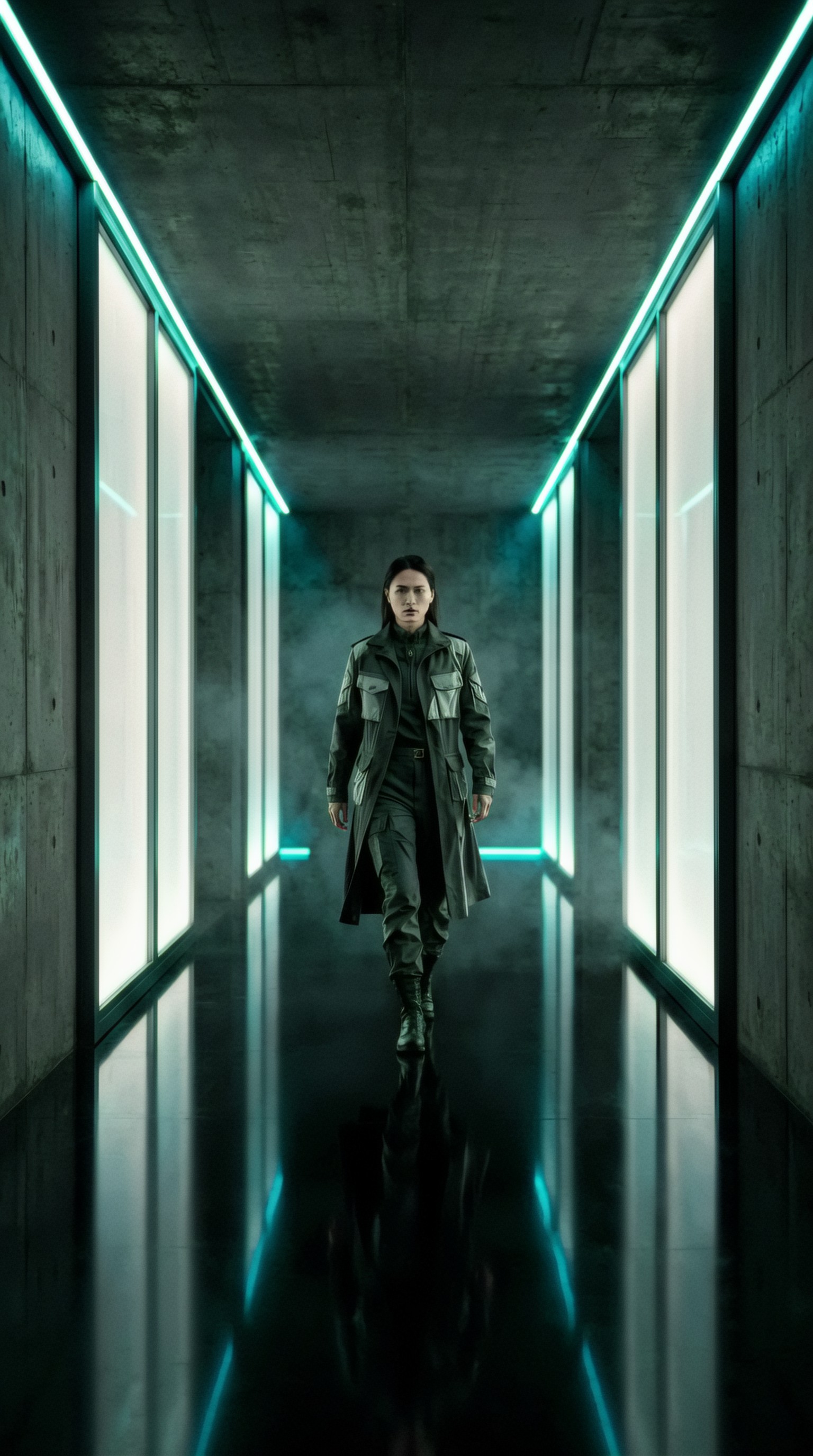
This approach works well for technical startups because it communicates feeling and category without pretending to be a literal product screenshot.
Use case 5: Productized service brands that need polished trust signals
Agencies, consultancies, and B2B service startups often need visuals that feel premium but not inflated. AI can help create trust-oriented brand scenes.
Common targets include:
- strategic consulting landing pages
- lead-gen ads
- founder profile sections
- case-study headers
- newsletter cover images
Topic: Premium B2B service startup hero image for strategic advisory brand
Genre: Luxury Campaign
Camera: Fujifilm GFX100S
Lens: 63mm f/2.8
Lighting: Window side light with soft bounce fill
Location: Elegant meeting room with stone table, textured walls, and muted city backdrop
Style: Korean Magazine Cover
Final Prompt: A poised startup advisor seated at a stone meeting table with a notebook, slim laptop, and discreet printed strategy diagrams, tailored charcoal suit with soft beige shirt, composed upright pose, direct intelligent gaze, subtle half-smile suggesting confidence and clarity, elegant meeting room with textured plaster walls and a muted city backdrop beyond large windows, window side light with soft bounce fill, Fujifilm GFX100S look, 63mm f/2.8 medium-format detail, clean magazine-style framing with negative space for headline placement, restrained palette of taupe, charcoal, warm gray, and muted brass, refined editorial sharpness, premium but understated B2B trust aesthetic
Tip for service brands
Avoid excessive laptops, holograms, and fake dashboards. Trust often comes from restraint, not complexity.
Use case 6: Startup ad visuals for different audience segments
One startup may serve multiple audiences:
n- marketers
- founders
- developers
- operations teams
- creators
The product can stay the same while the visual world changes. This is one of the biggest strengths of an AI image generator for startup branding workflow.
You can adapt:
- wardrobe
- workspace style
- lighting mood
- pace of composition
- props and devices
- urban vs domestic vs studio context
For creators, the image might feel colorful and expressive. For enterprise teams, it might feel calm and architectural.
Topic: Ad visual for creator-tool startup targeting independent designers
Genre: Street Style
Camera: Leica Q3
Lens: 28mm f/1.7
Lighting: Sunset backlight with practical interior glow
Location: Industrial loft studio filled with prints, moodboards, and creative tools
Style: Editorial Street Campaign
Final Prompt: An independent designer standing in an industrial loft studio surrounded by pinned prints, color swatches, sketchbooks, and a glowing workstation, expressive layered outfit in washed denim, black, and muted orange, relaxed off-center stance, slight smile with absorbed creative energy, sunset backlight entering through tall factory windows mixed with warm practical lamp glow, Leica Q3 look, 28mm f/1.7 environmental framing, dynamic composition with rich foreground-background layering, tactile paper textures, dusty rose and amber accents against concrete gray, ad-ready visual for a creative startup tool, authentic editorial street campaign feel, high realism, sharp detail, natural imperfections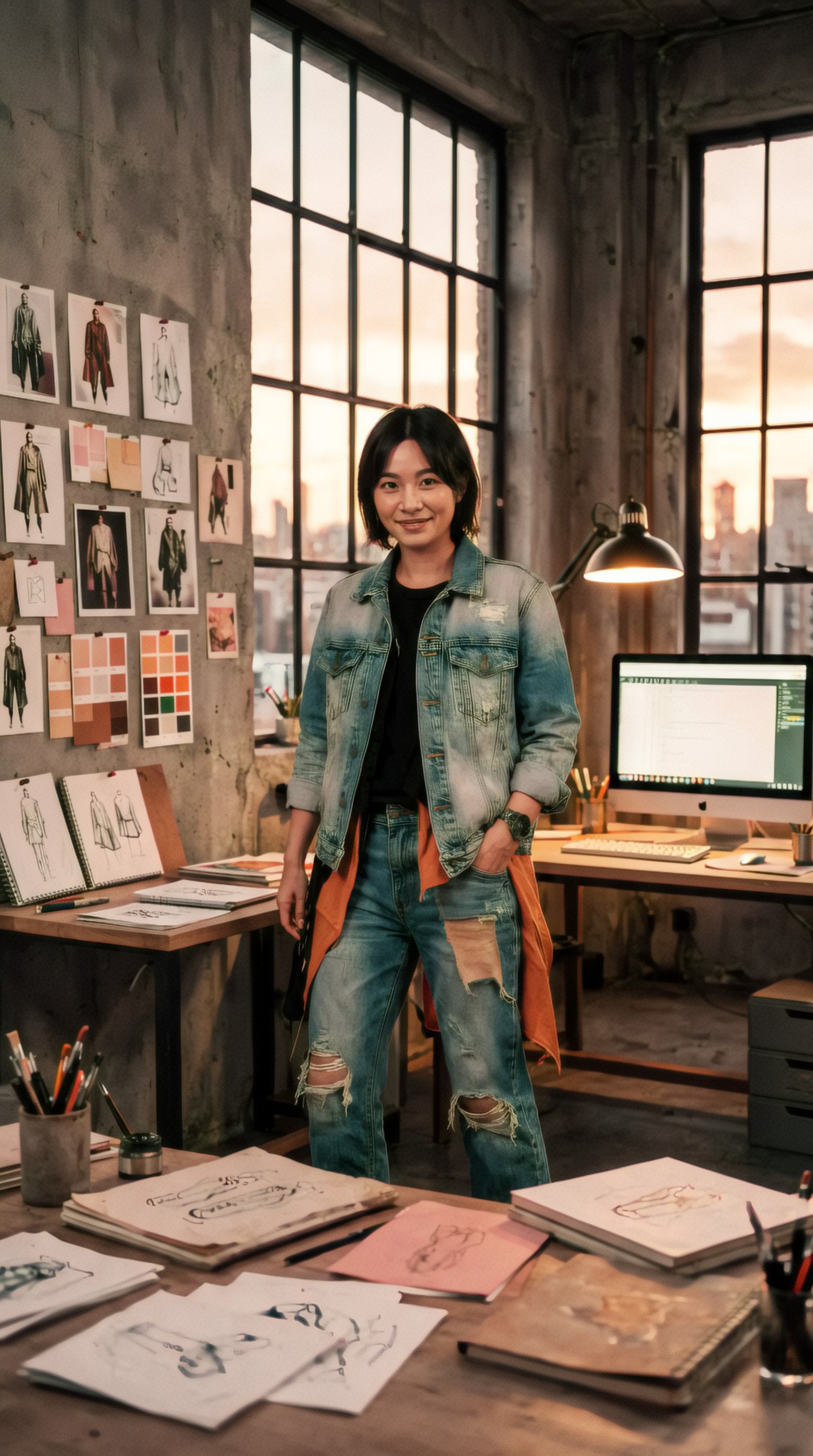
Segment-specific prompts make your test assets feel made for the audience instead of borrowed from generic stock themes.
Use case 7: Rapid concept testing before a full photoshoot
AI images are also useful as pre-production tools. If a startup plans to commission photography later, generated visuals can help lock the direction first.
Use them to test:
- wardrobe logic
- framing style
- set design
- color palette
- emotional expression
- ratio and crop behavior
This reduces ambiguity before spending on real production.
Topic: Photoshoot pre-visualization for eco-commerce startup campaign
Genre: Product Editorial
Camera: Hasselblad X2D 100C
Lens: 55mm f/2.5
Lighting: Soft daylight through scrim with subtle negative fill
Location: Sunlit kitchen-studio with natural wood, linen, and sustainable packaging details
Style: Elegant Resort Editorial
Final Prompt: A clean eco-commerce campaign scene featuring a founder arranging beautifully designed refillable household products on a natural wood counter, relaxed rolled-sleeve linen outfit in oat and clay tones, gentle focused expression, hands in motion creating a candid premium feel, sunlit kitchen-studio with linen curtains, ceramic vessels, and subtle greenery, soft daylight through scrim with negative fill for shape, Hasselblad X2D 100C medium-format look, 55mm f/2.5 crisp editorial detail, warm earthy palette with matte textures and controlled highlights, minimal but lived-in composition, sustainable luxury branding energy, polished enough for a landing page hero or campaign mockup
The generated image can act as a visual brief for the photographer, art director, or internal design team.
Use case 8: Visual systems for feature pages and campaign series
A startup rarely needs one image. It usually needs a small system of images that feel related.
For example:
- homepage hero
- three feature section visuals
- two ad concepts
- social launch graphics
- blog cover series
To keep image sets cohesive, lock these variables:
- palette family
- contrast level
- perspective style
- wardrobe logic
- environment type
- texture language
Then vary one thing at a time, such as audience, product moment, or message.
Topic: Feature-page visual for AI productivity startup focused on team alignment
Genre: Lifestyle Portrait
Camera: Panasonic Lumix S5 II
Lens: 35mm f/1.8
Lighting: Morning window light with soft overhead bounce
Location: Collaborative startup workspace with whiteboards, wood surfaces, and muted brand accents
Style: Clean Commercial Look
Final Prompt: A small startup team gathered around a table reviewing a printed roadmap and a laptop with subtle abstract interface cues, modern casual wardrobe in soft navy, sand, white, and muted green, engaged body language with one person pointing and others listening, natural collaborative energy without forced smiles, collaborative workspace with whiteboards, wood surfaces, and discreet brand accents, morning window light with soft overhead bounce, Panasonic Lumix S5 II look, 35mm f/1.8 balanced environmental portrait, horizontal composition with room for website copy on the right, clean commercial look, realistic skin texture, disciplined color palette, premium startup brand storytelling, high-resolution editorial polish
This is a strong template for landing page image generator AI use because it balances human presence with clear brand restraint.
How to build a repeatable AI branding workflow
A practical workflow is more useful than isolated prompts.
Step 1: Define visual strategy in plain language
Before prompting, write down:
- the startup category
- audience segment
- page or ad placement
- key emotion
- three brand adjectives
- forbidden clichés
Example:
- Category: B2B automation SaaS
- Audience: operations leaders
- Placement: homepage hero
- Emotion: calm control
- Brand adjectives: efficient, mature, clear
- Avoid: neon hacker imagery, excessive holograms, busy dashboards
Step 2: Generate 3 visual directions
Create three distinct worlds:
- people-led
- environment-led
- concept-led
This prevents the team from locking onto one random image too early.
Step 3: Review for brand fit, not image beauty alone
Ask:
- does this match the product promise?
- does this look credible for the audience?
- can copy sit on top of it?
- is it too generic or too trend-bound?
- does it suggest a scalable visual language?
Step 4: Refine with controlled prompt edits
Only change one or two variables at a time:
- lighting
- crop
- wardrobe
- set styling
- color intensity
- subject age or energy
That gives cleaner iteration than rewriting the whole prompt every time.
Step 5: Move selected directions into design
Once a direction works, test it in context:
- landing page mockup
- ad frame
- mobile crop
- dark-mode UI setting
- thumbnail preview
A beautiful image can fail once text, buttons, and real layouts are applied.
Common mistakes in startup branding prompts
1. Prompting only the category
“Generate a startup branding image for AI SaaS” is too vague.
A useful prompt should include tone, audience, placement, and composition.
2. Forcing too many ideas into one frame
Do not ask a single image to show:
- product UI
- team culture
- data flow
- customer joy
- global scale
- futuristic innovation
Pick one priority.
3. Using clichés instead of brand-specific signals
Overused startup visuals include:
- glowing blue holograms
- random floating graphs
- generic smiling teams around laptops
- impossible glass interfaces
- over-polished faceless “innovation” scenes
4. Ignoring crop and layout needs
A landing page hero needs copy space. A paid social ad may need central subject emphasis. A blog cover might need a wider title-safe zone.
5. No visual consistency across assets
If every prompt uses a different style language, the startup ends up with disconnected brand imagery.
Prompt framework for better results
Here is a simple mental checklist you can apply to any startup branding prompt:
- Subject: person, object, environment, abstract structure
- Brand cue: premium, efficient, calm, bold, human, technical
- Usage: hero, feature page, ad, social, deck
- Composition: centered, left copy space, portrait crop, layered depth
- Aesthetic: editorial, commercial, cinematic, minimal, architectural
- Production detail: camera, lens, light, material texture
The more concrete your intent, the more consistent your outputs become.
Final thoughts
An AI image generator for startup branding is most valuable when used as a creative direction tool. It helps startups see possible brand worlds earlier, test visual language faster, and produce campaign concepts without waiting for a full shoot or illustration process.
The strongest results come from prompts that think like art direction, not keyword stuffing. Define the audience. Define the page. Define the emotional job of the image. Then build prompts with real production choices: camera, lens, light, setting, palette, and composition.
That is how startup ad visuals AI and brand concept images AI become useful in practice: not by generating endless variations, but by creating visual options that are specific enough to guide real brand decisions.