AI Prompt Generator for Product Launch Campaigns: From Hero Shot to Social Cutdowns 한국어 요약
이 페이지는 ZView Space의 영어 원문을 한국어 검색 사용자도 이해할 수 있도록 정리한 SEO 요약입니다. 핵심은 단순한 얼굴 중심 이미지가 아니라 패션 에디토리얼, 룩북, 아웃핏, 프롬프트 테스트, 이미지 생성 워크플로우를 실제로 어떻게 구성할지입니다.
핵심 요약
- 원문 주제: AI Prompt Generator for Product Launch Campaigns: From Hero Shot to Social Cutdowns
- 목적: AI 이미지 생성에서 outfit, silhouette, fabric, pose, location, camera framing을 더 명확하게 설계합니다.
- 활용 범위: Z-Image Turbo, Krea2 Turbo, Qwen Image, Anima, SeedVR2 같은 이미지 생성 및 업스케일 워크플로우에 적용할 수 있습니다.
- SEO 관점: 제목, 설명, 이미지 alt, 프롬프트 예시가 실제 검색 의도와 맞아야 색인 가능성이 높아집니다.
한국어 사용자를 위한 체크포인트
1. 프롬프트가 얼굴 묘사에만 머물지 않고 전체 스타일과 의상 구성을 설명하는지 확인합니다. 2. 패션 이미지라면 상의, 하의, 아우터, 신발, 액세서리, 소재감, 촬영 장소를 분리해서 씁니다. 3. 생성 결과는 바로 게시하지 말고 디테일, 손, 의상 형태, 배경 일관성, 이미지 품질을 비교합니다. 4. 글 본문에는 실제 테스트 기준과 실패를 줄이는 방법이 들어가야 검색엔진에서 얇은 콘텐츠로 보일 가능성이 줄어듭니다.
원문 미리보기
Launching a product with AI images is easier when you stop thinking in single prompts and start thinking in campaign pieces. A launch usually needs one strong hero image, a few supporting visuals, vertical social assets, close up detail shots, lifestyle scenes
---
Launching a product with AI images is easier when you stop thinking in single prompts and start thinking in campaign pieces. A launch usually needs one strong hero image, a few supporting visuals, vertical social assets, close-up detail shots, lifestyle scenes, and fast cutdowns for different platforms. This guide shows how to use an AI prompt generator for product launch campaigns in a practical way, so you can build a consistent visual system instead of random one-off images.
The goal is simple: turn one product idea into a full set of prompts that match across channels, formats, and audience touchpoints.
Why use an AI prompt generator for product launch campaigns?
A good prompt generator is not just a text assistant that spits out pretty words. For launch work, it helps you translate marketing goals into visual instructions.
For example, you might need:
- a premium hero shot for the homepage
- a clean product cutout feel for ads
- vertical story assets for Instagram and TikTok
- close-up texture shots for detail callouts
- lifestyle scenes that show scale and use
- seasonal variations for retargeting creatives
Instead of prompting from scratch every time, you can use a repeatable structure. That keeps your images more consistent and saves time when you need multiple assets fast.
What makes a campaign prompt different from a single image prompt?
A normal image prompt might describe one nice-looking scene. A campaign prompt needs more control.
For product launches, your prompts should cover:
- Subject clarity: what the product is and what version or colorway appears
- Visual role: hero shot, detail crop, lifestyle image, ad backdrop, or social thumbnail
- Brand feel: minimal, playful, technical, luxury, outdoorsy, youthful, and so on
- Format intent: square, portrait, landscape, negative space, text-safe framing
- Consistency rules: recurring palette, materials, lighting logic, and mood
Think of the prompt generator as a campaign prompt builder. It should help you keep the same creative direction while changing angle, composition, and asset purpose.
A simple workflow: from hero shot to social cutdowns
Here is a beginner-friendly workflow you can use for almost any launch.
1. Define the campaign core
Before writing prompts, lock these basics:
- product name and category
- key visual message
- target audience
- launch mood
- primary colors
- materials or textures to emphasize
- where the images will be used
A product launch for a matte black water bottle will need a very different visual system than a pastel skincare serum.
2. Build one anchor prompt
Start with one hero prompt that sets the campaign language. This is your visual reference point for the rest of the assets.
Below is a production-ready hero shot prompt for a premium tech product launch.
Topic: Premium wireless earbuds product launch hero image
Genre: Product Editorial
Camera: Canon EOS R5
Lens: 100mm f/2.8 Macro
Lighting: Studio softbox key light with controlled rim light
Location: Minimal matte charcoal studio set with reflective acrylic platform
Style: Clean Commercial Look
Final Prompt: Premium wireless earbuds in matte graphite displayed on a smoked reflective acrylic platform in a minimal charcoal studio, open charging case angled three-quarters toward camera, earbuds symmetrically placed with one standing upright and one resting naturally, crisp product surfaces, subtle metallic accents, clean reflections, controlled softbox key light with precise rim highlights, premium consumer tech launch aesthetic, generous negative space for headline placement, monochrome palette with cool silver undertones, razor-sharp macro detail, polished commercial composition, Canon EOS R5 look, 100mm f/2.8 macro clarity, ultra-clean background, realistic material texture, high-end e-commerce and homepage hero quality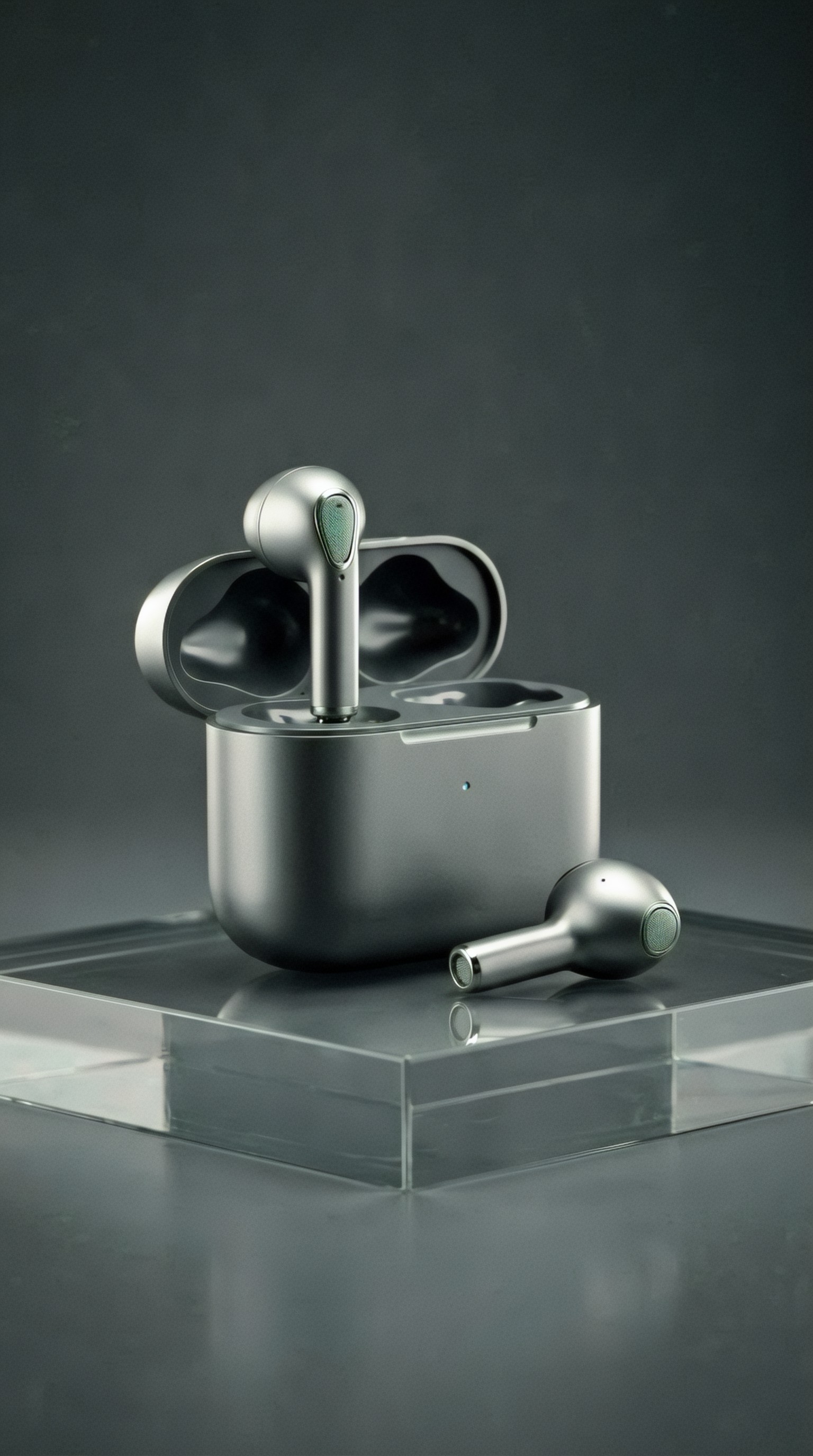
This first prompt does three jobs:
1. defines the product mood 2. establishes lighting and palette 3. gives you a template for matching follow-up assets
3. Expand into supporting angles
Once the hero image works, create related prompts for secondary campaign visuals. These can include alternate crops, elevated angles, exploded views, or packaging pairings.
A second prompt can focus on detail and craftsmanship.
Topic: Wireless earbuds detail shot highlighting finish and craftsmanship
Genre: Luxury Campaign
Camera: Nikon Z8
Lens: 85mm f/1.8
Lighting: Studio butterfly light with soft silver bounce
Location: Dark slate tabletop with subtle gradient backdrop
Style: High-End Beauty Advertising
Final Prompt: Close-up campaign image of matte graphite wireless earbuds and charging case emphasizing precision finish, smooth contours, speaker mesh texture, and polished hinge detailing, positioned on a dark slate surface with refined spacing, camera angled slightly above for elegant product geometry, soft butterfly light with silver bounce revealing micro-texture without harsh glare, luxurious editorial mood, deep graphite and gunmetal color palette, minimal background gradient, premium detail-focused composition, tactile materials, quiet sophistication, Nikon Z8 rendering, 85mm f/1.8 selective depth, glossy luxury-ad precision suitable for feature callouts and carousel slides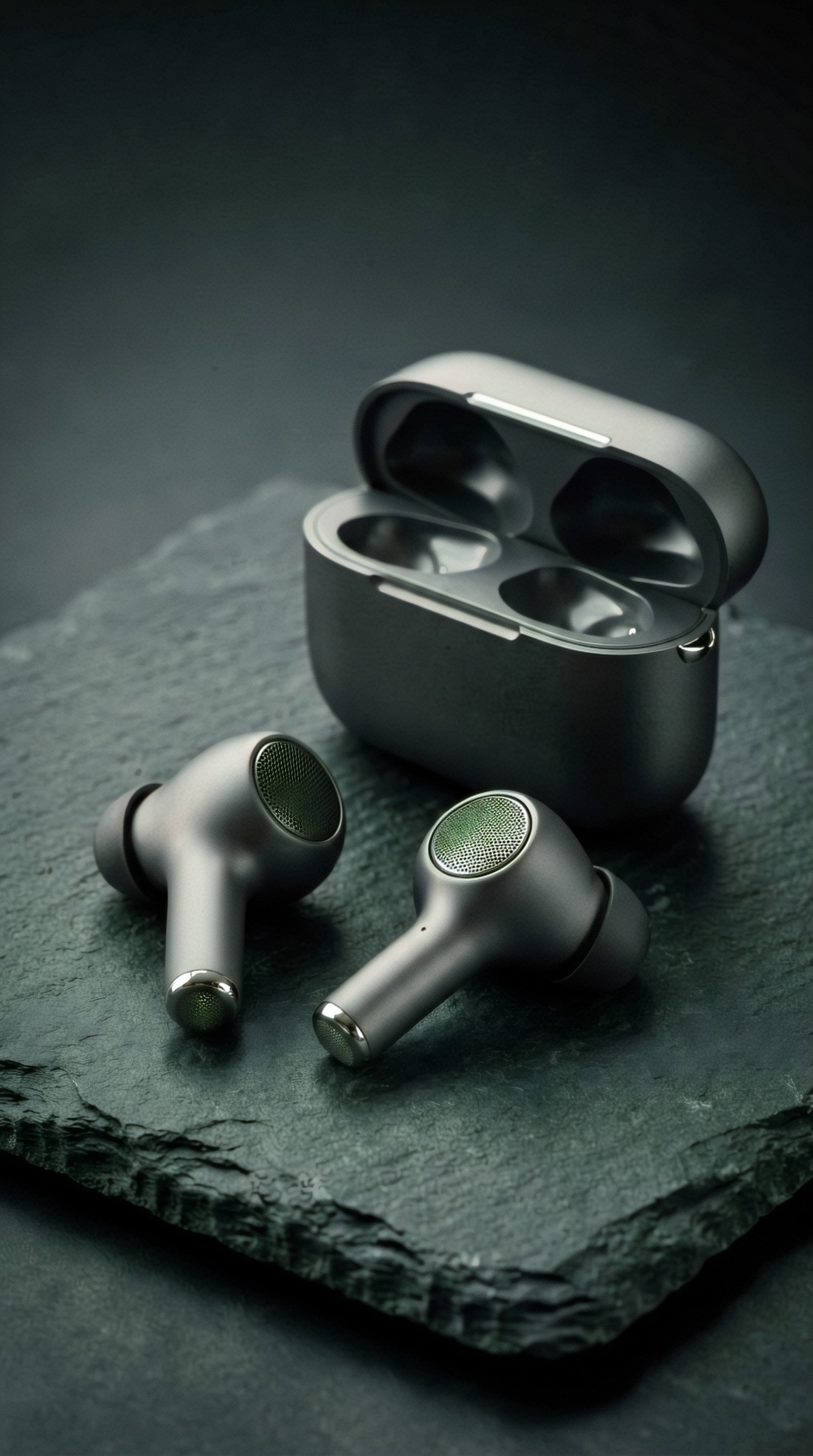
4. Move from product-only to lifestyle context
A launch campaign usually needs at least one image that shows the product in use. This is where many beginners get inconsistent results, because they switch styles too abruptly.
The trick is to carry over your campaign DNA: the same palette, mood, and material logic should still be visible.
For example, if the product is premium and minimal, the lifestyle image should not suddenly become chaotic and oversaturated.
Topic: Young professional using premium wireless earbuds during commute
Genre: Lifestyle Portrait
Camera: Sony A7 IV
Lens: 50mm f/1.4
Lighting: Overcast diffusion with subtle urban reflections
Location: Modern city train platform with brushed steel and glass architecture
Style: Cinematic Realism
Final Prompt: Stylish young professional wearing matte graphite wireless earbuds on a clean modern train platform, tailored neutral coat, understated accessories, calm confident expression, one hand adjusting earbud while waiting beside sleek glass panels and brushed steel architecture, product clearly visible but naturally integrated into daily use, overcast diffused light with soft urban reflections, cool gray and muted navy color palette, premium commuter atmosphere, balanced negative space for ad copy, realistic skin texture, cinematic depth, Sony A7 IV look, 50mm f/1.4 shallow depth of field, polished launch-campaign lifestyle image with clean composition and believable motionless moment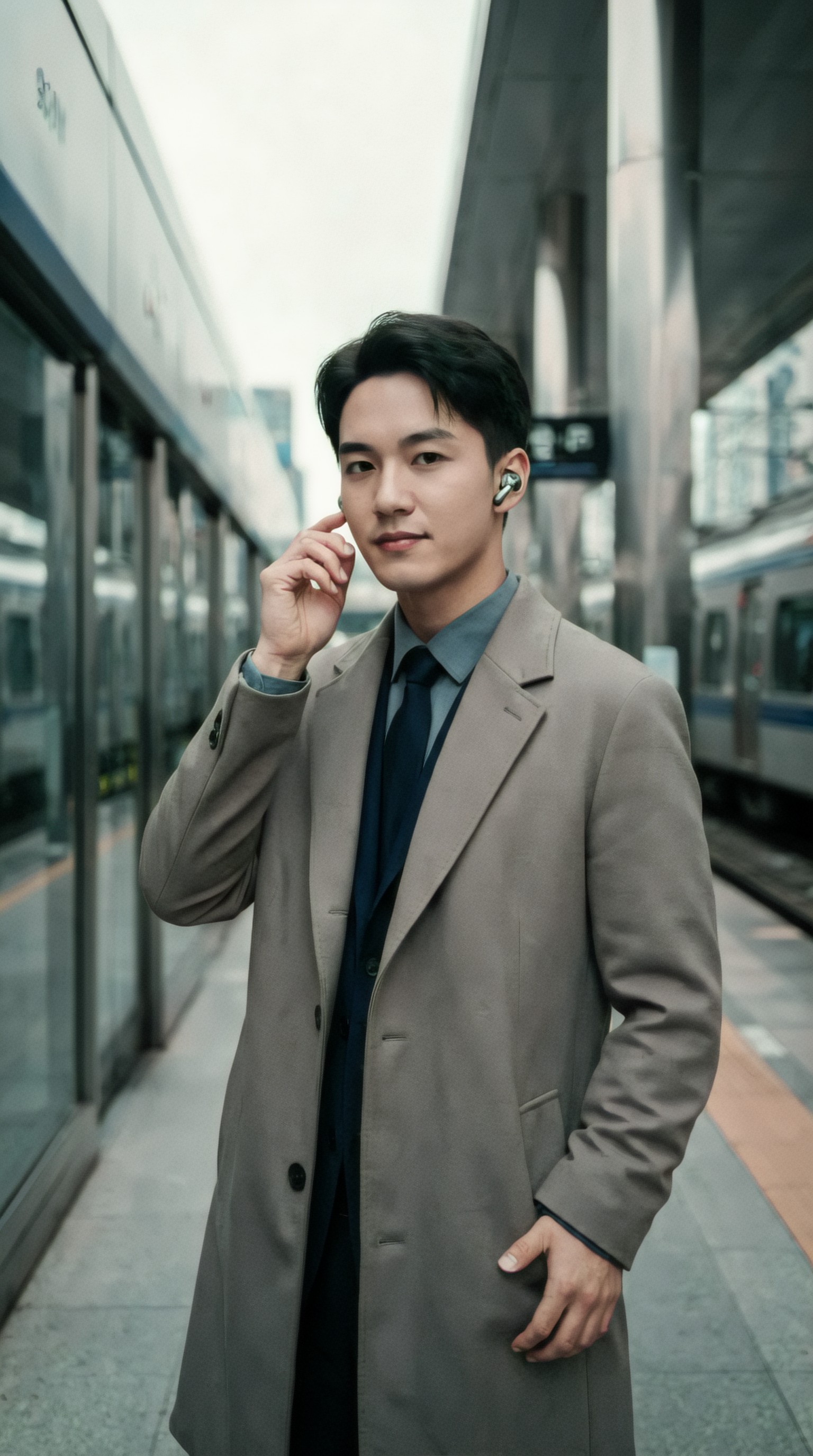
How to generate product launch image prompts that stay consistent
If you are using an AI prompt generator for product launch campaigns, consistency matters more than novelty. Your campaign should feel like one family of images.
Use these controls in every prompt:
Keep the product description stable
Reuse the same core identifiers:
- color
- finish
- material
- shape
- packaging details
- version or model
If you keep changing “matte graphite” to “dark black metallic” to “charcoal gray,” many image models will drift visually.
Reuse a brand style line
Add a recurring phrase to each prompt, such as:
- clean commercial look
- premium consumer tech launch aesthetic
- soft pastel skincare campaign
- modern outdoor utility brand
That helps unify outputs.
Control framing by asset type
Different deliverables need different compositions.
- Hero shot: centered or deliberately asymmetrical, lots of text-safe space
- Carousel image: tighter crop, detail emphasis
- Story/Reel cover: vertical composition with strong central subject
- Ad variation: clear silhouette, simple background
Here is a vertical social variation prompt built from the same earbuds campaign.
Topic: Vertical social ad for premium wireless earbuds launch
Genre: Product Editorial
Camera: Fujifilm GFX100S
Lens: 63mm f/2.8
Lighting: Neon rim light with soft frontal fill
Location: Gradient studio backdrop shifting from graphite to cool blue
Style: Korean Magazine Cover
Final Prompt: Vertical launch creative for matte graphite wireless earbuds and charging case arranged in a bold central composition against a smooth graphite-to-cool-blue gradient studio backdrop, one earbud floating slightly above the open case for a futuristic premium feel, controlled neon rim light tracing product edges with soft frontal fill preserving realistic texture, sleek contemporary editorial styling, clean lower area reserved for CTA text, crisp silhouette, cool metallic palette, subtle atmospheric haze, ultra-refined commercial finish, Fujifilm GFX100S medium-format look, 63mm f/2.8 precision, premium social ad aesthetic designed for story format and fast mobile readability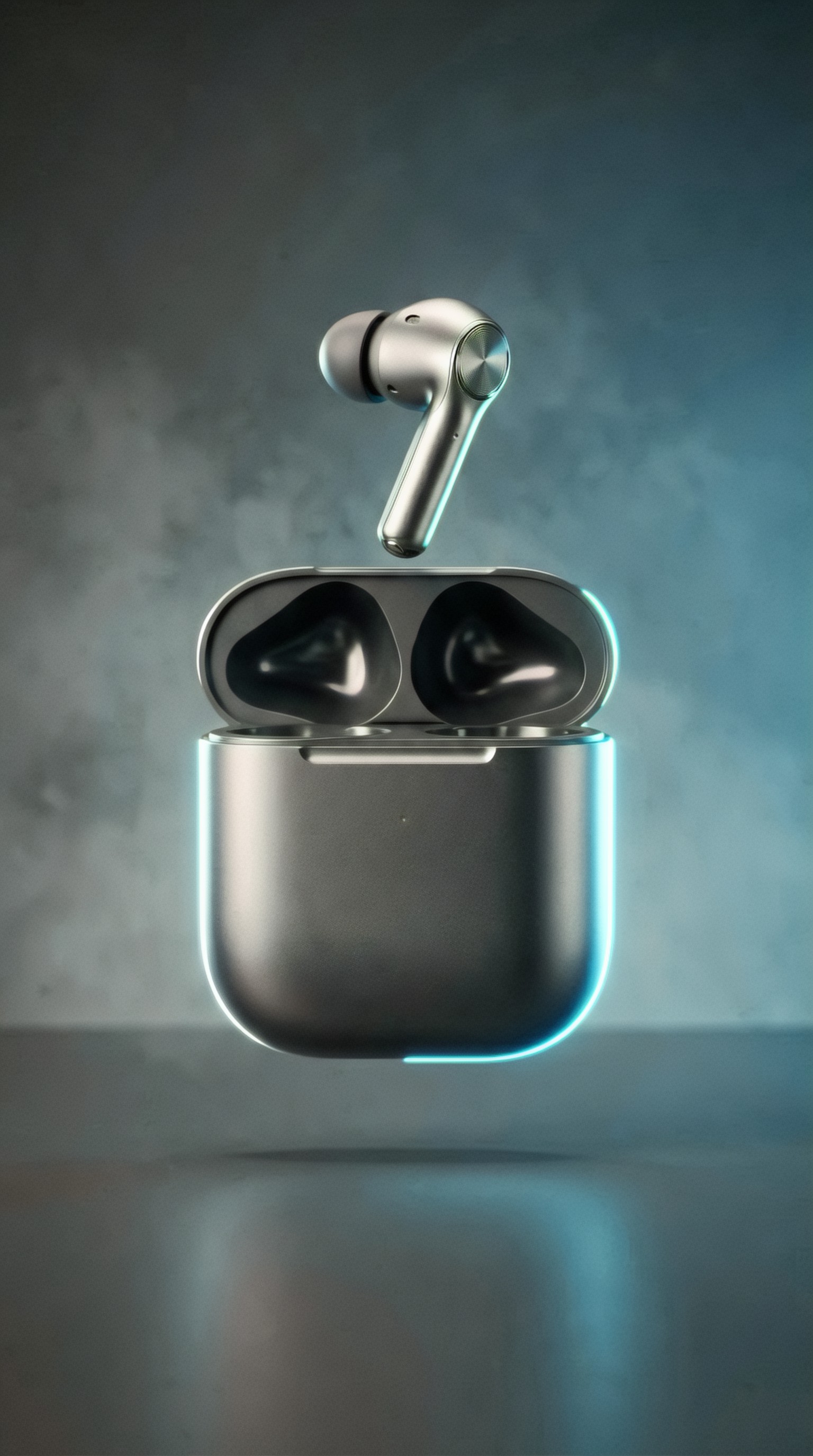
Use cases: what to generate for a real launch campaign
When people search for product launch image prompts or ai prompts for hero product shots, they usually need more than a single image. Below are practical asset types you can generate.
Hero shot for website or landing page
Use this when you need:
- homepage banner art
- launch announcement image
- press kit cover visual
- featured marketplace thumbnail
Focus on:
- strong composition
- clear product read
- premium lighting
- room for text
Detail shots for feature storytelling
These work well for:
- product pages
- spec callouts
- email launch modules
- carousel ads
Detail prompts should emphasize texture, materials, buttons, seams, ingredients, ports, branding, or packaging finishes.
Here is an example for a skincare launch instead of tech, to show how the same framework adapts across categories.
Topic: Vitamin C serum bottle feature-detail launch visual
Genre: Beauty Campaign
Camera: Sony A7R V
Lens: 90mm f/2.8 Macro
Lighting: Softbox key light with warm sunrise edge glow
Location: Cream travertine vanity surface with minimal plaster backdrop
Style: High-End Beauty Advertising
Final Prompt: Premium vitamin C serum bottle in translucent amber glass with satin white dropper cap placed on a cream travertine vanity surface, tiny serum droplets and luminous reflections highlighting glass thickness and clean formulation feel, label facing camera with elegant spacing, warm sunrise edge glow adding freshness, softbox key light preserving label legibility and refined texture, soft peach, ivory, and amber palette, minimal plaster backdrop, clean luxury skincare campaign mood, macro detail on condensation, glass reflections, and polished packaging, Sony A7R V look, 90mm f/2.8 macro sharpness, premium feature shot for launch page ingredient and benefits storytelling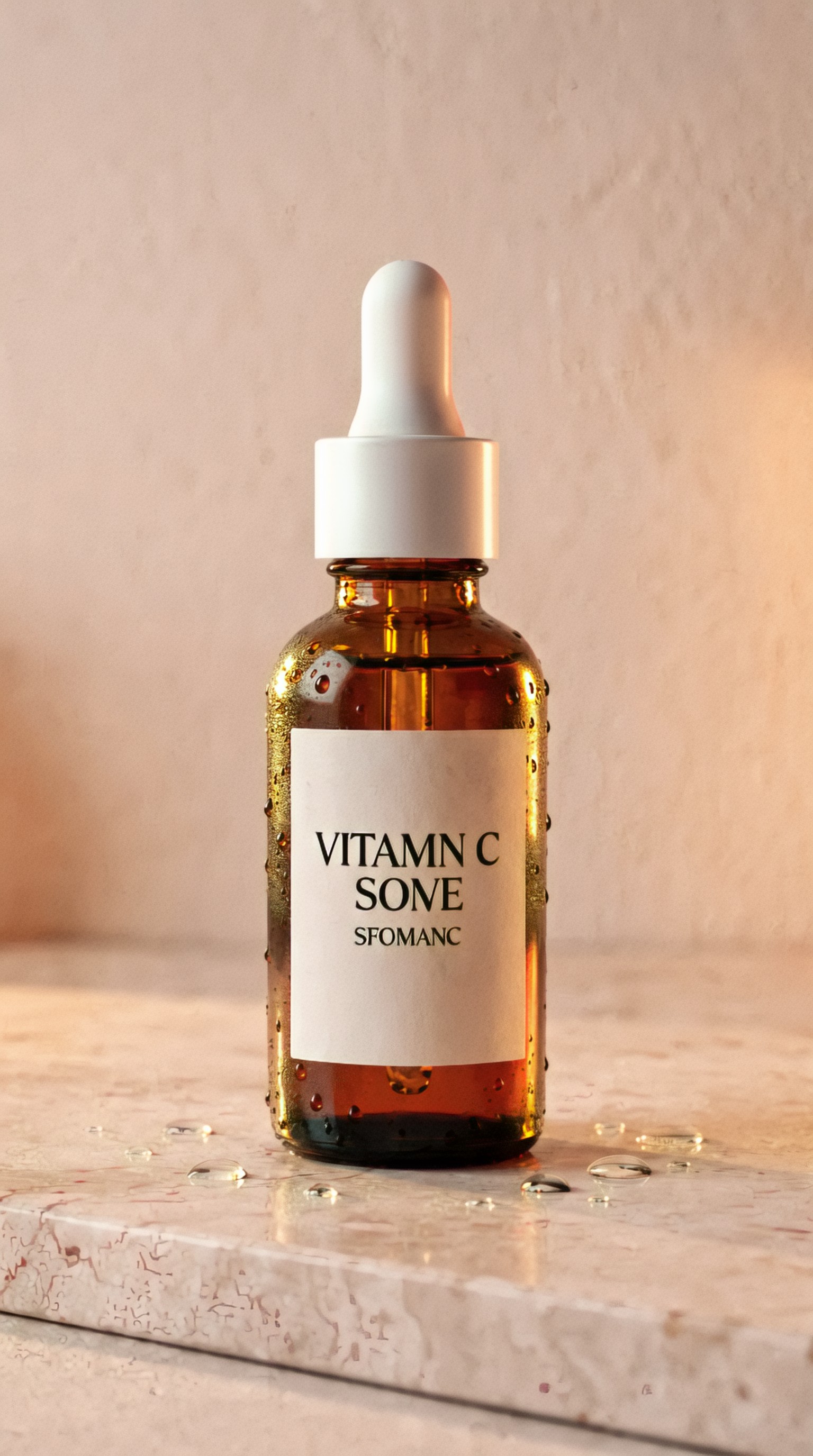
Lifestyle scenes to explain use
These are especially useful for:
- social ads
- campaign landing pages
- marketplace banners
- editorial blog features
A lifestyle image should answer: who uses this, where, and in what mood?
Topic: Morning skincare ritual featuring vitamin C serum launch
Genre: Lifestyle Portrait
Camera: Canon EOS R6 Mark II
Lens: 35mm f/1.8
Lighting: Window light with soft sheer-curtain diffusion
Location: Bright apartment bathroom with natural stone sink and minimal decor
Style: Elegant Resort Editorial
Final Prompt: Young woman applying a few drops of vitamin C serum in a bright calm bathroom, relaxed posture at a natural stone sink, fresh bare skin, soft white robe, subtle smile, product bottle clearly visible in hand near mirror reflection, airy apartment setting with warm neutral decor and clean styling, diffused window light through sheer curtains creating gentle highlights on skin and glass bottle, palette of ivory, soft beige, pale apricot, and warm stone, authentic premium self-care atmosphere, Canon EOS R6 Mark II rendering, 35mm f/1.8 natural perspective, polished but believable lifestyle launch image designed for skincare social ads and landing-page storytelling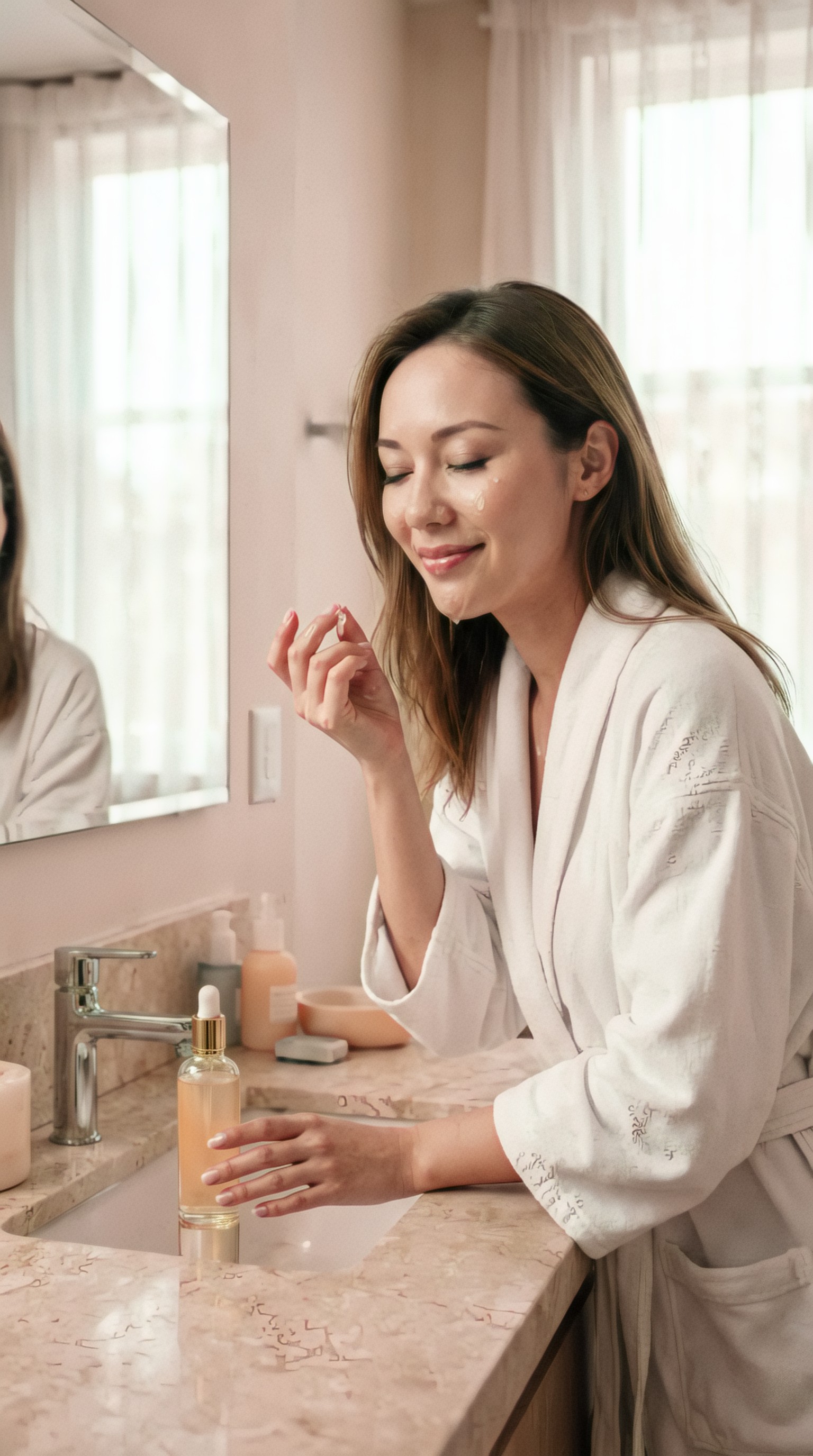
Packaging and unboxing visuals
These images support:
- creator kits
- email launch teasers
- marketplace galleries
- paid social hooks
Packaging prompts should mention tissue paper, insert cards, box materials, seals, ribbons, molded trays, or layered reveal composition.
Topic: Premium product unboxing visual for launch campaign
Genre: Product Editorial
Camera: Leica SL2-S
Lens: 50mm f/2 APO
Lighting: Soft overhead diffused light with subtle side kicker
Location: Warm oak tabletop with premium packaging arrangement
Style: Luxury Fashion Campaign
Final Prompt: Premium product launch unboxing scene with carefully arranged box, branded insert card, molded tray, tissue wrap, and hero product partially revealed, styled on a warm oak tabletop with clean spacing and tactile materials, top-down composition with slight angle for depth, soft overhead diffused light and a subtle side kicker enhancing paper texture, matte finish, ribbon edges, and embossed logo details, warm neutral palette with charcoal accents, refined editorial presentation, Leica SL2-S look, 50mm f/2 APO realism, premium campaign image suitable for email teasers, launch carousels, and creator kit announcements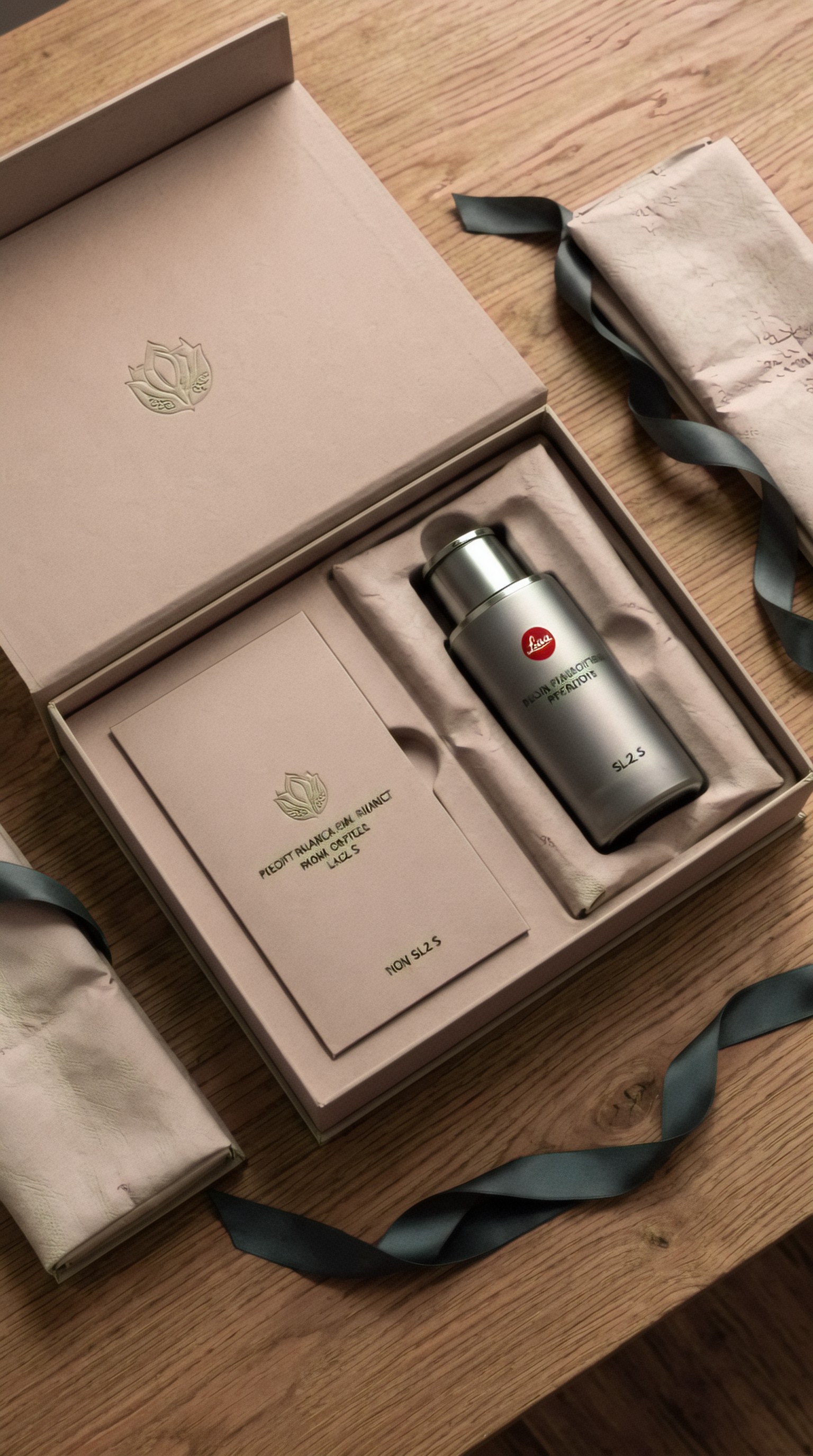
How to create social ad prompts with stronger performance potential
People searching for social ad prompts ai often want something practical: images that read quickly on mobile.
For social cutdowns, simplify the scene.
Use these rules:
- one main idea per image
- clear silhouette
- strong contrast between subject and background
- enough empty space for text overlays
- vertical-first framing when needed
Your prompt should mention the platform context indirectly through composition, not by adding platform logos or interface clutter.
Here is a direct-response style launch visual for a drink brand.
Topic: Sparkling beverage can launch ad for mobile social feed
Genre: Product Editorial
Camera: RED Komodo cinematic still capture
Lens: 40mm T2.0
Lighting: Sunset backlight with hard side highlight and cold fill
Location: Outdoor rooftop table at blue hour in a city setting
Style: Clean Commercial Look
Final Prompt: Slim sparkling beverage can in vibrant citrus color standing upright on a rooftop table at blue hour, tiny condensation beads, crisp logo facing camera, dramatic sunset backlight on can edges with a harder side highlight and cool fill for bold contrast, urban skyline softly blurred in the background, refreshing premium energy without clutter, strong central framing for mobile scroll-stopping readability, citrus yellow, teal, and steel-blue palette, subtle mist in the air, RED Komodo cinematic still feel, 40mm T2.0 depth and sharpness, ad-ready composition with text-safe upper space and realistic condensation texture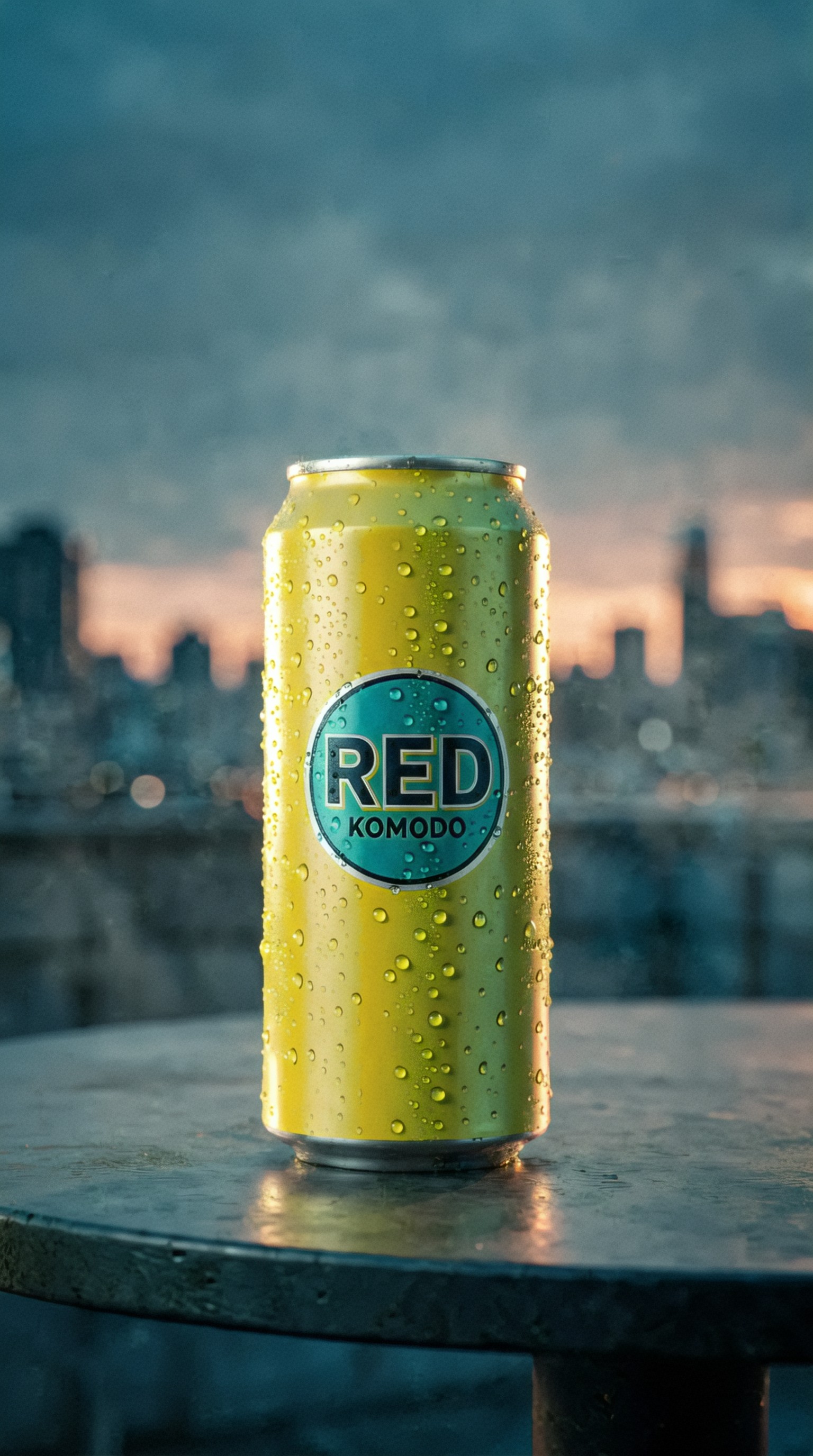
Generate cutdowns, not entirely new concepts
A common mistake is writing a brand-new prompt for every social asset. Instead, create cutdowns from the hero direction.
That means changing:
- aspect ratio
- crop
- angle
- background simplicity
- text-safe area
But keeping:
- product finish
- color language
- lighting family
- overall mood
Here is a close social cutdown based on the beverage launch style.
Topic: Tight social cutdown of sparkling beverage can with refresh cue
Genre: Street Style
Camera: Panasonic Lumix S5II
Lens: 85mm f/1.8
Lighting: Beach reflection style bright bounce with cool rim accent
Location: Minimal colored studio set inspired by rooftop summer mood
Style: Cinematic Realism
Final Prompt: Tight mobile-first crop of a chilled citrus sparkling beverage can with condensation and a slight splash at the base, can angled slightly toward camera for bold label visibility, simplified minimal set using a smooth teal backdrop and reflective surface inspired by summer rooftop freshness, bright bounce light creating lively highlights with a cool rim accent for separation, energetic but uncluttered composition, vivid citrus yellow against teal palette, crisp droplets, glossy aluminum texture, Panasonic Lumix S5II look, 85mm f/1.8 compressed framing, social cutdown aesthetic with immediate readability and premium refreshment mood
A campaign prompt builder template you can reuse
If you want a simple system, use this mini brief before generating images:
1. Product: what is it exactly? 2. Asset type: hero, detail, lifestyle, packaging, ad cutdown 3. Audience: who is the image for? 4. Visual message: premium, fun, clinical, rugged, soft, futuristic 5. Setting: studio, home, outdoors, retail, travel, desk 6. Composition: centered, top-down, close-up, vertical, negative space 7. Consistency markers: color palette, materials, lighting mood
This works especially well if you are using a text assistant as an ai prompt generator for product launch tasks.
Beginner mistakes to avoid
Being too vague about the product
“Create a cool launch image for headphones” is too broad.
Better:
- over-ear headphones
- matte sand finish
- minimal premium travel theme
- soft warm studio light
- homepage hero with left-aligned negative space
Forgetting the asset purpose
A beautiful image can still fail if it does not fit the layout. Say whether the image is for:
- web hero
- portrait story ad
- product page detail
- email banner
- square carousel
Overloading the scene
If your product is small, too many props can bury it. For launch visuals, clarity usually beats complexity.
Changing style too often
If one image feels like luxury editorial and the next feels like playful cartoon branding, the campaign will not hold together.
Product launch prompt examples for different categories
To make this guide more useful, here are two more cross-category examples.
Fashion accessory launch
Topic: Designer handbag launch hero in luxury retail mood
Genre: Fashion Editorial
Camera: Hasselblad X2D 100C
Lens: 80mm f/1.9
Lighting: Golden hour through storefront glass with soft interior fill
Location: Elegant boutique window corner with stone floor and brushed brass accents
Style: Luxury Fashion Campaign
Final Prompt: Structured designer handbag in deep burgundy leather displayed on a stone pedestal inside an elegant boutique window corner, brushed brass accents and soft reflections surrounding the product, bag angled slightly toward camera to emphasize shape, handle curve, stitching, and metal clasp, warm golden-hour light filtering through storefront glass with subtle interior fill, rich burgundy, cream stone, and brass palette, refined luxury editorial atmosphere, generous negative space for launch copy, Hasselblad X2D 100C clarity, 80mm f/1.9 medium-format depth, premium leather texture, polished fashion-campaign composition suitable for homepage hero and print launch creative
Home appliance launch
Topic: Compact espresso machine launch lifestyle kitchen visual
Genre: Product Editorial
Camera: Nikon D850
Lens: 35mm f/2
Lighting: Morning sun with soft bounce fill
Location: Modern apartment kitchen with white tile, oak shelving, and ceramic cups
Style: Clean Commercial Look
Final Prompt: Compact espresso machine in matte cream finish styled on a modern apartment kitchen counter with white tile backsplash, oak shelving, stacked ceramic cups, and a fresh espresso pour into a small cup, slightly angled front-facing composition showing controls, steam wand, and premium finish, morning sun casting soft directional highlights with gentle bounce fill preserving detail, warm neutral palette with coffee brown accents, realistic home-use context without clutter, Nikon D850 look, 35mm f/2 natural environmental framing, clean commercial launch image balancing product clarity and lifestyle warmth for landing pages and paid social
How to turn one prompt into a full launch set
Once your hero prompt is approved, create a matrix.
For each product, generate:
- 1 hero image
- 2 detail images
- 2 lifestyle images
- 1 packaging image
- 2 social cutdowns
That gives you eight launch assets from one visual direction.
You can also vary each by:
- colorway
- season
- audience segment
- promotional angle
- platform crop
This is the most practical use of an AI prompt generator for product launch campaigns: not just idea generation, but structured campaign expansion.
Final checklist before you generate
Before sending prompts into your image model, check that each one includes:
- a specific product subject
- a clear genre
- a real camera or capture style
- a concrete lens choice
- a defined lighting setup
- a real location or believable setting
- a style direction tied to campaign intent
- a final prompt with composition, materials, color palette, and mood
If any of those are missing, results usually become less predictable.
Conclusion
The best way to use an AI prompt generator for product launch campaigns is to think like a campaign builder, not a prompt collector. Start with one anchor hero shot, lock the visual language, then branch into detail shots, lifestyle scenes, packaging visuals, and social cutdowns that still feel connected.
That approach is useful whether you are creating ai prompts for hero product shots, exploring product launch image prompts, or building a reusable campaign prompt builder for client work. The more clearly you define product, purpose, and visual system, the more usable your generated images become.
If you are a beginner, keep it simple: one product, one campaign mood, one consistent prompt structure, and multiple asset variations built from that core.