AI Prompt Workflow for Summer Resort Carousel Images 한국어 요약
이 페이지는 ZView Space의 영어 원문을 한국어 검색 사용자도 이해할 수 있도록 정리한 SEO 요약입니다. 핵심은 단순한 얼굴 중심 이미지가 아니라 패션 에디토리얼, 룩북, 아웃핏, 프롬프트 테스트, 이미지 생성 워크플로우를 실제로 어떻게 구성할지입니다.
핵심 요약
- 원문 주제: AI Prompt Workflow for Summer Resort Carousel Images
- 목적: AI 이미지 생성에서 outfit, silhouette, fabric, pose, location, camera framing을 더 명확하게 설계합니다.
- 활용 범위: Z-Image Turbo, Krea2 Turbo, Qwen Image, Anima, SeedVR2 같은 이미지 생성 및 업스케일 워크플로우에 적용할 수 있습니다.
- SEO 관점: 제목, 설명, 이미지 alt, 프롬프트 예시가 실제 검색 의도와 맞아야 색인 가능성이 높아집니다.
한국어 사용자를 위한 체크포인트
1. 프롬프트가 얼굴 묘사에만 머물지 않고 전체 스타일과 의상 구성을 설명하는지 확인합니다. 2. 패션 이미지라면 상의, 하의, 아우터, 신발, 액세서리, 소재감, 촬영 장소를 분리해서 씁니다. 3. 생성 결과는 바로 게시하지 말고 디테일, 손, 의상 형태, 배경 일관성, 이미지 품질을 비교합니다. 4. 글 본문에는 실제 테스트 기준과 실패를 줄이는 방법이 들어가야 검색엔진에서 얇은 콘텐츠로 보일 가능성이 줄어듭니다.
원문 미리보기
A strong summer resort carousel is not a set of random pretty images. It works best when every slide has a role: a hook, a mood shot, a detail frame, and a conversion oriented closing image. For AI image generation, that means building prompts as a sequence ra
---
A strong summer resort carousel is not a set of random pretty images. It works best when every slide has a role: a hook, a mood shot, a detail frame, and a conversion-oriented closing image. For AI image generation, that means building prompts as a sequence rather than treating each frame as a standalone experiment.
This workflow is designed for creators, brands, and marketers who want resort-themed carousel images that feel consistent, editorial, and usable across social posts, lookbooks, travel promos, and hospitality campaigns.
Think in carousel roles, not single images
A summer resort carousel usually performs better when each image has a clear visual job. Instead of prompting for “a luxury resort image” four times, define distinct functions:
- Slide 1: attention-grabbing hero shot
- Slide 2: lifestyle or activity image
- Slide 3: sensory detail or product-focused frame
- Slide 4: calm closing shot with space for copy or CTA
This structure helps you vary framing, pose, and composition while keeping the overall series coherent. It also reduces the common AI problem of getting four attractive images that do not belong together.
Step 1: Lock the visual identity first
Before writing prompts, decide on the visual rules that will unify the set. Keep these stable across the carousel:
- color palette: coral, sand, turquoise, sun-faded white
- wardrobe direction: linen shirts, resort dresses, swim cover-ups, woven accessories
- emotional tone: relaxed, refined, sunlit, aspirational but believable
- image finish: clean commercial realism, elevated editorial polish, natural skin texture
These decisions become your repeatable prompt anchors. You can change camera angle and scene, but the identity should remain recognizable from slide to slide.
Step 2: Build the hero image
The first slide should stop the scroll immediately. Use a strong subject, a clear focal point, and light that defines the resort atmosphere. A hero image works well when it combines architecture, wardrobe, and a relaxed but intentional pose.
Use cases:
- hotel launch carousel
- luxury travel social post
- fashion-resort collaboration
- seasonal booking campaign cover image
Topic: Woman arriving at a luxury beach resort entrance in elevated summer fashion
Genre: Luxury Campaign
Camera: Sony A7R V
Lens: 50mm f/1.2
Lighting: Golden hour with warm side light and soft reflected fill from pale stone walls
Location: Mediterranean-style beachfront resort entrance with white arches, palm shadows, and distant sea view
Style: Elegant resort editorial
Final Prompt: A stylish woman arriving at a luxury beach resort entrance, wearing a flowing ivory linen maxi dress, leather sandals, oversized sunglasses, and a woven straw handbag, standing in a relaxed confident pose beneath white stucco arches with palm leaf shadows crossing the floor, subtle smile, chin slightly turned toward warm sunlight, ocean visible in the distance, composition centered but airy with architectural framing, refined summer palette of ivory, sand, turquoise, and soft coral, premium fabric texture, natural skin detail, polished editorial realism, Sony A7R V look, 50mm f/1.2 shallow depth of field, high-end resort campaign atmosphere, crisp foreground subject with luminous golden hour glow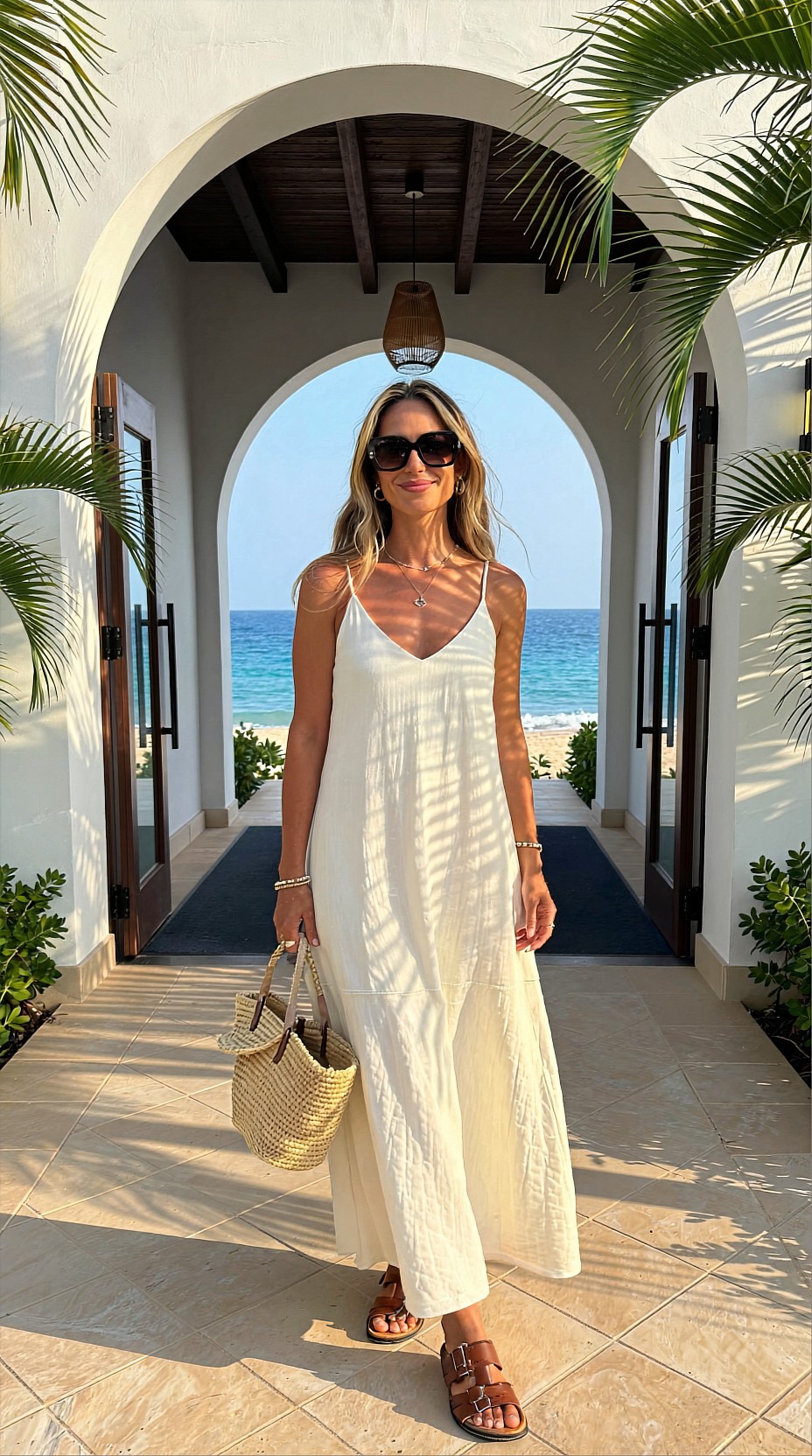
Step 3: Add movement and lifestyle
The second slide should expand the story. Show how the resort feels to live in, not just how it looks. This is where movement helps: walking by the pool, stepping onto a terrace, adjusting a sun hat, carrying fresh fruit, or lounging with a towel and drink.
This frame gives the carousel energy and makes the environment feel inhabited.
Useful prompt adjustments for lifestyle shots:
- wider composition
- motion in wardrobe or hair
- interaction with environment
- less symmetrical framing
- stronger environmental storytelling
Topic: Couple walking beside an infinity pool at a tropical summer resort
Genre: Lifestyle Portrait
Camera: Canon EOS R5
Lens: 35mm f/1.8
Lighting: Sunset backlight with poolside reflections and soft ambient fill
Location: Cliffside tropical resort with infinity pool, teak deck, lush greenery, and ocean horizon
Style: Clean commercial look
Final Prompt: A stylish couple walking slowly beside an infinity pool at a tropical summer resort, relaxed affectionate body language, the woman wearing a pale coral resort dress and flat sandals, the man in an open white linen shirt and tailored beige shorts, soft breeze moving fabric and hair, warm sunset backlight glowing through the scene, shimmering reflections from the pool surface, ocean horizon and tropical foliage in the background, candid luxury travel mood, slightly off-center composition with natural movement, color palette of aqua, sunset peach, teak brown, and soft cream, realistic skin texture, travel-ad composition, Canon EOS R5 image quality, 35mm f/1.8 immersive perspective, fresh elegant atmosphere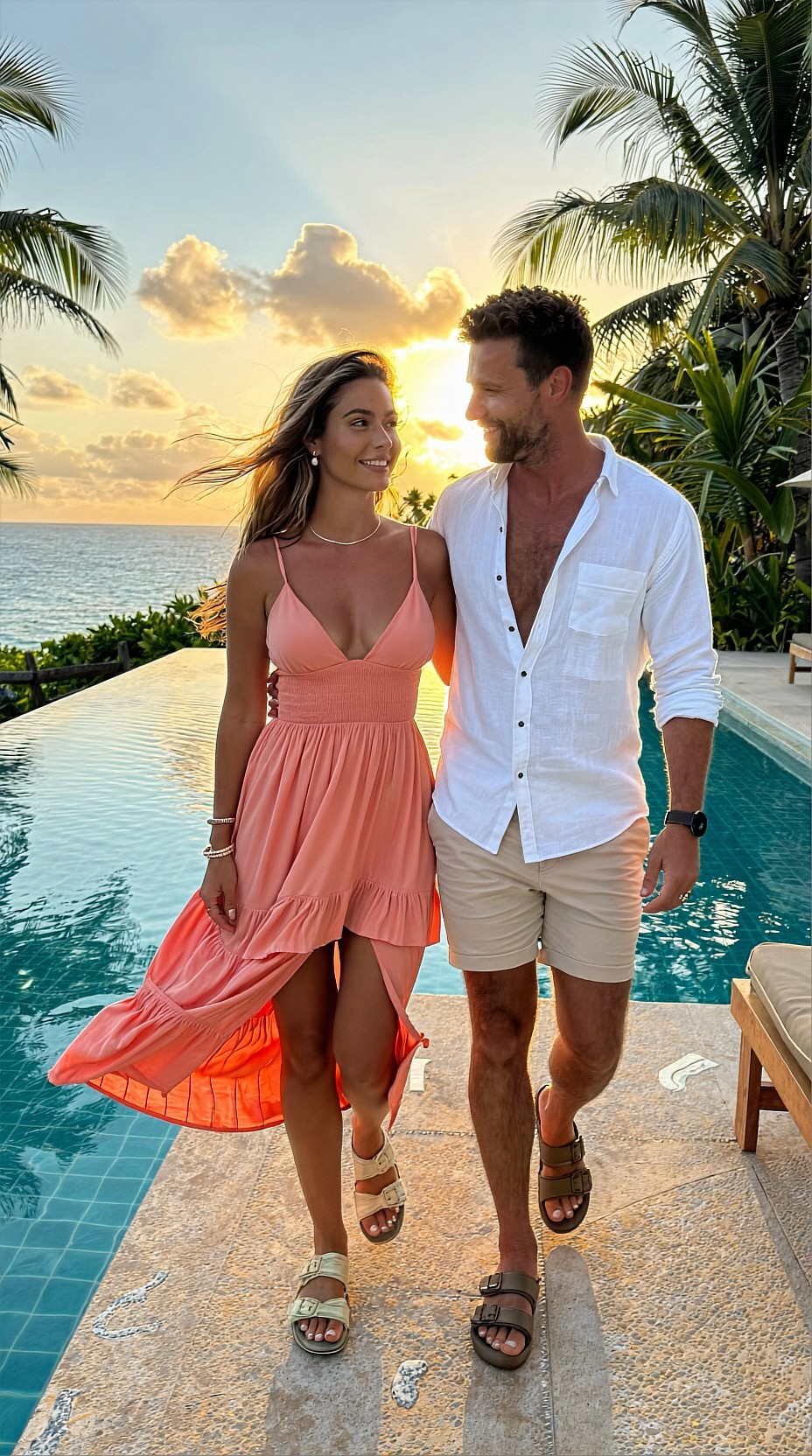
Step 4: Use detail frames to sell texture
Carousel image sets often improve when one slide shifts from wide storytelling to close visual texture. For summer resort content, this can mean:
- sunscreen and sunglasses on a striped lounger
- a chilled drink with condensation by the pool
- woven sandals on travertine steps
- jewelry against sunlit skin
- a folded towel, book, and hat on a daybed
This kind of image is especially useful for hospitality branding, product tie-ins, and mood-building slides between portraits.
A detail frame also gives the viewer a visual pause. It breaks repetition and makes the series feel more intentional.
Topic: Resort poolside still life with summer accessories and chilled drink
Genre: Product Editorial
Camera: Fujifilm GFX 100S
Lens: 80mm f/1.7
Lighting: Beach reflection with bright natural sun softened by a white diffusion panel
Location: Poolside daybed at a boutique island resort with striped towel, travertine side table, and clear blue water nearby
Style: High-end beauty advertising
Final Prompt: A refined poolside still life at a boutique island resort featuring oversized sunglasses, a woven sun hat, luxury sunscreen, a glass of iced citrus drink with condensation, and a silk scarf casually draped across a striped towel on a white daybed, shot close with tactile emphasis on texture, sparkling blue pool water softly blurred in the background, clean composition with negative space, sunlit highlights controlled by diffusion, palette of white, honey straw, citrus yellow, aqua, and warm stone, premium commercial styling, crisp product detail, elegant summer atmosphere, Fujifilm GFX 100S medium format look, 80mm f/1.7 selective focus, glossy editorial finish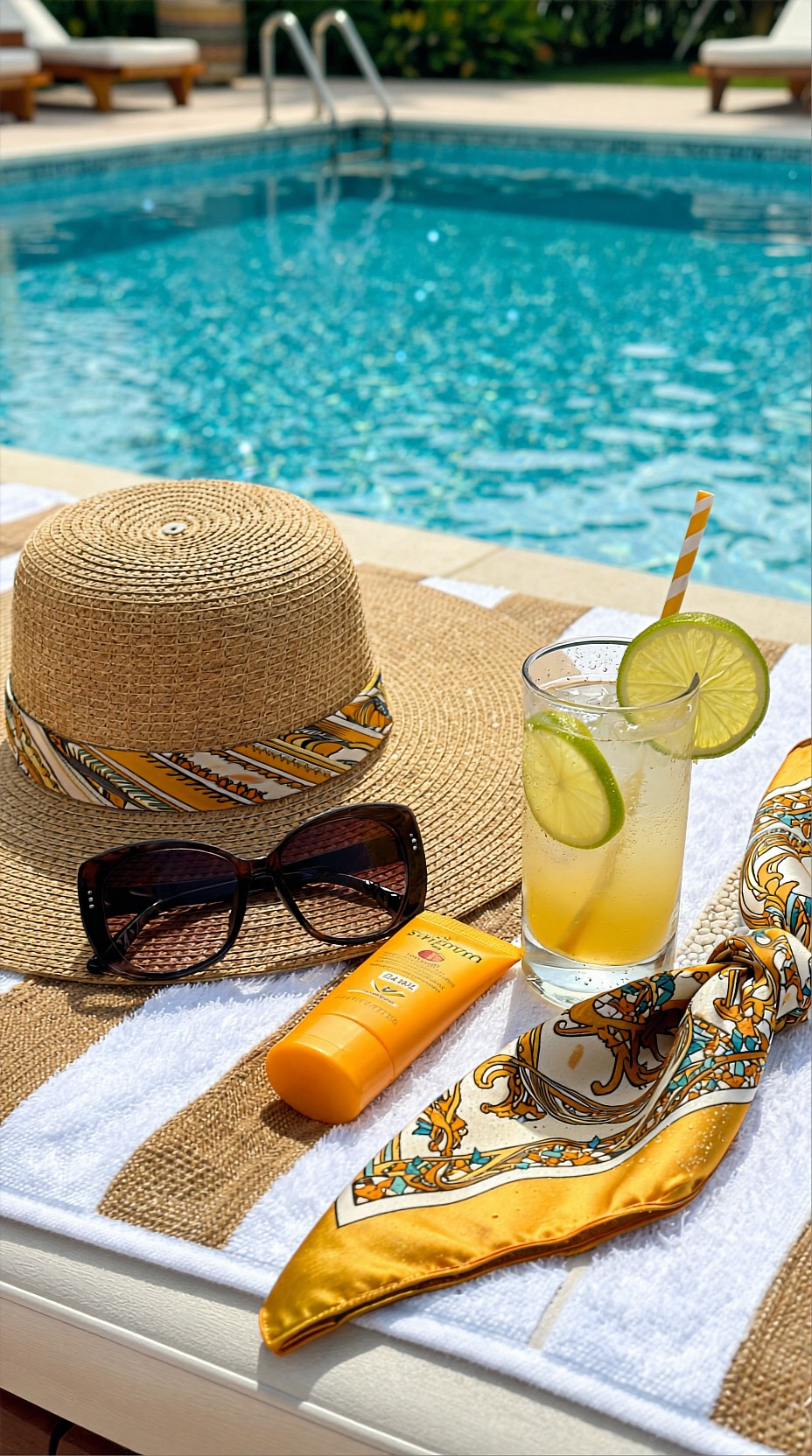
Step 5: Create a closing frame with breathing room
The final slide should feel calm and resolved. In many carousels, this is the best place for copy placement, a brand line, or a subtle booking message. The image should still be visually strong, but less busy than the opener.
Look for:
- negative space
- quieter pose
- horizon line or clean architecture
- softer expression
- balanced composition
This image can be a portrait, a back view, or even an almost-landscape frame with a single human subject. The goal is to end with atmosphere rather than visual overload.
Topic: Woman seated on a private resort balcony overlooking the sea at blue hour
Genre: Cinematic Travel
Camera: Nikon Z8
Lens: 85mm f/1.8
Lighting: Soft twilight ambient light with subtle interior lamp glow
Location: Private ocean-view balcony at a modern coastal resort with sheer curtains, lounge chair, and distant island silhouettes
Style: Cinematic realism
Final Prompt: A serene woman seated sideways on a private resort balcony at blue hour, overlooking the sea with a composed reflective expression, wearing a lightweight pale blue silk resort set with minimal gold jewelry, one hand resting on the chair arm and the other holding a small glass, sheer curtains moving gently in the evening breeze, subtle warm lamp glow from the room behind her contrasting with cool twilight tones outside, elegant negative space around the horizon for editorial layout, layered composition with balcony rail, sea, and distant island silhouettes, palette of dusky blue, pearl white, silver, and warm amber, natural skin detail, quiet cinematic luxury, Nikon Z8 clarity, 85mm f/1.8 intimate portrait compression, polished travel editorial mood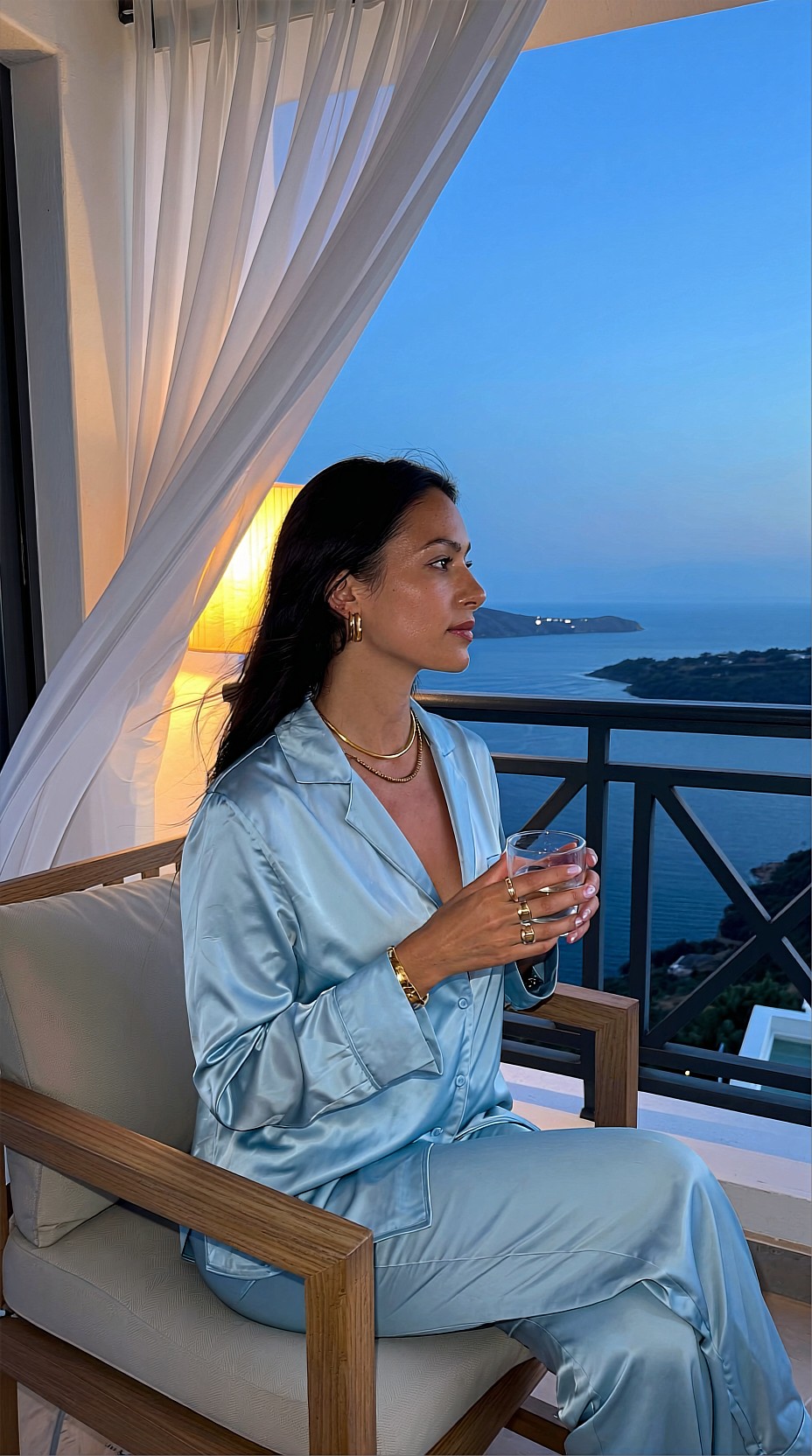
Keep consistency without cloning the images
A common mistake in AI carousel production is overmatching. If every slide uses the same composition, same expression, and same visual weight, the set becomes flat. Consistency should come from shared direction, not duplication.
Keep these elements aligned:
- wardrobe family
- palette and material language
- level of polish
- environment category
- emotional tone
Vary these elements intentionally:
- camera distance
- subject count
- pose energy
- perspective height
- visual density
- amount of background visible
This balance gives the carousel rhythm.
Prompt workflow that saves time
A practical workflow for summer resort image sets looks like this:
1. Write one master art-direction note
Create a short internal note with palette, wardrobe, setting, and mood. This becomes your control layer for every prompt.
2. Assign each slide a function
Do not start generating until every frame has a purpose.
3. Expand each prompt with production details
Use camera, lens, lighting, and location fields to make the images feel photographic rather than generic.
4. Generate in small batches
Run 2 to 4 variants per slide role instead of flooding one idea with endless outputs.
5. Review as a set
A good single image can still be wrong for the carousel. Compare images side by side for pacing, palette, and narrative flow.
Bonus use case: family-friendly resort carousel
Not every resort visual needs to be fashion-led. Travel agencies, family resorts, and booking platforms may need a warmer, more inclusive scene. In that case, keep the same workflow but shift the subject and emotional tone.
Useful changes include:
- brighter daytime lighting
- more candid body language
- wider lens for environment
- practical resort activities
- joyful but controlled energy
Topic: Family enjoying a relaxed morning at a luxury resort breakfast terrace
Genre: Lifestyle Portrait
Camera: Leica SL2-S
Lens: 28mm f/2.0
Lighting: Overcast diffusion with soft natural daylight and gentle table reflections
Location: Open-air breakfast terrace at a coastal resort with sea view, rattan furniture, tropical plants, and light stone flooring
Style: Korean magazine cover
Final Prompt: A well-dressed family enjoying a relaxed summer breakfast on an open-air resort terrace, parents and one child sharing fruit and pastries with natural candid interaction, coordinated resort wardrobe in soft white, seafoam, beige, and muted peach, warm smiles and easy body language, rattan chairs and linen table setting adding tactile detail, tropical plants framing the scene, calm ocean visible beyond the terrace, clean bright composition with editorial clarity, polished but believable travel lifestyle mood, soft overcast daylight flattering skin and fabric, Leica SL2-S rendering, 28mm f/2.0 environmental storytelling, airy premium family-resort atmosphere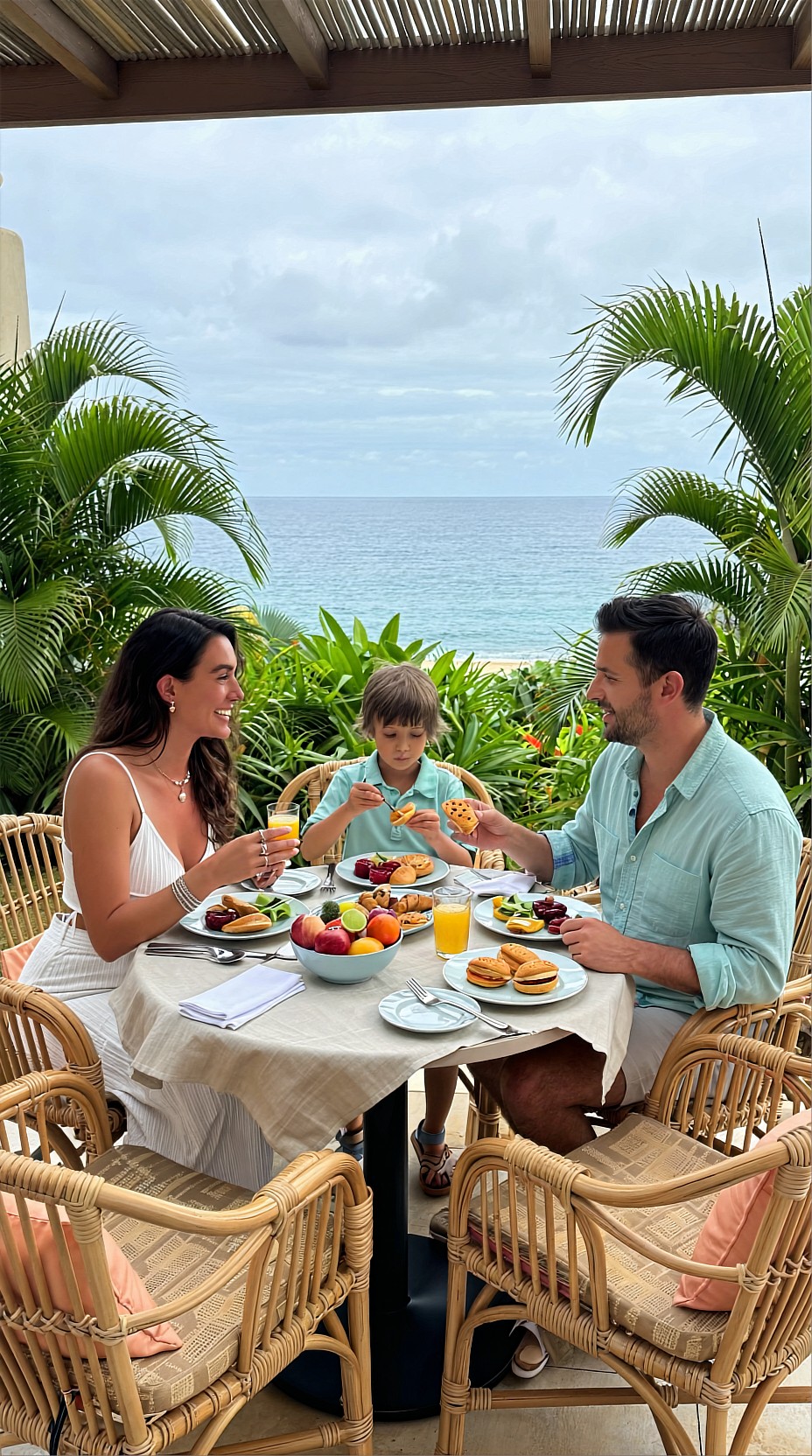
Final editing notes for stronger results
When refining outputs, check for practical issues that affect carousel quality:
- inconsistent wardrobe details across slides
- distracting background objects
- overly saturated water or sky
- unnatural hands in close accessory shots
- too much visual clutter in the final CTA frame
If a generated image is close but not usable, revise only one or two variables at a time. For example, keep the location and wardrobe, but change lens choice, pose, or lighting direction. That makes it easier to understand what actually improves the result.
Conclusion
Summer resort carousel images work best when prompted as a connected visual story. Start with slide roles, lock the art direction, and vary each frame with intention. A hero shot attracts attention, a lifestyle scene adds movement, a detail frame builds texture, and a calm closer gives the series shape.
With that structure, AI prompts become less random and much more usable for real creative workflows.