Can you keep one character recognizable across many ComfyUI generations? In the eight images behind this article, a long, repeated description block kept a lot of surface identity: hair style, freckles, eye color, stubble, a scar. It did not guarantee a single face. The recorded generations contain prompts and a model name (Krea2 Turbo) and nothing else: no ComfyUI graph, no reference image, no seed, no sampler settings. So what follows is an honest look at what a descriptor block alone achieved in those images, followed by clearly marked general guidance on the reference-based tools (IPAdapter, FaceID-style nodes) that people usually add when the descriptor block is not enough.
The descriptor block: one paragraph reused word for word
Every image of the woman starts from the same run of traits, and every image of the man from another. This is the prompt of the first image (the "anchor" portrait), exactly as recorded:
a highly recognizable original female character, late 20s, oval face, narrow jawline, wide-set hazel eyes, straight medium nose, soft arched brows, light freckles across cheeks, pale olive skin, dark copper shoulder-length wavy hair with a defined center part, neutral confident expression, minimal natural makeup, wearing a fitted black crew-neck top, chest-up framing, clean posture, direct eye contact, neutral gray seamless background, studio butterfly light with soft fill, Canon EOS R5 realism, 85mm f/1.4 depth separation, crisp skin texture, realistic pores, subtle catchlights, commercial beauty image, highly consistent facial structure, no dramatic styling, no props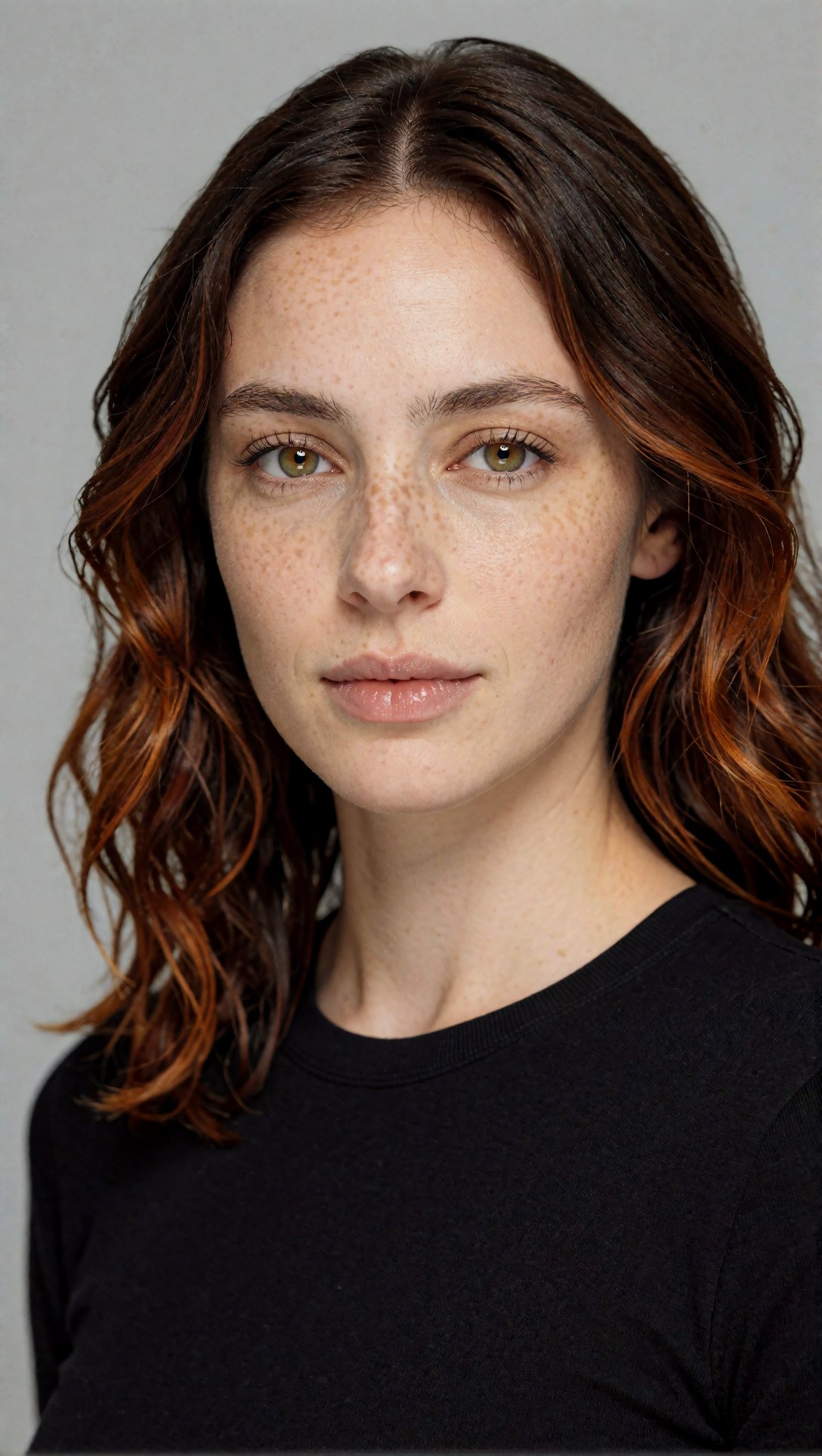
The later woman prompts keep the same face and hair words and change only clothes, place and light. Some of them also say "from the anchor reference" or "same facial identity preserved". Worth knowing: the generation records show no reference image being supplied. Those phrases are just more text, so whatever consistency appears below came from the repeated descriptors (and the model), not from an identity-locking node.
What held across the woman's images
Laying the four woman images I show side by side (studio anchor, blazer, museum courtyard, reading room), these traits carried over in every one:
- Freckles across the nose and cheeks, visible even in the full-length courtyard shot where the face is small.
- Dark, wavy, center-parted, shoulder-length hair.
- Light hazel or amber eyes and a slim, fairly narrow face.
- A calm, neutral expression, which the prompts asked for each time.
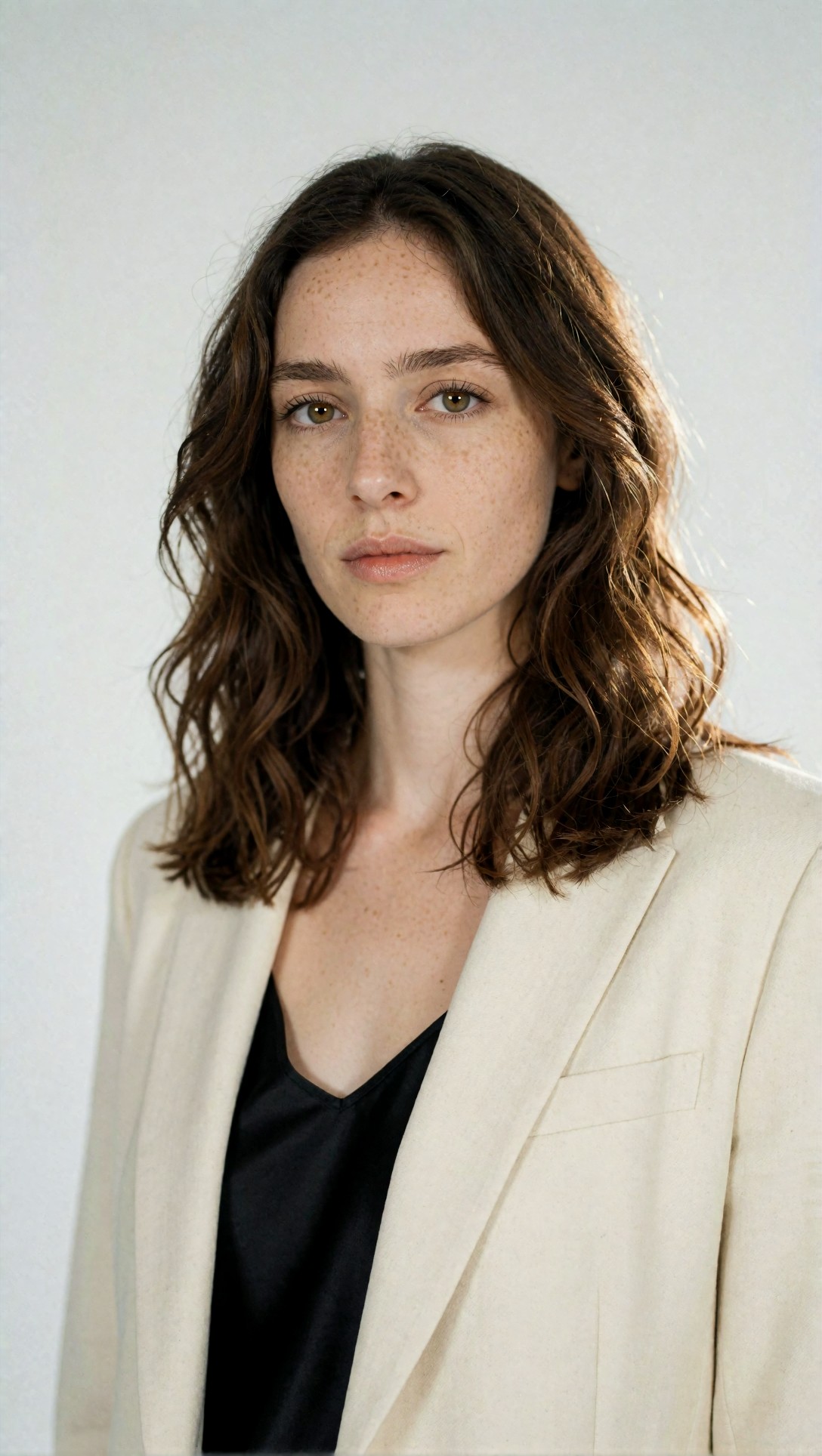
The blazer portrait is the closest match to the anchor: same brow shape, same freckle spread, same straight nose. If you had shown me these two without the prompts, I would have guessed the same model, possibly the same person.
What drifted, even with identical words
The prompt said "dark copper shoulder-length wavy hair" in every woman image. The images disagree:
- Anchor: dark brown roots with clearly copper-orange lengths.
- Blazer portrait: a plain mid-brown, with only faint warmth in the light.
- Museum courtyard: dark hair with a copper edge, but that edge is sunset backlight rather than hair color.
- Reading room: dark brown with warm tips.
So "copper" did not survive as a stable trait. Colour words are also easy to confuse with lighting, which matters if you later try to tell whether a character has drifted.
The face also shifted in proportion. In the reading-room image it looks rounder and the freckles are denser than in the anchor, and in the courtyard image the face is small enough that I can confirm freckles and hair but not the exact eye spacing or nose shape. I would not claim from this image that it is the same person as the anchor, only that it is the same kind of character. That is the honest limit of full-body shots: the face is a small part of the frame, so less of it can be checked, and (as a general expectation, not something these eight images test) a model has more room to reinterpret it.
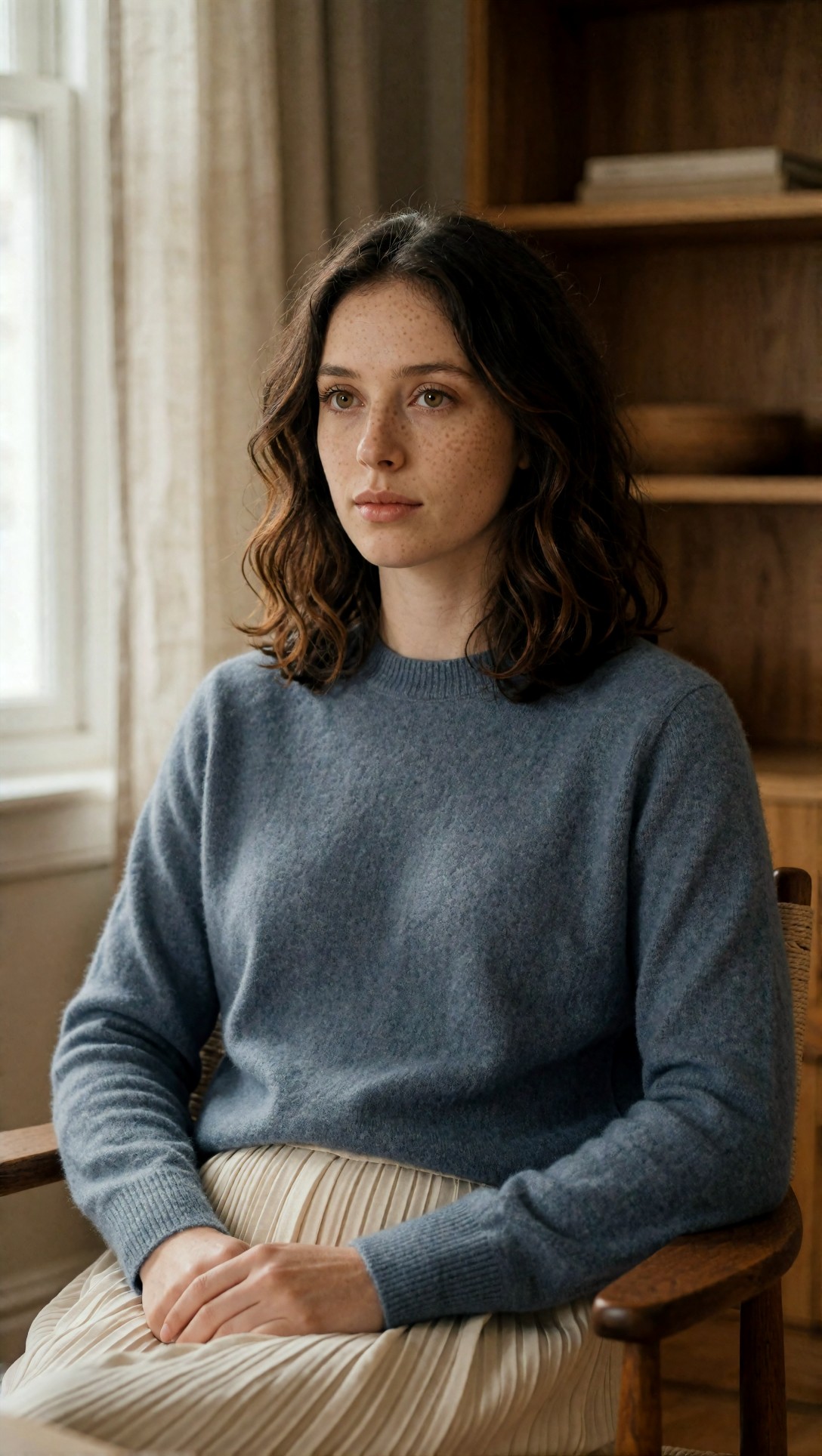
What did follow the prompt very well is everything around the face: the blue knit has a visible wool texture, the pleated skirt keeps its pleats, the clasped hands are readable, and the window light, chair and shelves match the request. Scene and wardrobe control was easy; identity control was the hard part.
The man: a scar and a haircut carry more than a color word
The male character had an unusually specific marker, "faint scar near left eyebrow", plus a curly black fade and stubble.
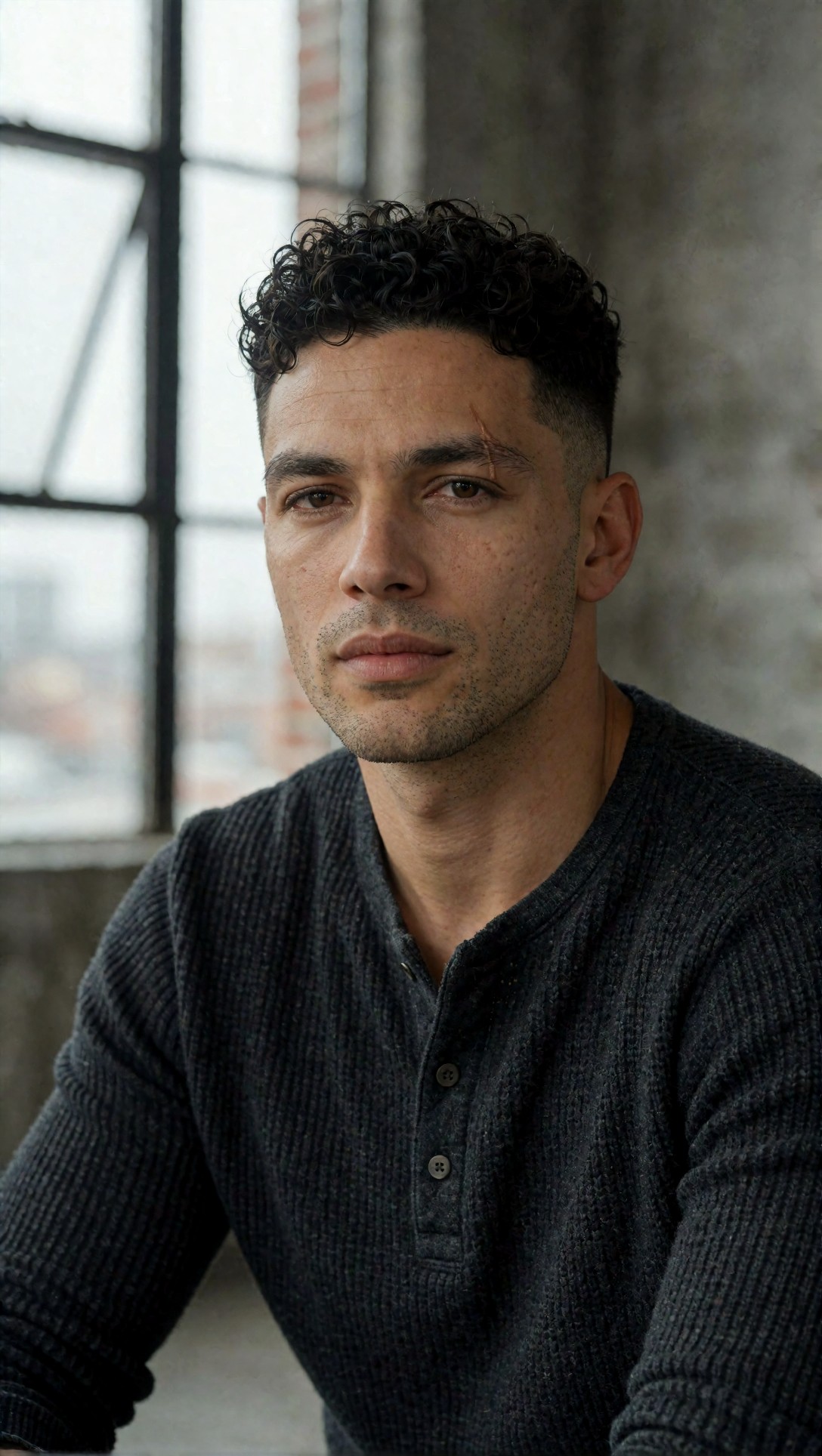
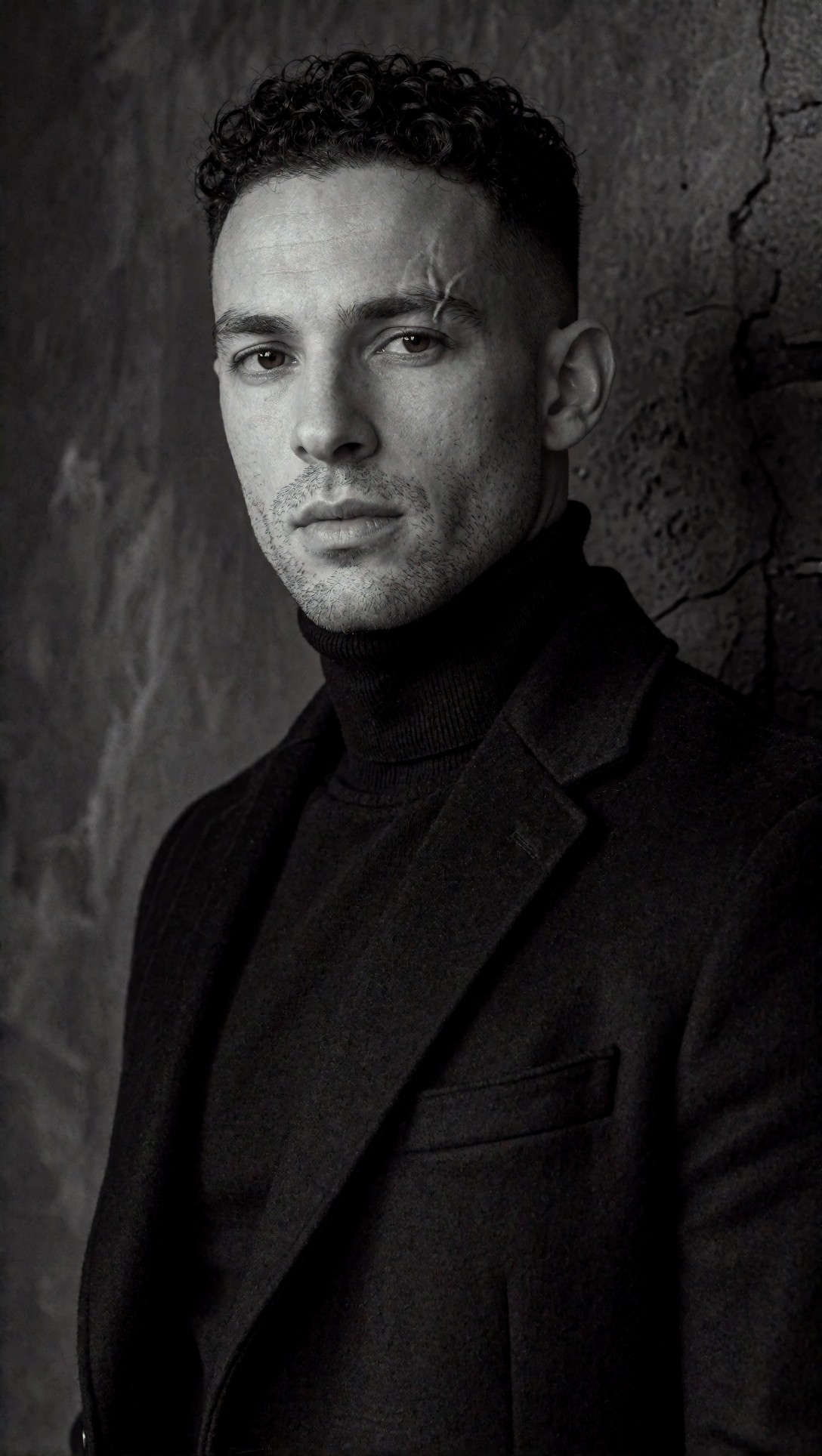
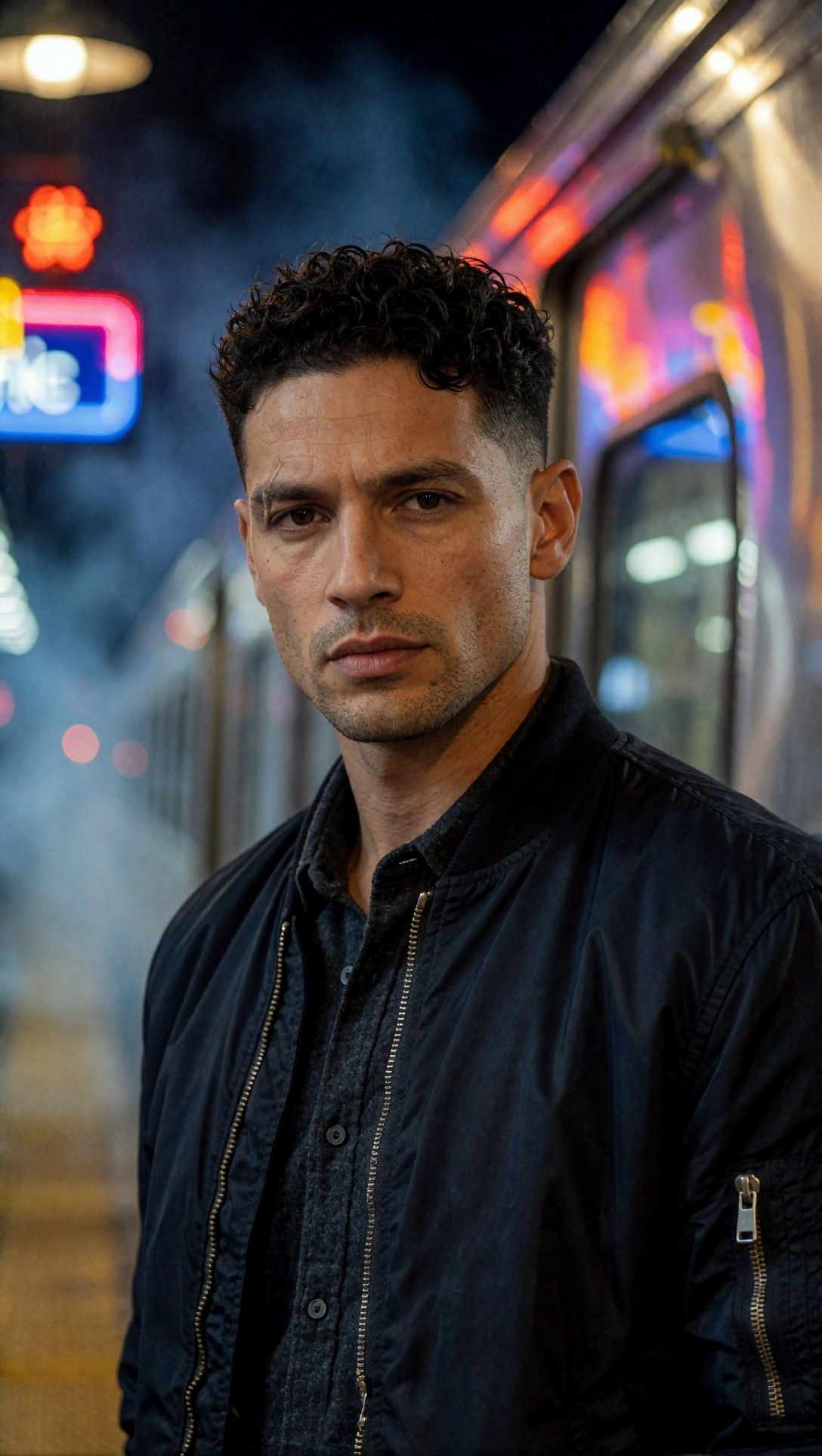
Across these two, the haircut, stubble, brown eyes, brow and scar placement (both on the same side of the face) match well, and they look like one man. The scar was drawn very differently, though: a thin line in the loft image and a branching, high-contrast mark in the black-and-white one, where the prompt asked for "sculpted facial planes" and a "high-contrast" treatment. A third image of him, on a night train platform, shows only a faint mark near one brow that I cannot confidently place; I left it out of the set shown here for that reason. The lesson: distinctive, physical, easy-to-spot features are better anchors than hair color, but the style of the shot changes how they render.
Where this leaves a ComfyUI workflow (general guidance, untested here)
Everything in this section is general guidance (untested). None of it was run for these images, and I have no settings to report.
- A descriptor block is the cheapest layer and worth keeping in every prompt, in the same order and wording. The images above show what it buys: type, hair structure, freckles, stubble, markers.
- If you need the same face, not the same type, the usual next step is an identity reference: an IPAdapter-style or FaceID-style node fed with one clean frontal portrait. The anchor image above (even lighting, hairline and brows visible, nothing covering the face) is the kind of reference generally recommended.
- Reference strength is a trade-off that people commonly describe: too low and the face drifts, too high and poses and expressions get stiff. Tune it on your own model; I have no number to give.
- Pose or composition control (ControlNet-style) is generally used for full-body shots, because otherwise the face stays small. Again, untested here.
- Keep a fixed list of "check points" and compare against the anchor at the same crop: eye spacing, nose bridge, brow arc, hairline, and the marker (freckles, scar). Colour words alone are not reliable.
Test it yourself in ten images
This is a proposed protocol, not something run for this article. Fix one descriptor block. Generate the anchor, then the same block in five scenes that only change clothes and place, then five that change light (window, night, hard side light). Crop every result to the face at the same size and put them next to the anchor. Mark each trait as held, drifted or unreadable. You will learn more from the drifted column than from any prompt tip. [Prompt Lab](/promptlab/en) helps structure the descriptor block, and you can run it in the [image generator](/create/en). If you later enlarge the best frames, the [upscaler](/upscaler/en) is the next step.
FAQ
Is a fixed seed enough to keep a character the same? These records do not include seeds, so I cannot say. Generally, a fixed seed only repeats the same composition for the same prompt. Once the scene changes, it does not carry a face over.
How many traits should the description contain? The prompts here used about ten face and hair traits, and the traits that stayed visible were freckles, hair structure, stubble and a scar. Hair colour drifted. Prefer structural and physical markers.
> What this article is based on. Model: Krea2 Turbo (from the generation records). Eight images generated on 2026-07-10; I opened and inspected all eight and show six. The records contain prompts and model name only: no ComfyUI graph, reference image, seed or sampler values, so all workflow advice above is marked general guidance (untested). Consistency judgments are visual impressions from these images, not measurements.