The nine tweaks below are general ComfyUI practice, and none of them was benchmarked for this article. The previous version of this page claimed that these nine changes "improved our results". The records behind its eight images do not support that, so the claim has been removed. What the records do show is a different problem that is worth fixing first: the prompt that produced each image is not the prompt the article printed. If your workflow silently appends text to your prompt, no sampler or CFG change will make your results easier to interpret.
What the generation records show
All eight images were generated on 2026-07-13 with the `krea2_turbo` model, at 1088x1928 pixels. The records list the model and the final prompt, but not the sampler, CFG, denoise, seed or graph. So we cannot say what ComfyUI settings produced them, and we cannot say any setting improved anything.
The records do show that every one of the eight prompts ends with the same block of text, whatever the subject. The subjects were a portrait, a skincare bottle, a fantasy costume, a beauty close-up, an interior, a street look, a watch and a traveler. The block reads:
street-style full-body shot plan, three-quarter outfit editorial framing, shoes and bag visible, layered garments and silhouette clearly readable, trend led fashion mood, outfit-first fashion editorial, complete styling system, visible fabric texture, accessories, shoes, bag, scene context, natural pose or walking action, 35mm editorial photography, realistic street, runway, retail, or lookbook settingThe original article showed only the first part of each prompt. The products, the interior and the close-up were all described as if they had been shot on their own. The images show what a fashion block like this does to them.
Where the leftover fashion text shows up
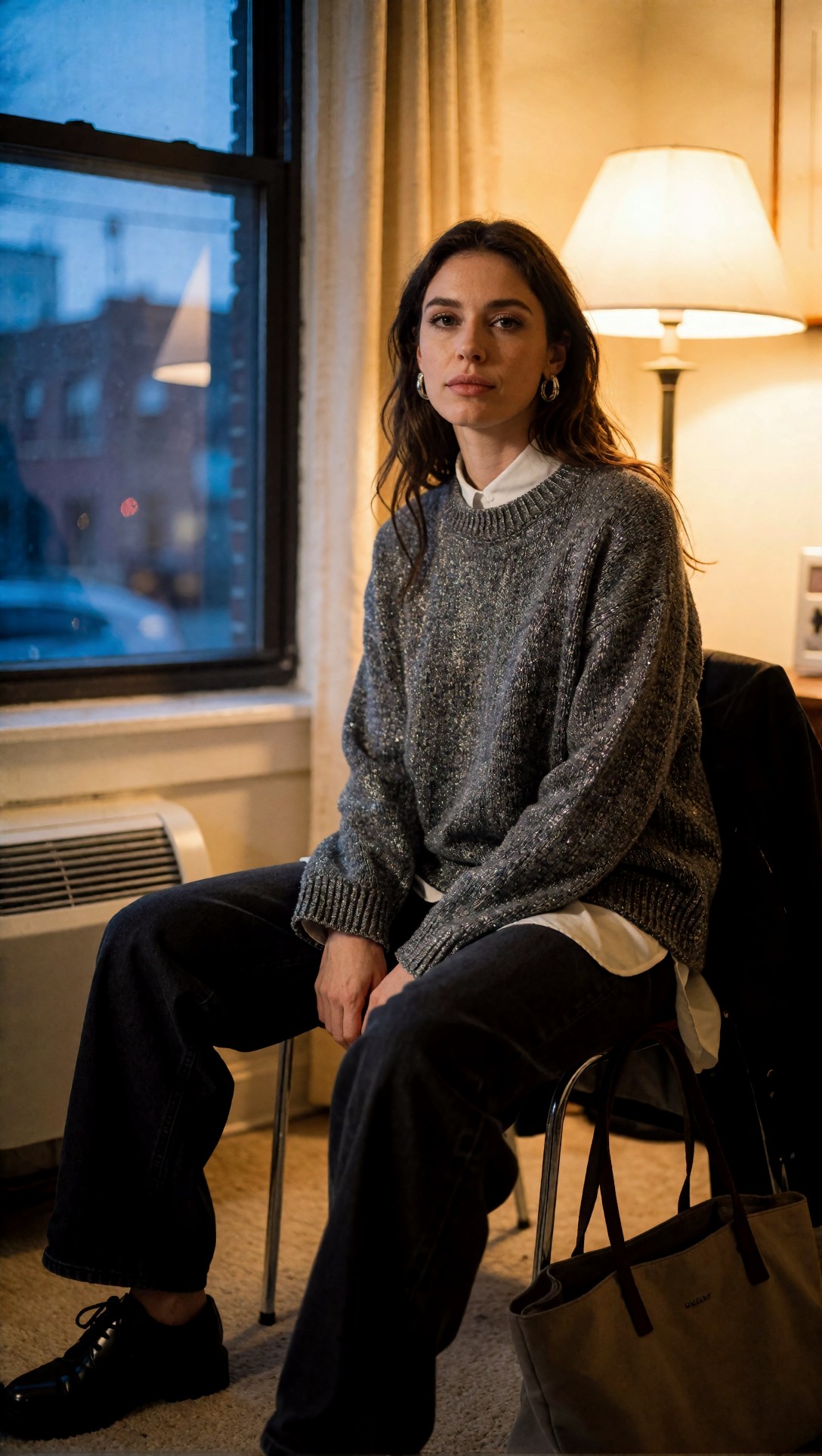
A portrait that became a full-length fashion frame. The prompt for this image was a seated window-light portrait with "subtle silver earrings". The image does show a seated woman by a dusk-blue window with a lit lamp, a grey knit sweater with silver thread, and hoop earrings. But the frame runs down to her black shoes, and a canvas tote bag sits on the floor. "Shoes and bag visible" is in the prompt's tail, and both appear.
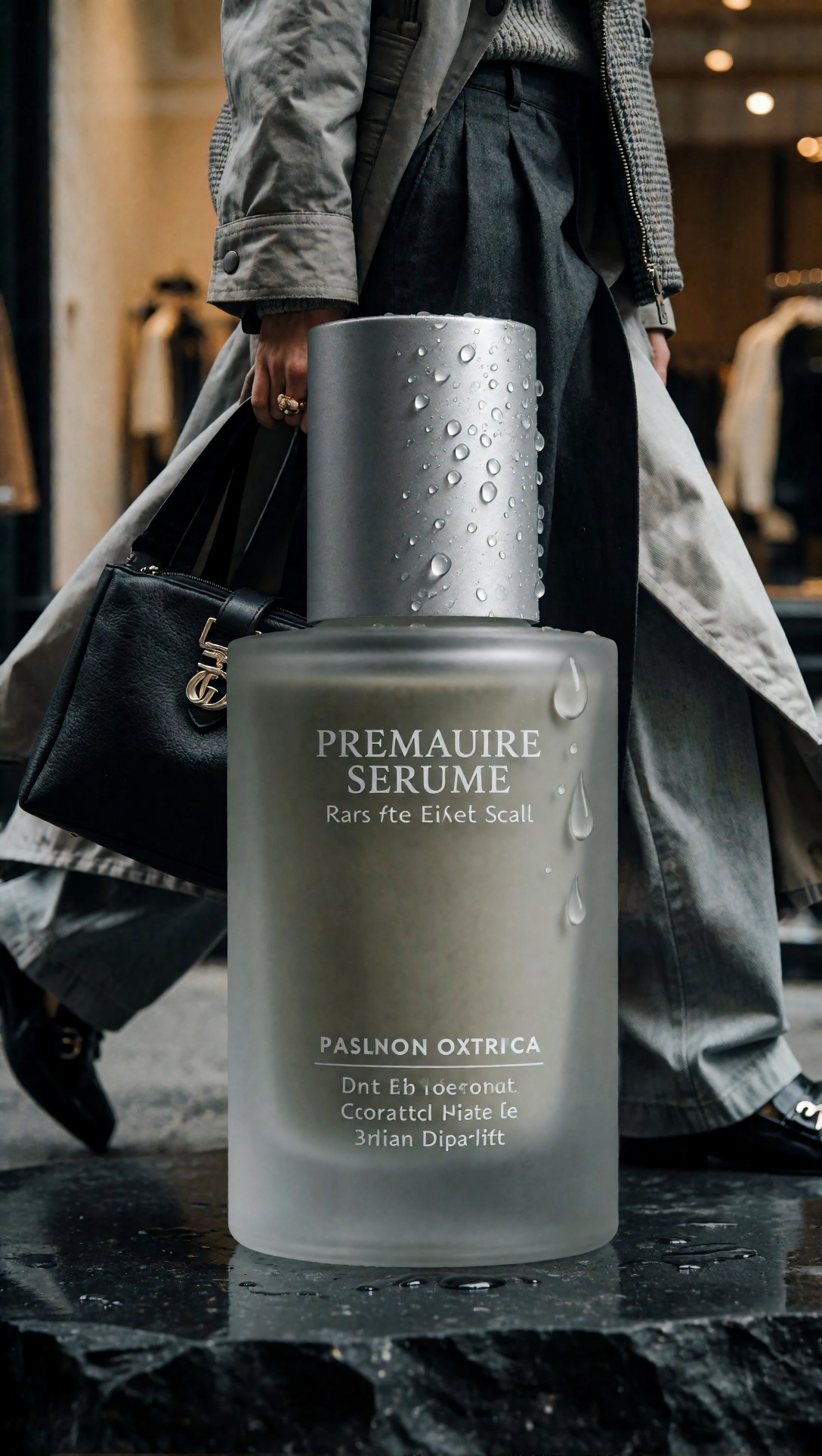
A product bottle with a passer-by behind it. The prompt was a frosted-glass serum bottle on dark basalt. The image shows the bottle, matte silver cap, water droplets and a dark stone base. Behind it, a person in a trench coat and wide trousers walks past a clothing shop, holding a black handbag. The label text is garbled ("PREMAUIRE SERUME" and gibberish lines beneath). The prompt asked for a "precise label area", so the label failure is visible, but its cause is not recorded. The walking figure plausibly comes from "natural pose or walking action".
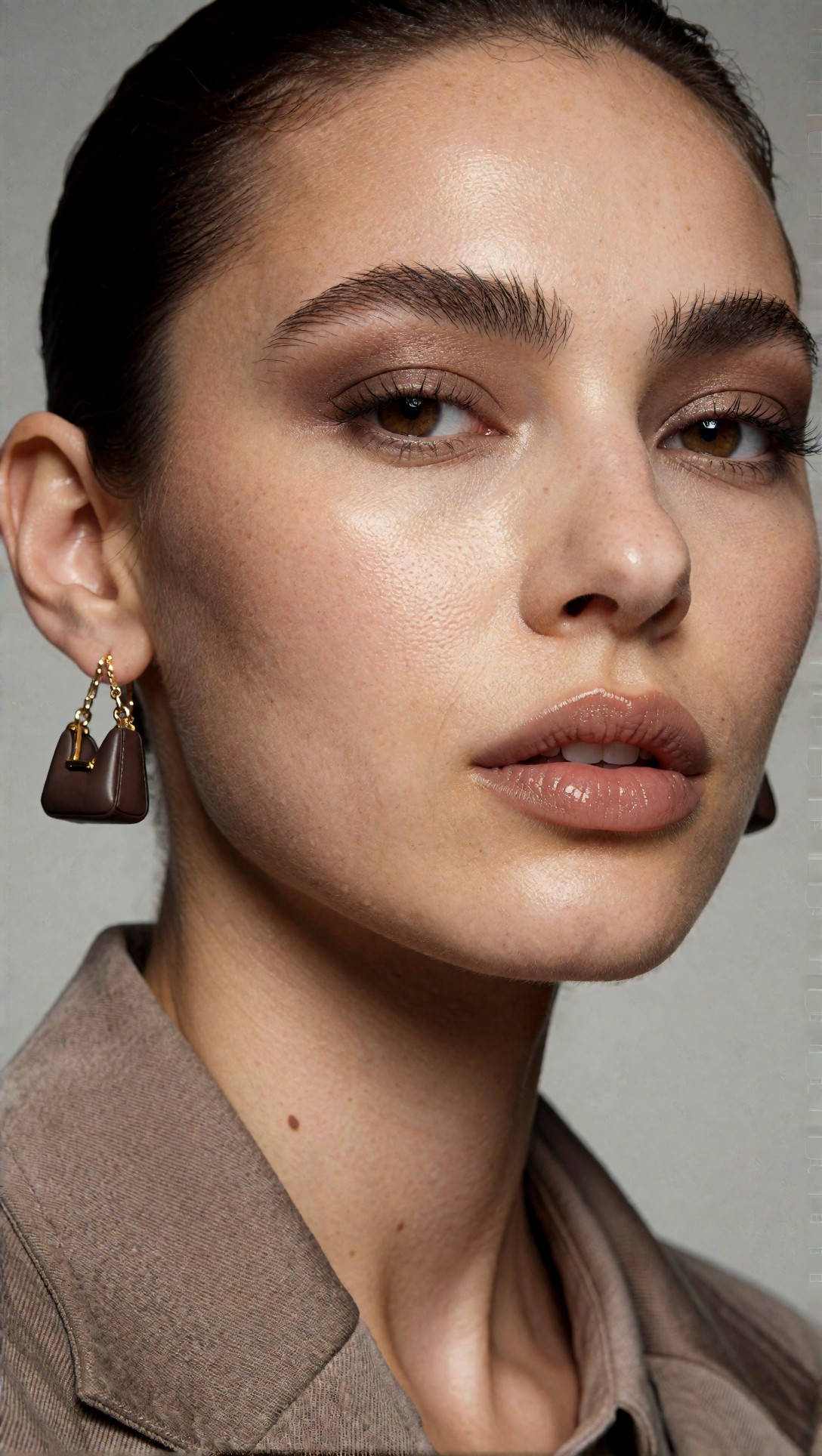
A beauty close-up with a bag-shaped earring. The prompt said "minimal jewelry". The image shows a tight face crop with visible skin texture, brushed brows and glossy taupe lips. The left ear wears an earring shaped like a tiny brown handbag. The prompt's tail contains the word "bag" twice, which is a plausible source. This is an inference from the text, not something the records confirm.
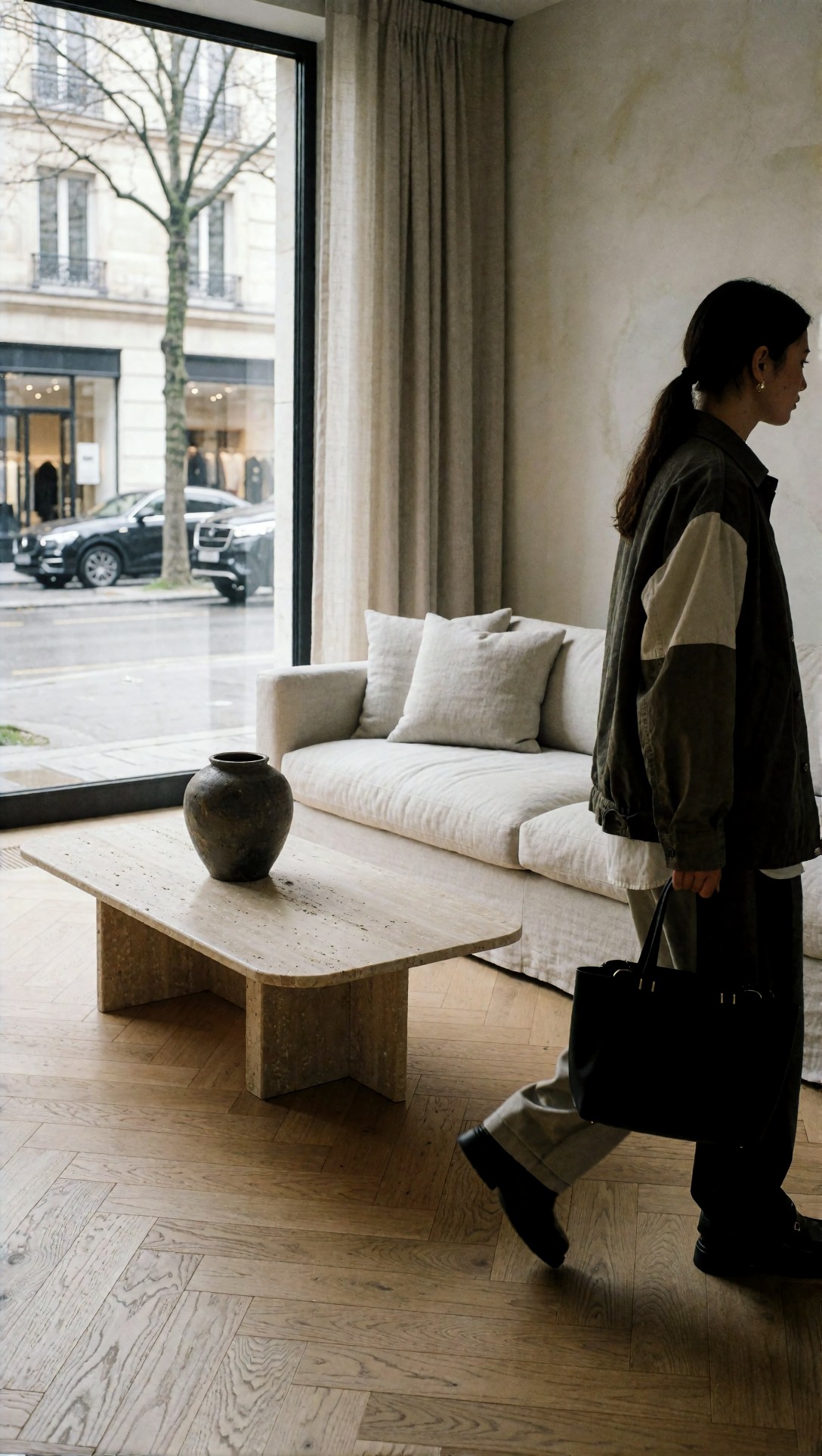
An interior with a pedestrian. The prompt described a living room: linen sofa, travertine coffee table, herringbone oak floor, dark ceramic vase, overcast light from the left. The furniture is all there, and the herringbone lines look straight. But a person in a bomber jacket walks through the right side of the room carrying a black tote bag. Nothing in the first part of the prompt mentions a person.
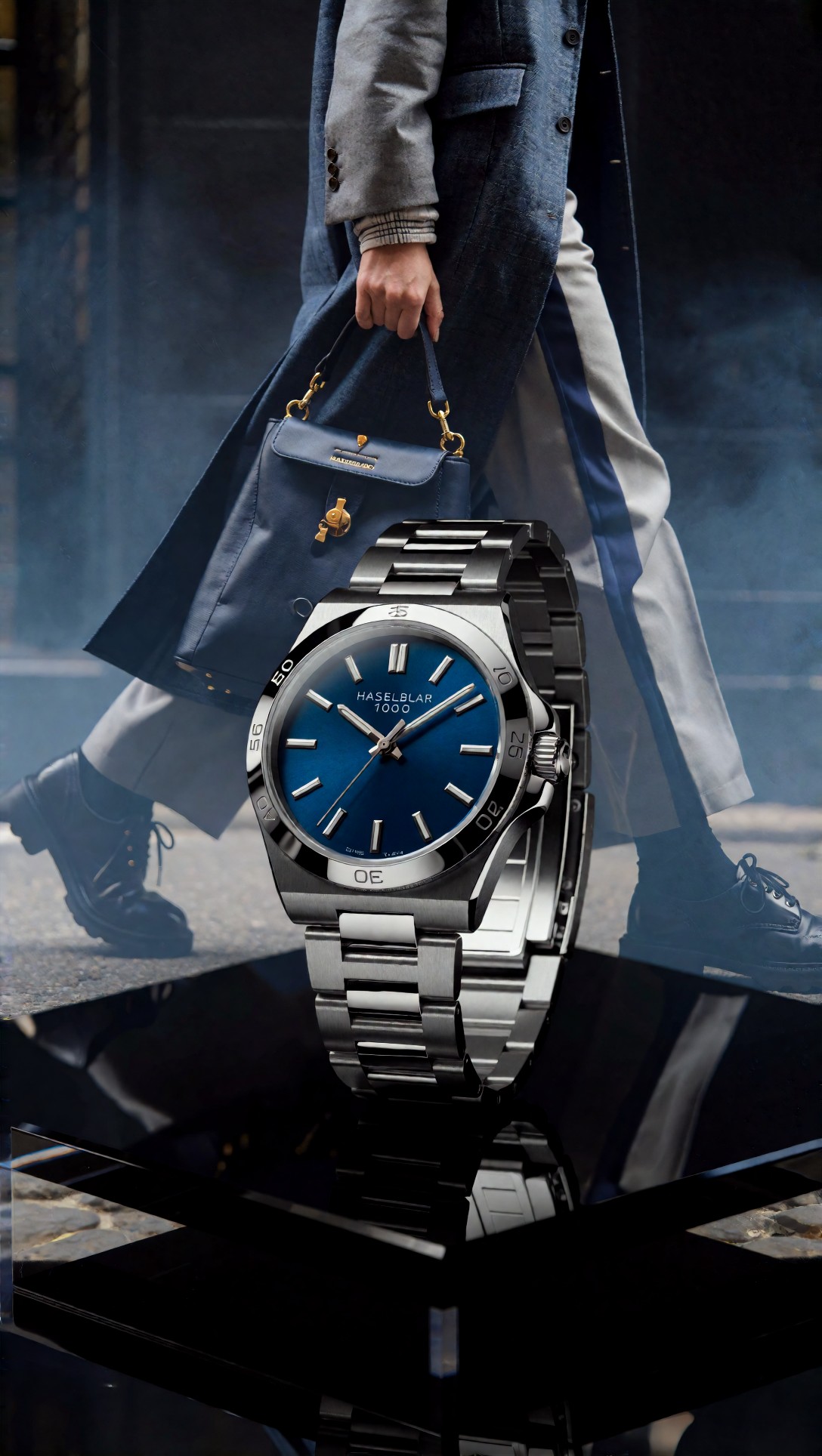
A watch shot with the same walker. The prompt was a steel watch on a black acrylic platform. The image shows a steel-bracelet watch with a blue dial on a glossy black surface, and a person in a blue coat walks behind it holding a small blue handbag. The dial text reads "HASELBLAR 1000". The prompt names "Hasselblad X2D 100C" as a camera style, so the dial text looks like a garbled echo of it, but the record does not say so.
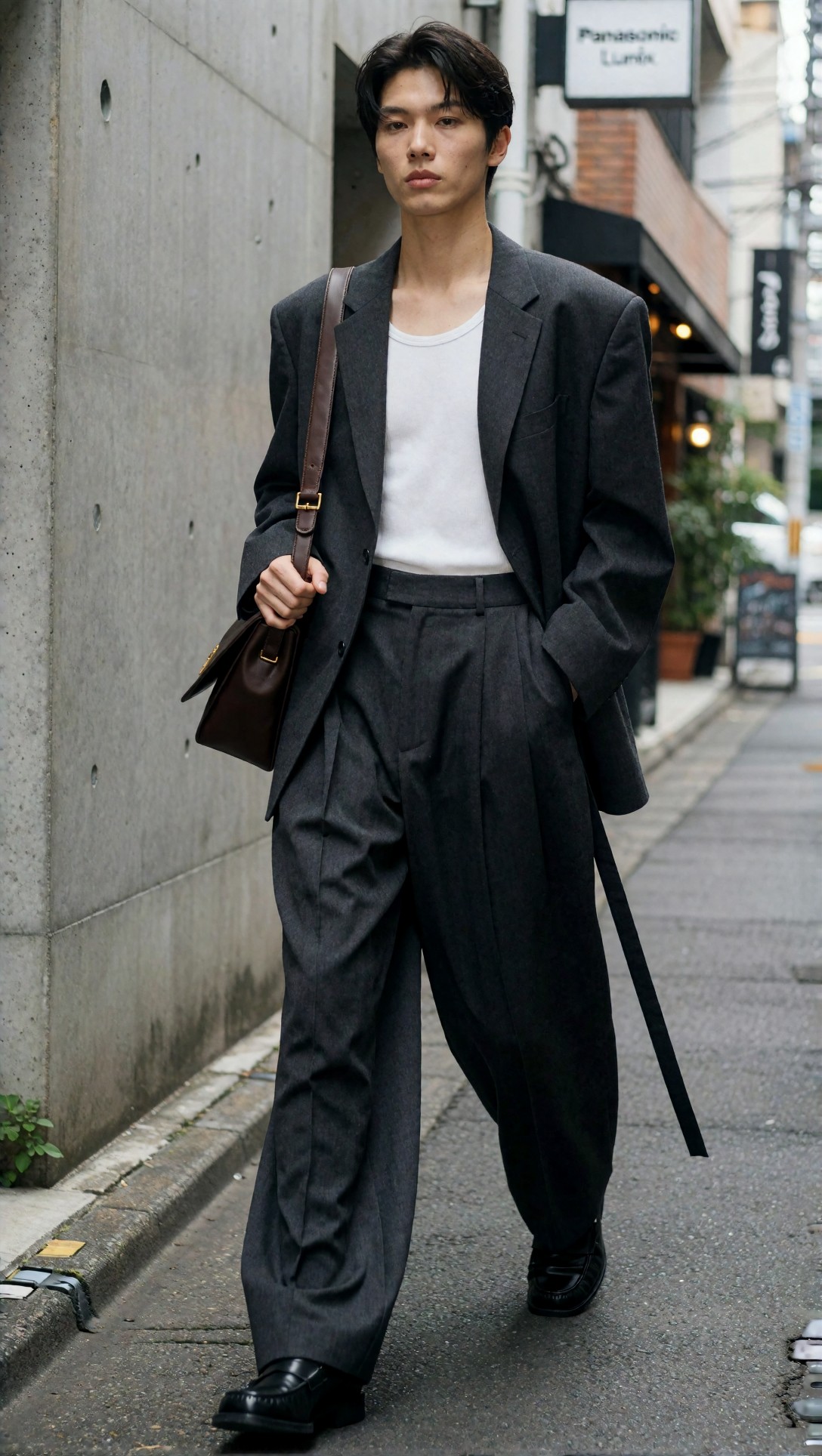
The one frame where the fashion block fits. The street-look prompt was a fashion brief to begin with, so the tail adds nothing foreign. The image shows a standing man in an oversized charcoal blazer, white tank, pleated wide trousers and black loafers, with a brown shoulder bag against a concrete wall. Two oddities are visible. A long black strap hangs from the blazer's hem down to the pavement. A sign at upper right reads "Panasonic Lumix", which is the camera named in the prompt.
Camera and lens names leaking into printed text is the same failure that [the photorealism article](/articles/comfyui-photorealistic-workflow-reduce-ai-look/en) describes in more detail.
The nine changes, as untested guidance
Everything in this section is general guidance, not results. We did not isolate any of these variables in the images above. The effect sizes you read elsewhere will depend on the checkpoint, the sampler and your hardware.
| Change | The usual reasoning | How to test it | |---|---|---| | Start from a smaller first-pass resolution, then refine | Composition and anatomy are settled at low resolution, and detail is added later | Same seed and prompt, first pass at two sizes, same refine step | | Lower CFG a little and make the prompt more specific | Very high guidance tends to look stiff | Same seed, three CFG values in a row | | Choose the sampler/scheduler per scene type | Samplers differ in how they treat edges and gradients | Same seed, two or three sampler pairs on one portrait and one product | | Keep negative prompts short | Long copied negatives can suppress useful variation | Run with and without the negative on the same seeds | | Treat the second pass as recovery (modest denoise) | High denoise redraws the picture instead of refining it | Same base image, three denoise values, overlay the results | | Separate composition from texture | Fix the layout first, add detail after | Compare one-stage and two-stage output on a full-length figure | | Upscale only images that are already structurally sound | Upscaling enlarges flaws as well as detail | Upscale a clean and a flawed frame, compare at 100% | | Keep LoRA influence narrow | Stacked style biases reduce variety | Same prompt with one and with three LoRAs | | Review every frame at full zoom before publishing | Late faults are subtle | No test needed, it costs only time |
The upscaling row is the one you can try without touching your graph. The [Upscaler](/upscaler/en) tool is a quick way to compare an image before and after at full zoom.
How to test one change properly
Change one variable, keep the seed fixed, and save both the image and the final resolved prompt with it. Then judge the pair at 100% zoom. For a subject as varied as those above, use at least a handful of seeds, since one seed can look better by luck. Use only scenes where the prompt text is what you think it is.
A workable order, with the first step needed before any of the others:
1. Print or log the final string the sampler receives. Compare it with the prompt you typed. 2. Delete any block that is not about your subject. Regenerate the same seed and check whether the extra people, bags and text are gone. This is a proposed check. We have not run it. 3. Only then compare CFG, sampler and denoise, one at a time.
For drafting the subject half of the prompt, [PromptLab](/promptlab/en) helps keep it short. The checklist approach in [the default-workflow checklist](/articles/comfyui-workflow-checklist-default-workflow-tests/en) follows the same one-variable-at-a-time idea.
FAQ
Should I trust workflow tips that say "we tested this"?
Only if the article shows the settings, the seed and a matched pair. A single good-looking sample cannot tell you which setting caused the difference.
Why does my product or interior shot include a person?
A common cause is wording in the prompt that asks for people or outfits. In the records here, every prompt carried a fashion block that mentions walking, shoes and bags. Removing the block is the first thing to try.
About this article's evidence
- Model: `krea2_turbo`, per the generation records. ComfyUI is not named in the records.
- Generated: 2026-07-13, 1088x1928 pixels.
- Checked: six of the eight images were opened and examined. The other two (the fantasy costume and the traveler) were opened too, but are not used.
- Not recorded: sampler, CFG, denoise, seed and graph. The nine-change table is unverified general guidance.