Short answer: if "repeatable" means "I can open this project in three months and rebuild exactly what I did," ComfyUI is the better fit in principle, because the whole pipeline is a saved graph. If it means "I want to try ideas quickly and occasionally re-run one," Automatic1111 (A1111) is usually enough. This is a general-knowledge comparison, not a test. I have no A1111 runs or ComfyUI graphs on record for this article, so nothing below is a measured result. Claims about the tools come from general knowledge and are flagged as unverified where they depend on version or setup.
What "repeatable" actually has to cover
People often reduce repeatability to the seed. A seed fixes the starting noise, but the output also depends on everything the noise passes through. In general, a rerun can change if any of these differ:
- checkpoint, VAE and LoRA files (and LoRA weights)
- sampler, scheduler, steps and CFG
- resolution and any upscale or second pass
- the exact prompt text that was sent, including anything appended automatically
- software versions, extensions or custom nodes, and sometimes the GPU and driver stack
So the useful question is not "which tool has a seed box" (both do) but "which tool keeps the complete list next to the image, and which one makes it hard to forget a step."
The prompt you saved is not always the prompt that ran
The images in this article are a small, real illustration of that last point. They were not made in A1111 or ComfyUI. The generation records show they came from Krea2 Turbo on this site on 2026-07-13, and I opened each file. They do not say anything about either tool's output quality. What they do show is how easily a "saved prompt" and the real input diverge.
The original version of this article quoted a clean prompt for the first image. The stored generation record for that image is longer: it ends with a block of extra text about a street-style full-body shot plan, shoes and bag visible, and a lookbook setting, which had been appended to the serum-portrait description.
premium skincare campaign portrait of a woman holding a frosted glass serum bottle near her cheek, clean symmetrical composition, calm direct gaze, natural polished skin texture, structured white blazer over neutral silk top, soft beige matte background, studio butterfly key light with subtle fill, ... commercial beauty image quality, street-style full-body shot plan, three-quarter outfit editorial framing, shoes and bag visible, ... realistic street, runway, retail, or lookbook setting(Middle of the prompt omitted here; the start and the appended tail are quoted from the record.)
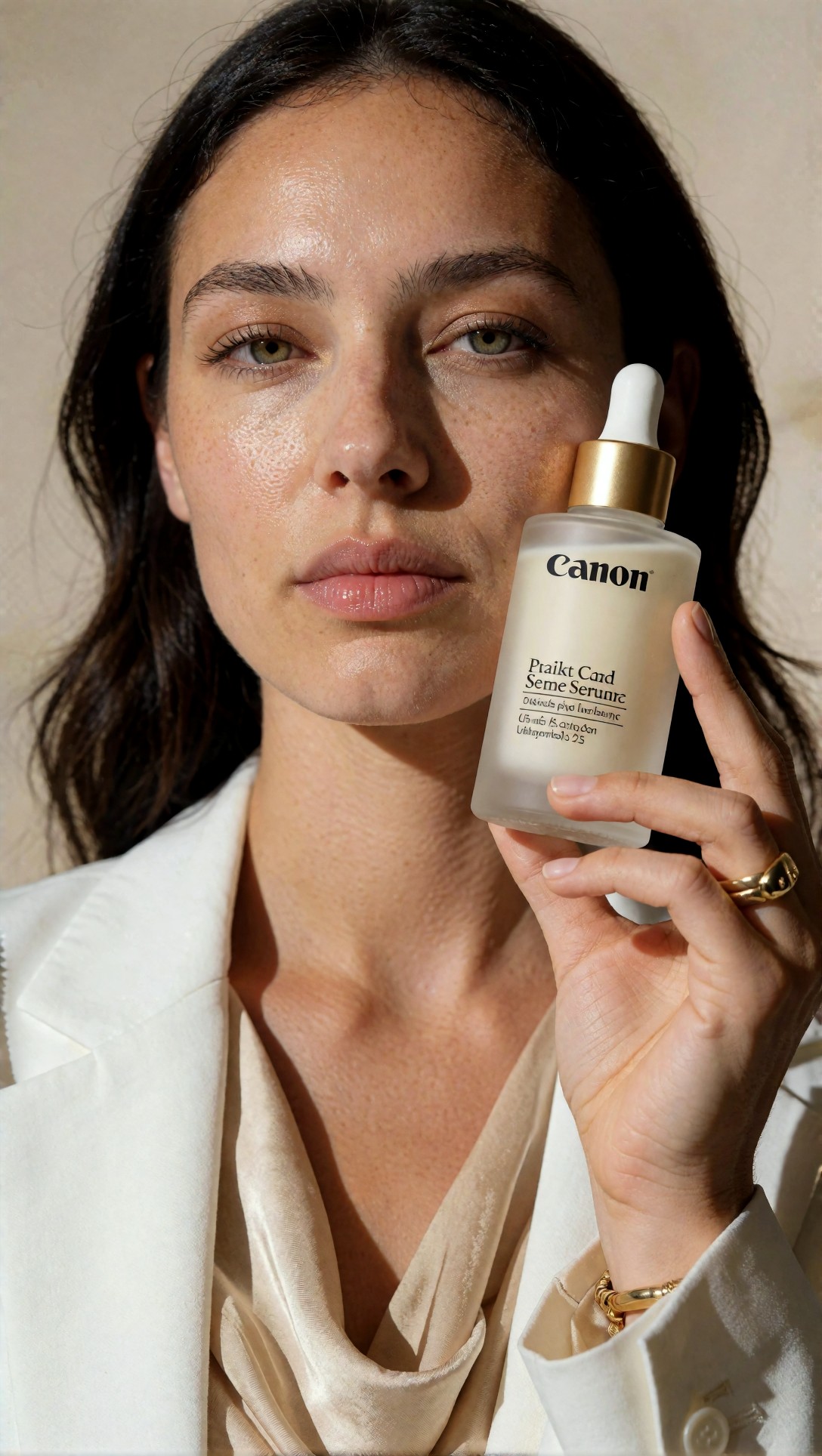
Two things are visible in this image. The bottle label shows the word "Canon" (the prompt mentions "Canon EOS R5 look") and the smaller label lines are unreadable, garbled text. The full-body "outfit" tail of the prompt is not visibly honored; this frame is a close crop.
If you kept only the short prompt you typed, you would never reproduce this image from it. That failure is tool-independent. It is exactly why you want the tool to record the actual inputs, not your memory of them.
How each tool stores what ran
| | Automatic1111 | ComfyUI | |---|---|---| | Where settings live | UI tabs, settings, extension panels | Nodes on one canvas | | What goes into the PNG (general knowledge, unverified for your version) | A "parameters" text block: prompt, negative prompt, seed, sampler, steps, CFG, size, model hash, and usually enabled extension settings | The prompt graph and the editable workflow as JSON, so the canvas can be reloaded | | How you reuse it | PNG Info tab, then "send to txt2img" | Drag the image onto the canvas | | Weak point | Values from tools not written into the text block, and UI state that changed after | Custom nodes that are missing or updated on the machine where you reload it |
The main structural difference is this. In ComfyUI the stored record is the pipeline itself, so a second pass, a ControlNet branch or an upscale step is part of what gets reloaded. In A1111, a chain of separate tab operations (txt2img, then img2img, then an upscale) is usually several images each carrying its own parameter block, and the link between them is whatever you wrote down.
The same caveat applies to both: metadata survives only if the file does. Converting to JPEG or WebP, or uploading to a platform that strips metadata, removes it. The images in this article are JPEGs; whether they carry any embedded generation data was not checked.
Seeds and determinism
- Seed handling. Both tools let you fix a seed. General knowledge: ComfyUI's sampler node has a setting for what the seed does after each run (fixed, increment, decrement or randomize), and leaving it on randomize is a common reason a "reloaded" graph gives a different picture. A1111 uses -1 for a random seed and offers a button to reuse the last one. Check the exact labels in your version.
- Same seed, different machine. Identical settings do not guarantee identical pixels across GPUs, drivers, PyTorch versions or attention optimizations. A1111 has a setting for the random-number source, and ComfyUI has comparable sampler-side choices, but whether a rerun matches bit for bit on your hardware is something to test, not assume.
- "Close enough" is often the real goal. For client work, same composition and palette may matter more than identical pixels. That is easier to achieve with a locked graph, but it is still not proven here.
Which one for which job (judgment, not measurement)
Choose A1111 when you are exploring, run mostly single-image txt2img, and are willing to paste the parameter block into a note for anything you will need again.
Choose ComfyUI when the result depends on several stages, when someone else must rerun it, or when you want to change exactly one thing (say, a denoise value) and leave the rest frozen. The cost is setup time and a steeper learning curve. For a first graph, the [ComfyUI default-workflow checklist](/articles/comfyui-workflow-checklist-default-workflow-tests/en) covers what to verify, and [ComfyUI workflow nodes](/articles/comfyui-workflow-nodes/en) explains what the individual nodes do.
Whichever you pick, a tool-independent habit helps more than the choice: store the output file with its metadata, record model and LoRA file names, and never edit a saved workflow in place; save a copy.
Other frames from the same batch
These two show a different kind of drift, inside one prompt family. All eight prompts in the record end with the same long tail asking for a full-body street outfit (Krea2 Turbo, same day).
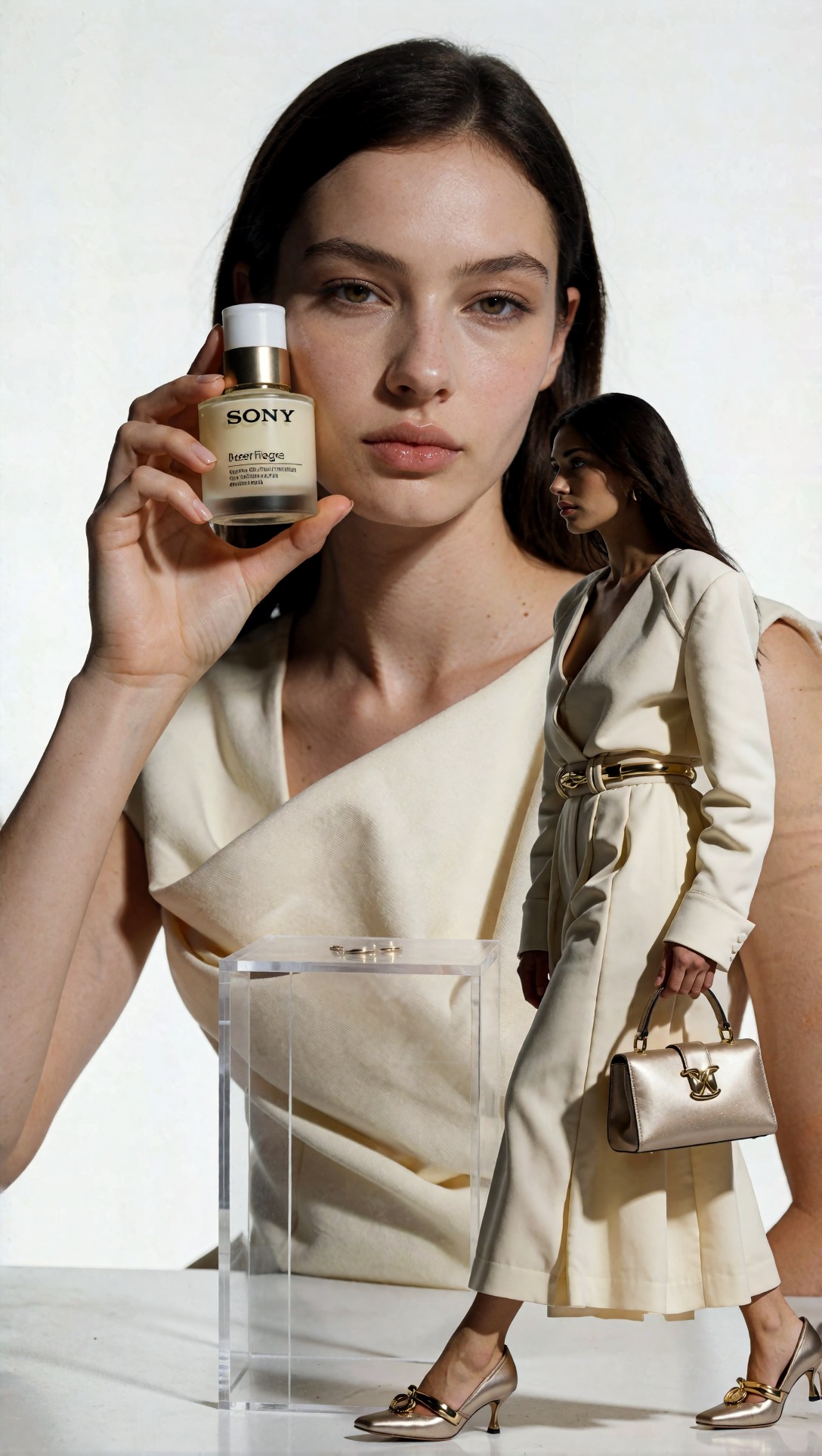
In this frame the prompt's "full-body" tail shows up as a second, much smaller figure in a cream coat with a gold belt and a bag, standing next to the acrylic block, rather than one coherent composition. The bottle label again contains a camera brand from the prompt ("Sony A7R V").
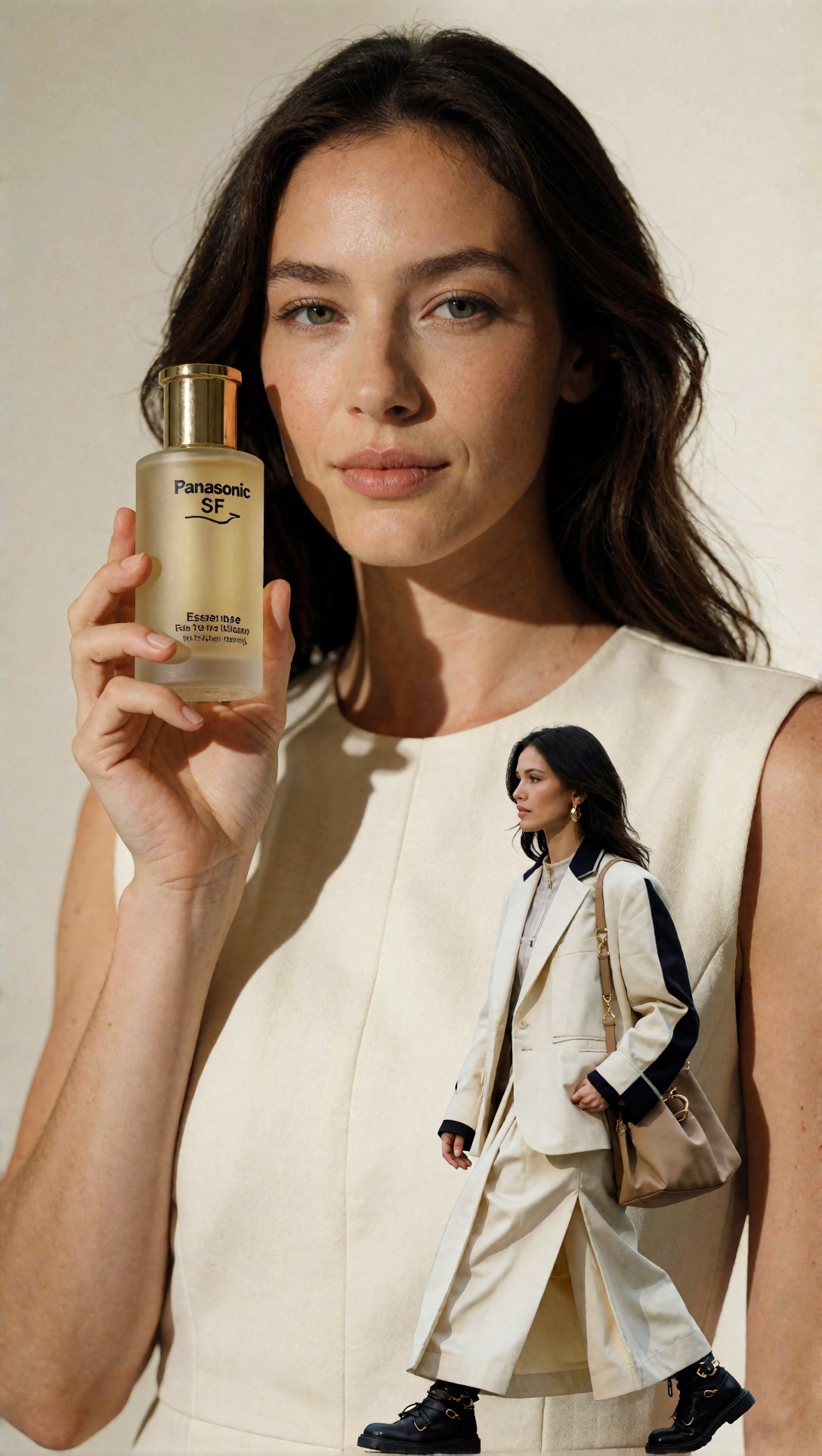
Same pattern here: a second small figure is pasted into the lower part of the frame, and the label reads "Panasonic". This is what is visible in the files; the cause (prompt tail competing with the portrait instructions) is my reading, not something I isolated.
When the frame comes out like this, changing the sampler will not help much. Fixing it means editing the prompt, which is another reason to log the exact text.
An example of a frame where the outfit tail did land
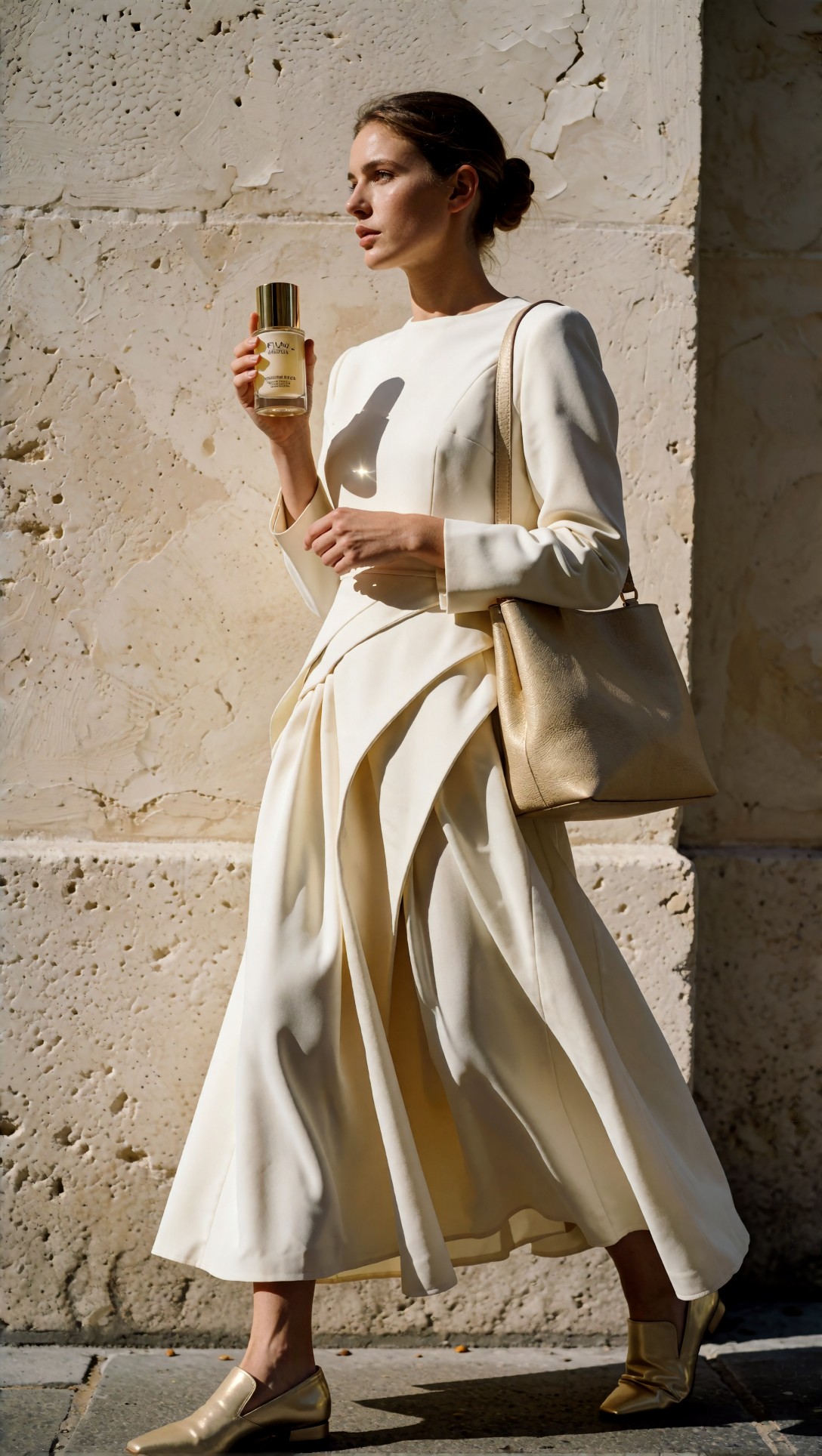
Here the full-body, bag-and-shoes direction was followed as one coherent figure. The bottle label is illegible. The point is only that the same prompt family can yield either a clean single figure or a collage, so "reproduce the style" needs the seed and the exact prompt, not a description.
Experiments that would turn this into a real comparison
I did not run these. A fair test would:
1. Fix a checkpoint, prompt, seed, sampler, steps, CFG and resolution, and run each tool five times, then compare files byte by byte. 2. Reload the saved PNG in each tool after restarting and compare with the original. 3. Repeat on a second GPU or after a version update. 4. Build a two-stage chain (base plus upscale) and time how long it takes to restore it from notes in A1111 versus from the graph in ComfyUI.
FAQ
Can I just reuse the same seed in both tools and get the same image? Not reliably. Seeds are interpreted by each tool's own noise and sampling code, so the same number can produce different images in different programs.
Is A1111 still worth using? For quick prompt work, often yes. Check the current state of the project and your extensions before depending on it for long-term work; I did not verify its maintenance status.
Do I need a graph to be repeatable? No. A careful parameter log does the same job for simple jobs. A graph matters when the pipeline has several linked stages.
> Basis for this article. Comparison text is general knowledge and is unverified; no A1111 or ComfyUI runs were examined. All eight source images were opened; four are used. They were generated by Krea2 Turbo on 2026-07-13 and illustrate prompt-record drift, not either tool's output.