How to Turn a Simple Idea Into a Professional AI Art Prompt 한국어 요약
이 페이지는 ZView Space의 영어 원문을 한국어 검색 사용자도 이해할 수 있도록 정리한 SEO 요약입니다. 핵심은 단순한 얼굴 중심 이미지가 아니라 패션 에디토리얼, 룩북, 아웃핏, 프롬프트 테스트, 이미지 생성 워크플로우를 실제로 어떻게 구성할지입니다.
핵심 요약
- 원문 주제: How to Turn a Simple Idea Into a Professional AI Art Prompt
- 목적: AI 이미지 생성에서 outfit, silhouette, fabric, pose, location, camera framing을 더 명확하게 설계합니다.
- 활용 범위: Z-Image Turbo, Krea2 Turbo, Qwen Image, Anima, SeedVR2 같은 이미지 생성 및 업스케일 워크플로우에 적용할 수 있습니다.
- SEO 관점: 제목, 설명, 이미지 alt, 프롬프트 예시가 실제 검색 의도와 맞아야 색인 가능성이 높아집니다.
한국어 사용자를 위한 체크포인트
1. 프롬프트가 얼굴 묘사에만 머물지 않고 전체 스타일과 의상 구성을 설명하는지 확인합니다. 2. 패션 이미지라면 상의, 하의, 아우터, 신발, 액세서리, 소재감, 촬영 장소를 분리해서 씁니다. 3. 생성 결과는 바로 게시하지 말고 디테일, 손, 의상 형태, 배경 일관성, 이미지 품질을 비교합니다. 4. 글 본문에는 실제 테스트 기준과 실패를 줄이는 방법이 들어가야 검색엔진에서 얇은 콘텐츠로 보일 가능성이 줄어듭니다.
원문 미리보기
A good AI art prompt does not need to be long, but it does need to be specific. The difference between a casual idea and a production ready prompt is usually not vocabulary. It is structure: what the image is for, what the viewer should notice first, how the s
---
A good AI art prompt does not need to be long, but it does need to be specific. The difference between a casual idea and a production-ready prompt is usually not vocabulary. It is structure: what the image is for, what the viewer should notice first, how the scene is composed, and which details the model should avoid.
This guide shows a practical way to turn a simple idea into a professional prompt you can use for AI image generation tools such as Midjourney, Stable Diffusion, DALL-E, Firefly, Ideogram, or Leonardo. The examples are written to be portable across models, but you can adapt aspect ratios, style controls, seed values, and negative prompts to match your tool.
The core problem with simple prompts
A simple prompt like:
- a futuristic city
- a woman in a red dress
- a coffee cup on a table
- a dragon flying over mountains
can produce an image, but it gives the model too much room to decide. Sometimes that randomness is useful for exploration. For professional work, it is usually a liability.
A stronger prompt answers five questions:
1. What is the subject? The main person, object, place, or idea. 2. What is the use case? Poster, product ad, editorial illustration, game concept, social post, book cover, pitch deck, moodboard, packaging visual. 3. What should the image look like? Style, medium, lighting, color, level of realism. 4. How is the image composed? Camera angle, framing, depth, focal point, background. 5. What should be excluded? Text artifacts, extra limbs, clutter, logos, watermarks, wrong era, wrong mood.
The goal is not to control every pixel. The goal is to give the model a clear creative brief.
A practical prompt formula
Use this structure when expanding a simple idea:
Subject + purpose + setting + composition + style + lighting + color + details + constraints + output format
You do not need every part every time. But if an image matters, most of these fields should be considered.
A rough template looks like this:
Create an image of [main subject] for [use case]. The scene takes place in [setting or context]. Compose it with [framing, angle, focal point]. Use [style or medium], with [lighting] and [color palette]. Include [important details]. Avoid [unwanted elements]. Format: [aspect ratio, orientation, resolution intent].
This formula works because it turns a vague visual request into a miniature art direction brief.
Start with the job of the image
Before writing style words, decide what the image needs to do. A product image, a poster, and a concept art frame may all start from the same idea, but they need different prompt instructions.
Simple idea: coffee cup
If the use case is an ecommerce lifestyle banner, the prompt should prioritize product clarity, clean composition, and commercial lighting. If it is an editorial image about remote work, it should prioritize mood and context.
Use case examples:
- Product listing image for a handmade mug
- Hero image for a coffee subscription landing page
- Editorial illustration for an article about morning routines
- Social ad for a cafe opening
- Background image for a productivity app
Production-ready prompt:
Photorealistic lifestyle product image of a matte ceramic coffee cup filled with cappuccino, placed on a light oak desk beside a small linen napkin and a silver spoon, designed for an ecommerce hero banner. Three-quarter view from slightly above, cup centered with generous negative space on the right for headline placement, soft morning window light, warm neutral color palette, shallow depth of field, realistic foam texture, clean modern interior background, no visible brand logos, no text, no hands, no clutter. Horizontal 16:9 composition.
Notice how the prompt does more than describe a cup. It defines the commercial purpose, layout, lighting, background, and restrictions.
Make the subject specific
Generic subjects produce generic images. Instead of asking for a person, object, or place in broad terms, define the details that matter.
Simple idea: portrait of a musician
Questions to improve it:
- What kind of musician?
- What era or genre?
- What is the mood?
- Is this a press photo, album art, or character study?
- Should it feel realistic, cinematic, painted, or graphic?
For portraits, specificity is especially important because models tend to average faces, styling, and expressions.
Production-ready prompt:
Cinematic editorial portrait of an independent jazz trumpet player in her early thirties, standing backstage in a small theater before a performance. She wears a deep navy velvet jacket, holds a brass trumpet at her side, and looks slightly away from camera with a calm focused expression. Medium close-up framing, 85mm portrait lens feel, soft tungsten dressing-room lights mixed with faint blue stage light from the hallway, subtle film grain, realistic skin texture, muted gold and navy palette, shallow depth of field, no microphone, no text, no logo, no exaggerated makeup. Vertical 4:5 crop.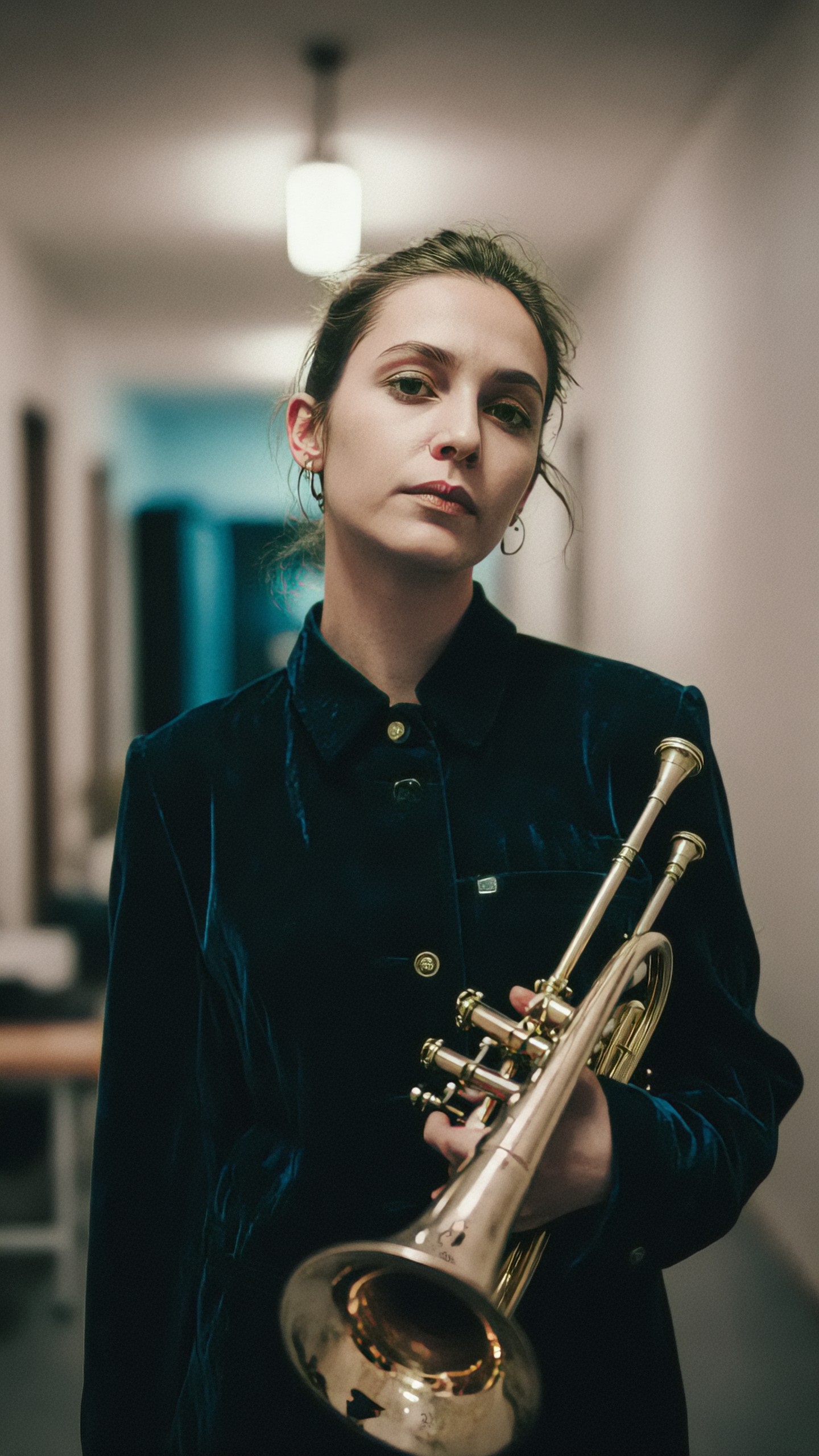
This prompt gives the image a person, a profession, a setting, a moment, a lens feel, and a mood. That makes the output easier to use in editorial or promotional contexts.
Add context and story
AI images often become stronger when they imply a moment rather than merely display a subject. Context gives the viewer a reason to look.
Simple idea: futuristic city
A weak version might produce shiny towers and flying cars. A stronger version defines the city through a story: morning commute, storm evacuation, market street, rooftop garden, repair crew, public transit hub.
Concrete use cases for this approach:
- Editorial image for climate adaptation
- Concept art for a game environment
- Background plate for a short film
- Book cover for speculative fiction
- Pitch deck visual for urban technology
Production-ready prompt:
Wide cinematic concept art of a near-future coastal city adapting to rising sea levels, shown during an early morning commute. Elevated pedestrian bridges connect glass residential towers, electric ferries move through calm canals at street level, rooftop gardens catch golden sunrise light, and small groups of commuters wait at a clean transit platform. Low horizon, broad sense of scale, realistic architectural detail, optimistic but grounded mood, soft atmospheric haze, teal water reflections, warm sunrise highlights, no flying cars, no dystopian destruction, no unreadable signage, no logos. Ultra-wide 21:9 composition.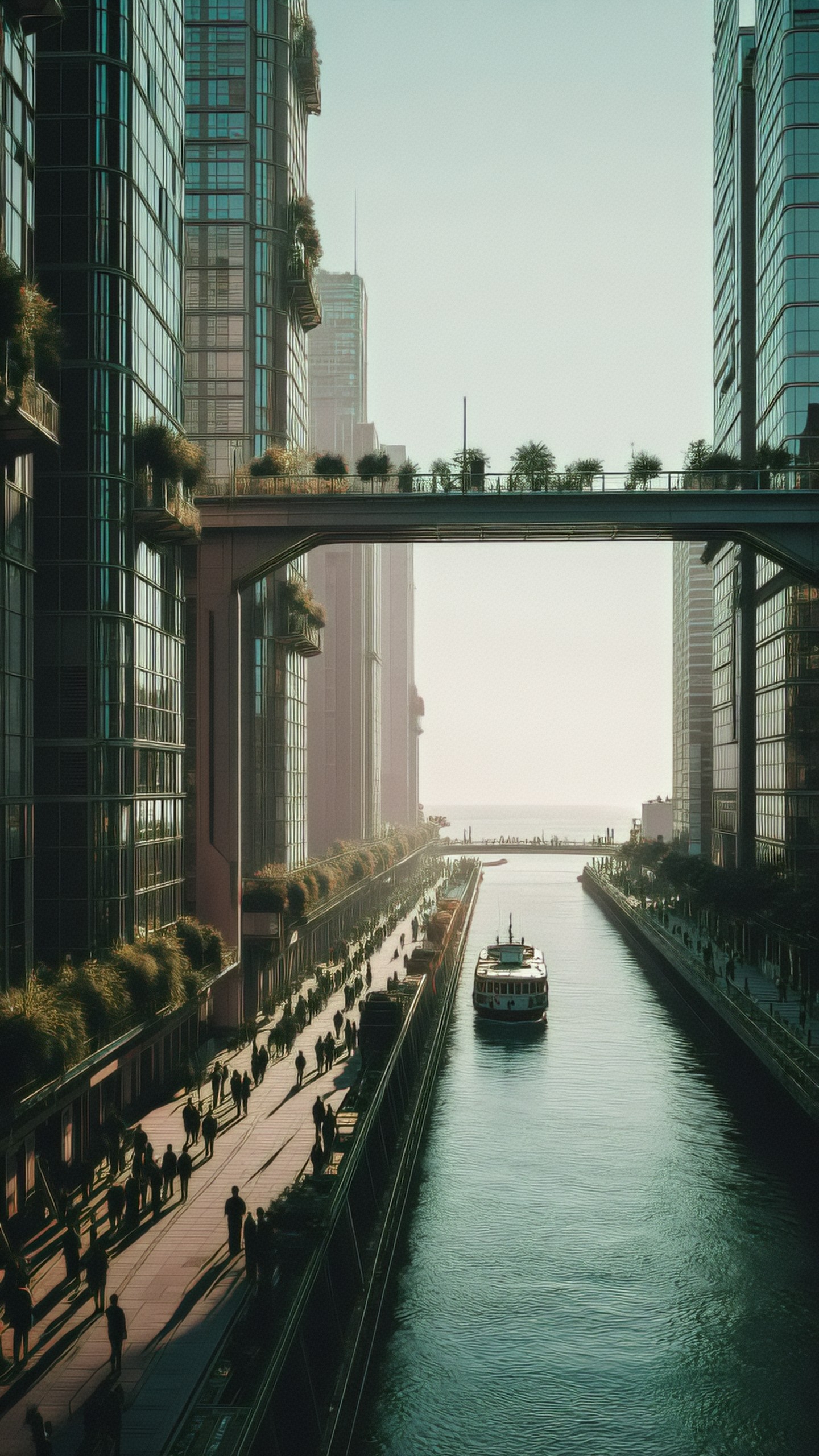
The prompt avoids the most common futuristic city clichés by naming what should and should not appear.
Control composition before style
Many prompts fail because they describe the style but ignore the frame. Composition is the part that determines whether the image is usable.
Consider these composition instructions:
- Close-up for emotion or product detail
- Medium shot for character and environment
- Wide shot for scale
- Top-down for layouts, food, maps, flat lays
- Low angle for power and drama
- Symmetrical composition for premium, formal, architectural images
- Negative space for ads, covers, and UI banners
Simple idea: mountain cabin
If you need a travel poster, the cabin should not just appear somewhere in a landscape. It needs a deliberate silhouette, readable structure, and space for typography.
Production-ready prompt:
Travel poster style illustration of a small wooden cabin in a snowy mountain valley at dusk, designed as a premium winter retreat advertisement. The cabin sits in the lower third of the frame with warm light glowing from the windows, tall pine trees framing both sides, dramatic alpine peaks rising in the background, clear open sky at the top for typography. Clean graphic shapes, subtle paper texture, limited palette of deep blue, cream, pine green, and warm amber, crisp edges, nostalgic but modern poster design, no people, no vehicles, no text, no watermark. Vertical 2:3 poster format.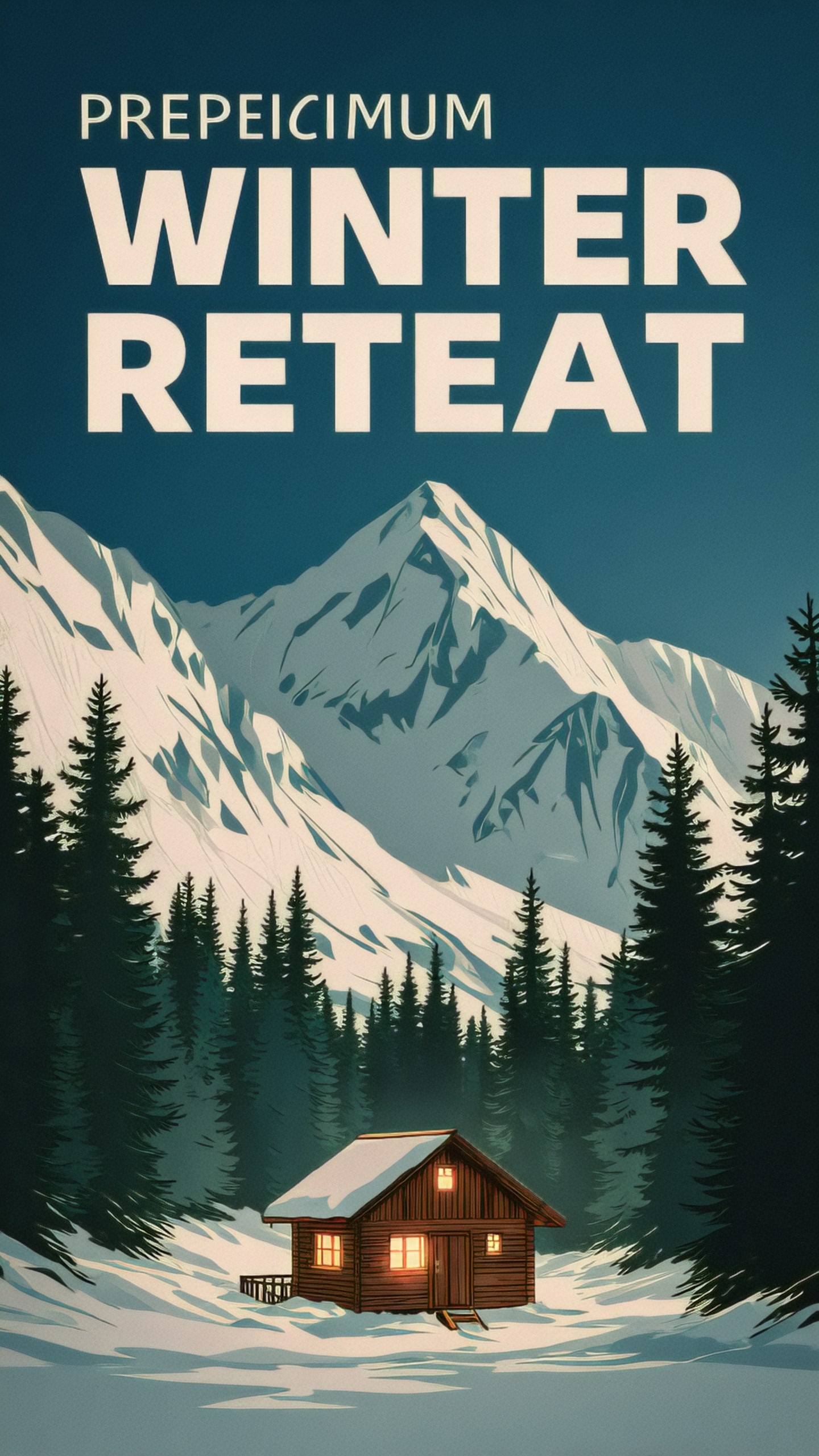
The key instruction here is not just the cabin. It is where the cabin sits in the frame and how the empty sky can support a real design workflow.
Choose a visual language, not just an art style
Style is more than naming an artist or using a trendy phrase. For professional prompts, describe the visual language: medium, surface, detail level, rendering approach, and reference domain.
Instead of only saying:
- watercolor style
- cyberpunk style
- Pixar style
- vintage style
try to specify:
- loose watercolor washes with visible paper grain
- cinematic neon street photography with wet pavement reflections
- soft 3D character design with rounded forms and expressive eyes
- mid-century editorial illustration with flat colors and screenprint texture
Simple idea: children reading under a tree
Production-ready prompt:
Gentle children’s book illustration of two children reading together under a large old oak tree in a quiet meadow. One child sits cross-legged holding an open picture book, the other leans against the tree trunk watching with curiosity. Loose watercolor and colored pencil texture on warm off-white paper, soft rounded shapes, natural imperfect lines, dappled sunlight through leaves, pastel greens, soft yellows, and muted sky blue, peaceful afternoon mood, simple background with wildflowers and butterflies, no text, no photorealism, no harsh outlines, no fantasy creatures. Landscape 4:3 composition.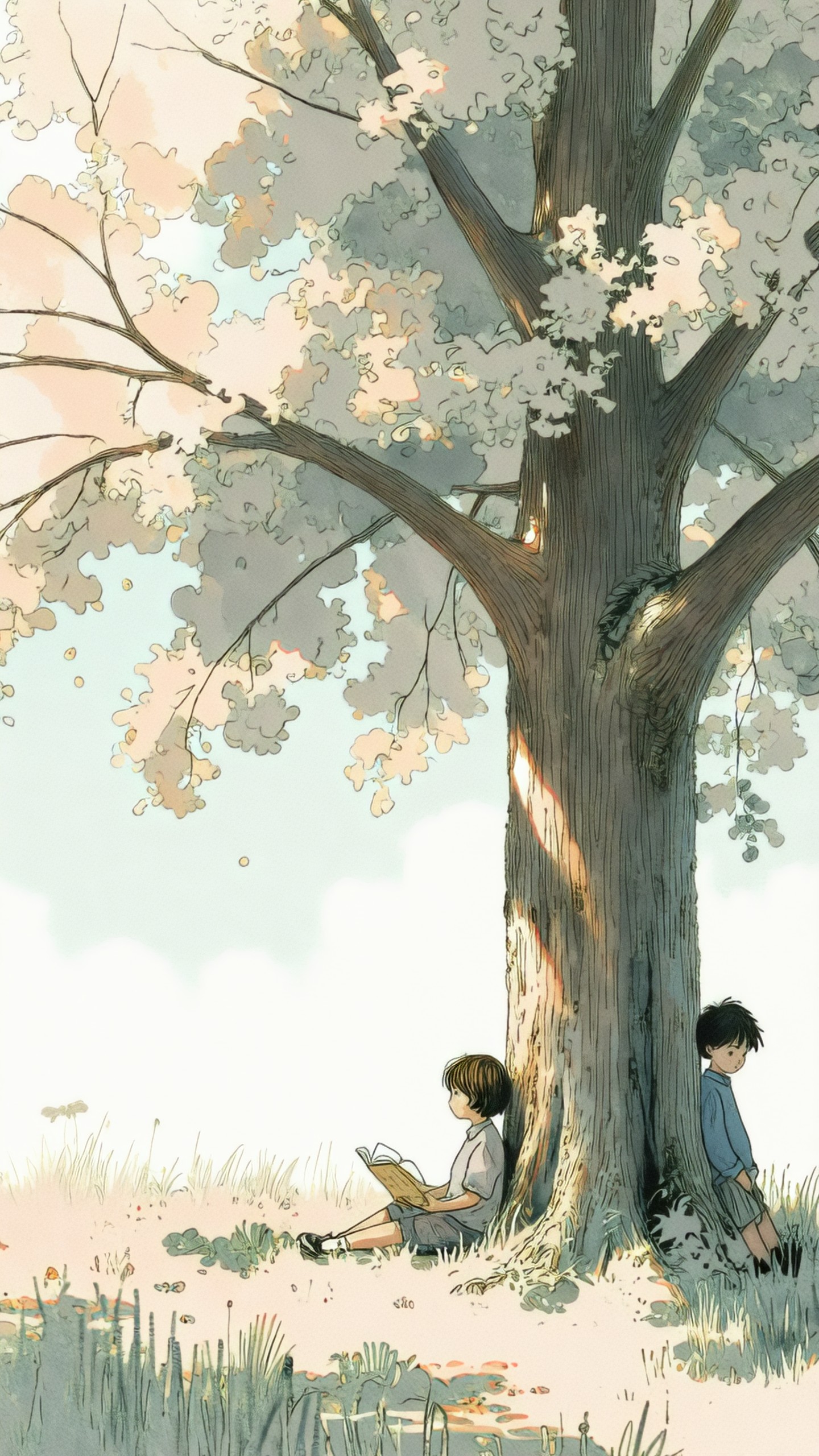
This prompt defines the medium, character mood, palette, and intended publishing context. It will usually produce more consistent results than simply asking for a children’s book scene.
Use lighting and color as direction, not decoration
Lighting and color are not cosmetic. They affect emotion, genre, perceived quality, and readability.
Useful lighting phrases:
- soft morning window light
- hard midday sun with crisp shadows
- diffused overcast light
- warm tungsten interior lighting
- neon rim light
- studio softbox lighting
- golden hour backlight
- moonlit blue ambient light
Useful color phrases:
- muted earth tones
- monochrome charcoal palette
- high-key pastels
- saturated primary colors
- black, ivory, and metallic gold
- cool blue-gray with warm orange accents
Simple idea: skincare bottle
For beauty and product work, lighting and material details matter more than adjectives like luxury or premium.
Production-ready prompt:
High-end studio product photograph of a frosted glass skincare serum bottle with a white dropper cap, standing on a pale stone surface with a shallow pool of water reflecting the bottle. Minimal set design with one eucalyptus leaf and soft curved shadow in the background. Large diffused softbox lighting from the upper left, gentle rim light on the glass edge, clean highlights, realistic translucent material, calm spa-like mood, palette of ivory, pale sage, soft gray, and clear glass. Centered composition with slight negative space above, no readable label text, no brand name, no extra bottles, no hands. Square 1:1 format.
This prompt gives the model precise product photography cues. It also prevents unwanted labels and clutter, which are common problems in AI-generated product images.
Add constraints and negative direction
Constraints are not only for preventing errors. They help define the image’s boundaries.
Common constraints:
- no text
- no watermark
- no logo
- no extra fingers
- no distorted hands
- no duplicated objects
- no blurry subject
- no extreme wide-angle distortion
- no crowded background
- no modern objects
- no anachronistic clothing
Different models handle negative instructions differently. Some have a dedicated negative prompt field. Others work better when restrictions are written naturally in the main prompt. Either way, include the most important exclusions.
Simple idea: app hero image about productivity
A productivity image can easily become cluttered with screens, unreadable charts, fake UI, and random text. Constraints are essential.
Production-ready prompt:
Clean editorial hero image for a productivity app landing page, showing a calm desk setup from a slightly elevated front angle. A closed notebook, a ceramic pen holder, a simple analog timer, and a laptop with a blank dark screen sit on a warm wood desk. The left side of the image has open negative space for interface copy, the right side contains the objects in a balanced arrangement. Soft natural morning light, minimal Scandinavian interior, beige, walnut, charcoal, and white palette, realistic photography style, sharp but gentle focus, no visible app interface, no readable text, no messy cables, no brand logos, no hands, no floating icons. Horizontal 16:9 composition.
For commercial design work, negative space and exclusions often matter as much as the subject itself.
Turn abstract ideas into visual metaphors
Some prompts begin with abstract concepts: trust, speed, privacy, burnout, creativity, resilience. The model cannot photograph an abstraction directly, so the prompt needs a metaphor.
Simple idea: data privacy
Possible visual metaphors:
- a locked glass vault around glowing data strands
- a person silhouetted behind layered translucent screens
- sealed letters moving through a secure tube system
- a quiet archive with protected light trails
- a digital keyhole formed by geometric patterns
For editorial use, the metaphor should be clear without becoming too literal or cartoonish.
Production-ready prompt:
Editorial illustration about data privacy, using a visual metaphor of a translucent glass vault protecting delicate glowing data threads. The vault sits in the center of a dark blue abstract workspace, with thin encrypted lines flowing around it but not entering. Minimal geometric composition, refined vector-like shapes with subtle gradients, calm serious mood, crisp edges, restrained palette of midnight blue, cyan, soft white, and graphite, strong central focal point, enough empty space around the vault for article layout, no padlock icon, no hacker figure, no binary numbers, no readable text, no logos. Horizontal 3:2 format.This prompt turns the idea into an image system: object, metaphor, palette, mood, and editorial layout.
Build prompts in layers
A reliable workflow is to add detail in layers rather than writing one giant prompt immediately.
Start with the simplest clear version:
A cinematic portrait of a marine biologist on a research boat at sunrise.Then add the purpose:
A cinematic editorial portrait of a marine biologist on a research boat at sunrise, for a magazine feature about ocean conservation.Then add composition:
Medium shot, subject near the left third of the frame, ocean horizon behind her, research equipment softly blurred in the background.Then add lighting and palette:
Warm sunrise rim light, cool blue shadows, natural skin tones, subtle film grain.Then add constraints:
No text, no logo, no dramatic storm, no laboratory coat, no exaggerated expression.This layered approach makes it easier to see which instruction improved or damaged the result.
Create controlled variations
Once you have a working prompt, do not rewrite everything. Change one category at a time.
Useful variation categories:
- Change the camera angle
- Change the time of day
- Change the palette
- Change the medium
- Change the background complexity
- Change the level of realism
- Change the emotional tone
- Change the aspect ratio
Simple idea: robot gardener
One version might be a whimsical children’s book image. Another might be a serious robotics product concept. A third might be a film still. The subject stays the same, but the purpose changes.
Production-ready prompt:
Optimistic robotics concept art of a compact autonomous gardening robot tending vegetables in a small urban rooftop greenhouse. The robot has a practical non-humanoid design with soft rounded white panels, small articulated arms, and rubber tracks. It gently waters tomato plants while morning sunlight filters through glass panels, city apartment buildings visible softly in the distance. Three-quarter wide shot at plant height, realistic industrial design, clean functional details, fresh green and white palette with warm sun accents, believable scale, no humanoid face, no weapons, no messy wires, no text, no logo. Horizontal 16:9 composition.This version is useful for product concept, startup pitch visuals, or speculative design. If you wanted a storybook image, you would change the medium, proportions, mood, and details while keeping the core subject.
Match the prompt to the model
Different image models interpret prompts differently. A professional prompt should be portable, but it should also leave room for model-specific syntax.
General tips:
- Midjourney often responds well to concise visual phrasing, style references, camera language, and aspect ratio parameters.
- Stable Diffusion workflows may benefit from a strong positive prompt, a separate negative prompt, LoRA or checkpoint choices, and parameter control.
- DALL-E tends to follow natural-language instructions well, especially for composition and object relationships.
- Ideogram is useful when typography or graphic design is part of the task, though text still needs careful checking.
- Firefly can be useful for commercially safe design workflows, especially when working near Adobe production pipelines.
The same prompt may need small adjustments. If a model ignores exclusions, move the unwanted items into a negative prompt field. If it over-stylizes, remove style adjectives and add practical camera or material cues. If it crops the subject badly, strengthen the composition instructions.
Common prompt upgrades by use case
Product mockups
Add material, surface, lighting, camera angle, background, and label restrictions.
Example details:
- frosted glass, brushed aluminum, recycled cardboard
- softbox reflection, clean shadow, macro detail
- no readable label, no logo, no extra packaging
Editorial illustrations
Add metaphor, mood, layout, palette, and conceptual clarity.
Example details:
- visual metaphor for burnout
- restrained palette
- negative space for headline
- no clichés such as lightbulbs, gears, or binary code unless needed
Character design
Add age range, silhouette, clothing, role, personality, expression, pose, and world context.
Example details:
- practical explorer clothing
- strong readable silhouette
- neutral turnaround pose
- no weapon unless requested
Environment concept art
Add scale, architecture, geography, time of day, atmosphere, and human activity.
Example details:
- market street after rain
- figures for scale
- layered foreground, midground, background
- no generic sci-fi skyline
Social media visuals
Add format, focal point, negative space, bold color, and simplified composition.
Example details:
- square crop
- central subject readable at small size
- clean background
- space for caption overlay
Book covers and posters
Add genre, silhouette, title-safe area, central symbol, and dramatic value contrast.
Example details:
- no text generated in image
- high contrast central figure
- top third left clear for typography
- vertical poster ratio
A final example: from rough idea to finished prompt
Rough idea: a lonely astronaut
Weak prompt:
A lonely astronaut on a planet, cinematic, beautiful, detailed.Better thinking:
- Use case: science fiction book cover concept
- Subject: astronaut standing beside a damaged rover
- Setting: icy moon landscape
- Mood: isolation, quiet tension
- Composition: small figure in large landscape
- Lighting: cold blue twilight with distant planet glow
- Constraints: no text, no aliens, no explosions
Production-ready prompt:
Science fiction book cover concept showing a lone astronaut standing beside a damaged rover on a frozen moon plain, dwarfed by a vast empty landscape. The astronaut is small in the lower center of the frame, helmet reflecting a pale ringed planet hanging low in the sky. Cracked ice stretches into the distance, faint rover tracks lead toward the horizon, quiet sense of isolation and survival. Cold blue twilight, subtle white rim light, cinematic realism with restrained detail, high contrast silhouette, large dark sky area at the top for title placement, no text, no aliens, no explosions, no space battle, no logo. Vertical 2:3 cover format.The final version is not just more detailed. It is more directed. Every phrase supports a use case, a composition, or a mood.
A simple editing checklist
Before running a prompt, review it with this checklist:
- Is the main subject clear?
- Is the image’s purpose clear?
- Is the setting specific enough?
- Is the composition usable for the format?
- Are lighting and color defined?
- Is the style described in visual terms?
- Are important details included?
- Are unwanted elements excluded?
- Is the aspect ratio appropriate?
- Can a designer, editor, or art director understand the intent?
If the answer is yes, the prompt is probably ready for production testing.
Final advice
Professional prompting is less about writing longer sentences and more about making decisions. A simple idea becomes useful when you define its purpose, frame, mood, visual language, and limits.
Start with the job of the image. Make the subject specific. Add context. Control composition. Then refine style, lighting, color, and exclusions. This process gives the model enough direction to create images that are not just interesting, but usable.