Portrait upscaling is where small quality differences become obvious fast. Skin texture, eyelashes, hair strands, fabric weave, and background bokeh all make precision choices matter more than they do in broader scene generation.
If you are using SEEDVR2 7B for portrait restoration or upscale passes, the practical question is simple: does FP16 actually look better than FP8, and when is the extra cost worth it? In most portrait workflows, FP16 is safer for delicate detail and tonal stability, while FP8 is often good enough for fast drafts, batch jobs, and social-first output.
This guide compares both precision modes specifically for portrait upscaling, with clear use cases, what artifacts to watch for, and prompt examples you can use in production.
Quick answer
For critical portrait work, FP16 usually wins.
It tends to preserve:
- more stable skin texture
- cleaner iris and eyelash definition
- smoother highlight rolloff on cheeks and forehead
- fewer strange edge decisions around hair
- more reliable micro-contrast in fabric and jewelry
FP8 is still useful when you need:
- faster turnaround
- lower VRAM use
- high-volume batch enhancement
- social media deliverables where viewers will not zoom in deeply
A good rule is:
- Use FP8 for selection, previews, and bulk upscaling
- Use FP16 for finals, client delivery, beauty work, and close crops
What changes in portrait upscaling
Portraits stress an upscale model differently than landscapes or product shots. Viewers instantly notice errors in faces, even when the issue is subtle.
The main comparison points are:
1. Skin rendering
FP16 usually keeps pores and natural texture more believable. FP8 can sometimes push skin into either of two bad directions:
- slightly waxy and over-smoothed
- noisy with grainy false detail
This is especially visible in beauty portraits and studio close-ups.
Topic: Beauty portrait upscale comparison with natural skin detail
Genre: Beauty Campaign
Camera: Canon EOS R5
Lens: 100mm f/2.8 Macro
Lighting: Studio butterfly light with soft fill
Location: Neutral gray beauty studio
Style: High-end beauty advertising
Final Prompt: close-up beauty portrait of a woman with natural luminous skin, refined makeup, subtle peach lipstick, detailed eyelashes, soft brows, elegant direct gaze, shoulders squared toward camera, clean gray studio backdrop, studio butterfly light with soft fill, realistic pores, delicate catchlights, smooth highlight transition on forehead and cheeks, premium skincare campaign mood, Canon EOS R5 look, 100mm f/2.8 macro clarity, centered composition, crisp but natural texture, muted neutral palette, polished high-end beauty advertising finish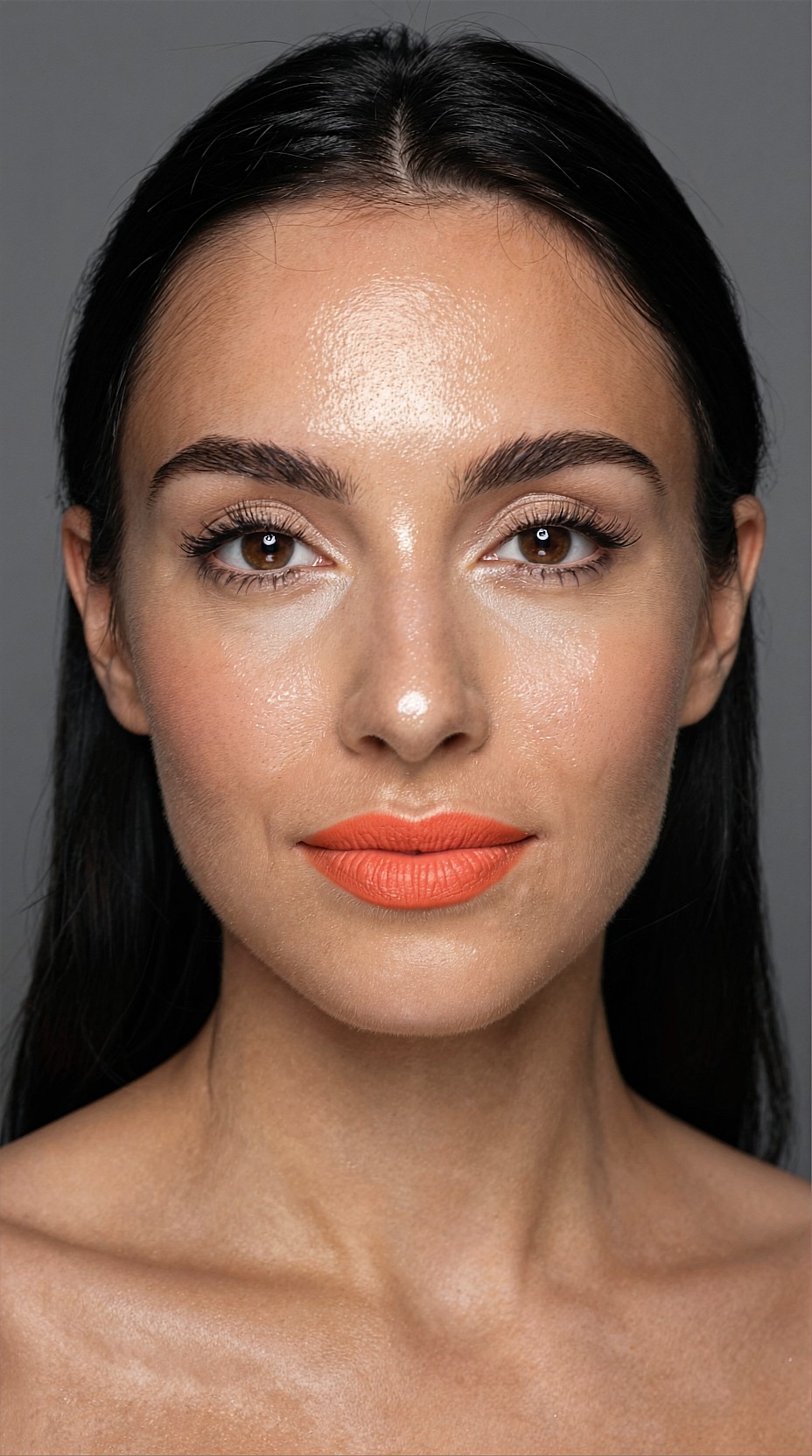
2. Eyes and lashes
The eye area is often the easiest place to spot precision limits. FP8 can look fine at normal view, but when zoomed in, it may produce:
- thicker or clumped lashes
- slight asymmetry in iris texture
- mushy lower-lash detail
- over-sharpened catchlights
FP16 tends to hold cleaner separation.
3. Hairline and flyaways
Loose hair strands are hard to reconstruct naturally. FP16 usually handles the transition between subject and background with fewer jagged or synthetic edges.
FP8 may simplify or merge fine strands, especially against bright backgrounds or backlight.
Topic: Backlit portrait with fine hair strands and flyaways
Genre: Fashion Editorial
Camera: Sony A7R V
Lens: 85mm f/1.4
Lighting: Sunset backlight with soft bounce
Location: Rooftop terrace at dusk
Style: Korean magazine cover
Final Prompt: waist-up fashion portrait of a woman standing on a city rooftop terrace at dusk, long dark hair with visible flyaways lifted by a light breeze, fitted ivory blazer over silk camisole, calm confident expression, chin slightly raised, soft sunset backlight outlining hair, gentle bounce light on face, blurred skyline in the background, elegant Korean magazine cover styling, Sony A7R V look, 85mm f/1.4 shallow depth of field, refined skin texture, crisp hairline separation, warm peach and blue twilight palette, premium editorial composition with negative space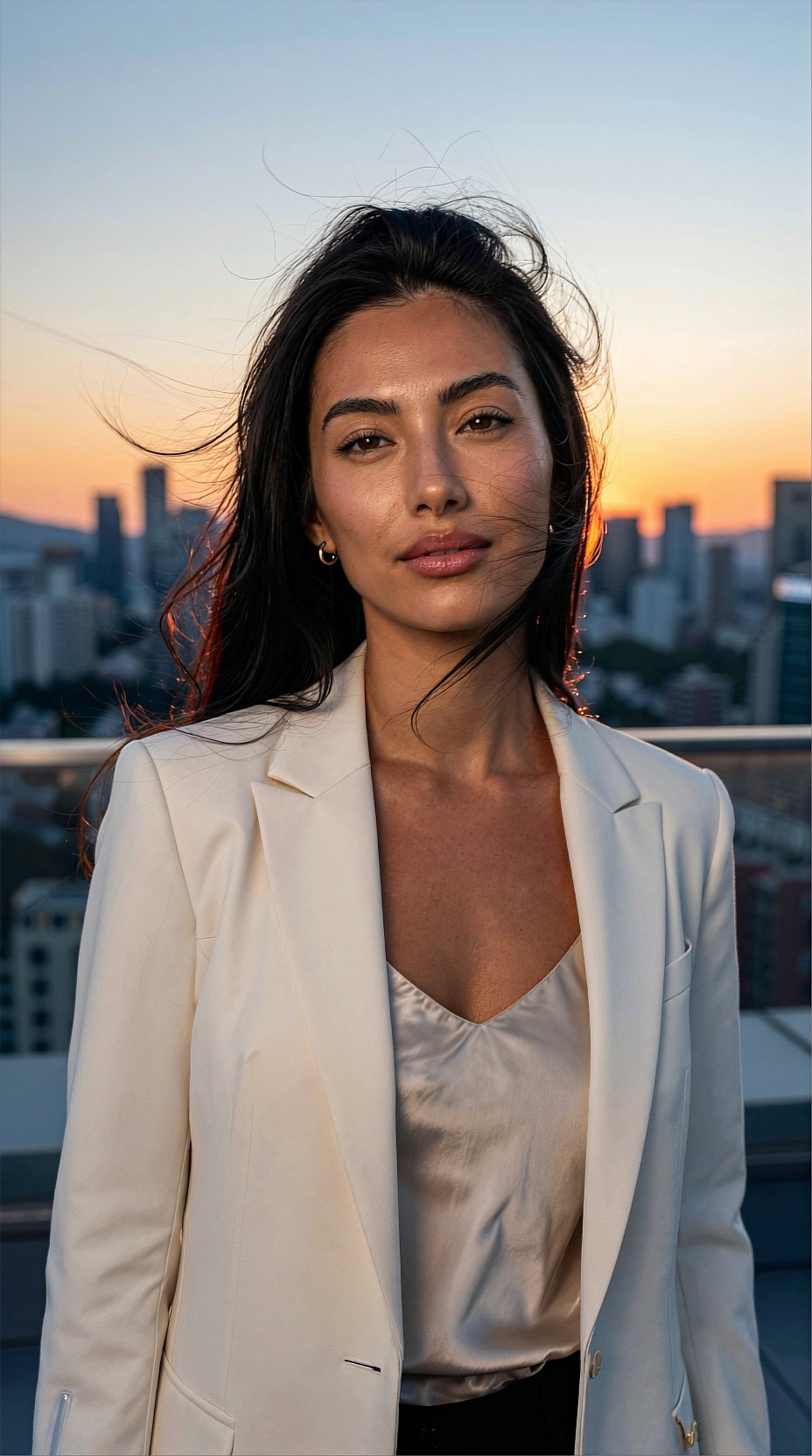
4. Fabric, jewelry, and accessories
Portrait clients often care as much about wardrobe detail as the face. Earrings, sequins, lace, embroidery, and tailoring benefit from FP16 because it keeps micro-detail more stable.
FP8 can still work well for simpler clothing or looser crops.
Where FP8 is good enough
FP8 is often the better choice if your source image is already decent and the upscale is mostly for presentation size rather than forensic detail.
Good FP8 use cases:
- influencer portraits for Instagram and TikTok covers
- lifestyle headshots for website thumbnails
- event portraits delivered in large batches
- contact sheet generation before final selects
- concept iterations in AI portrait workflows
If the viewer sees the image mostly on a phone, the difference between FP8 and FP16 may be small enough to ignore.
Topic: Social-first lifestyle headshot for fast batch upscale
Genre: Lifestyle Portrait
Camera: Fujifilm GFX 100S
Lens: 80mm f/1.7
Lighting: Overcast diffusion
Location: Quiet urban cafe exterior
Style: Clean commercial look
Final Prompt: natural lifestyle headshot of a young creative professional seated outside a quiet urban cafe, textured wool coat over a white tee, relaxed posture with one hand resting on a coffee cup, soft friendly smile, overcast diffused daylight, clean storefront glass and muted street reflections behind, realistic skin texture, subtle under-eye detail, tidy hair, minimal retouching look, Fujifilm GFX 100S rendering, 80mm f/1.7 depth separation, clean commercial composition, soft earthy color palette, polished but approachable brand portrait feel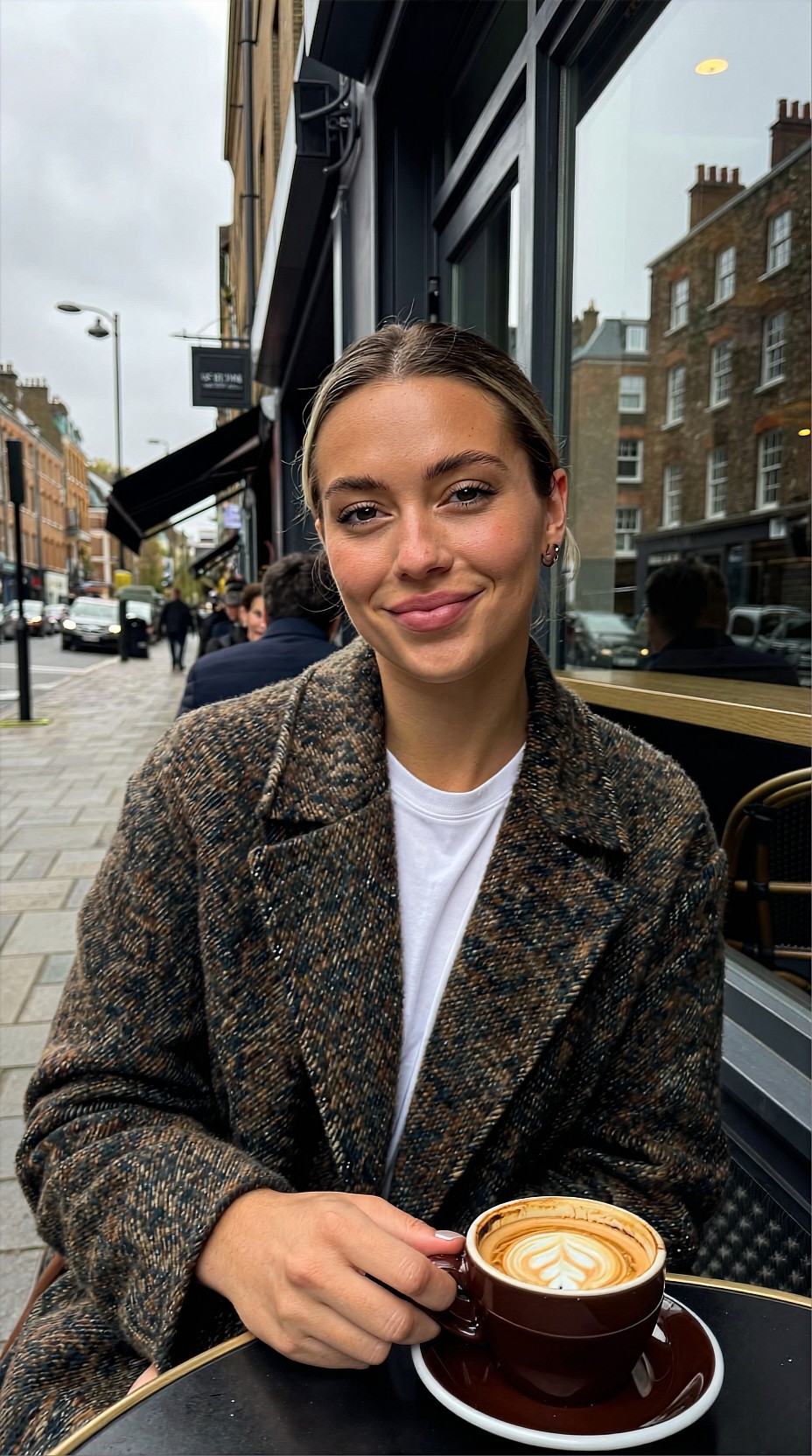
Where FP16 is clearly better
Use FP16 when the image needs to survive scrutiny.
Typical cases:
- beauty campaigns
- close-cropped fashion portraits
- print work
- luxury branding
- wedding hero portraits
- actor headshots
- restoration of soft or compressed source images
FP16 is also a safer pick when the input is imperfect. If the original portrait has compression, weak focus, or mixed lighting, lower precision can amplify odd decisions during the upscale.
Topic: Luxury jewelry portrait with micro-detail in accessories
Genre: Luxury Campaign
Camera: Nikon Z8
Lens: 105mm f/2.8
Lighting: Softbox key light with controlled rim light
Location: Dark charcoal studio set
Style: Luxury fashion campaign
Final Prompt: elegant close portrait of a woman wearing diamond drop earrings and a structured black satin dress, head turned three-quarters toward camera, poised expression, glossy hair swept behind one ear to reveal jewelry, softbox key light shaping the face with a subtle rim light on hair and shoulders, dark charcoal studio background, luxury campaign art direction, Nikon Z8 look, 105mm f/2.8 precision, crisp gemstone reflections, fine fabric sheen, natural skin texture, deep neutral palette with silver highlights, high-detail premium composition designed for print advertising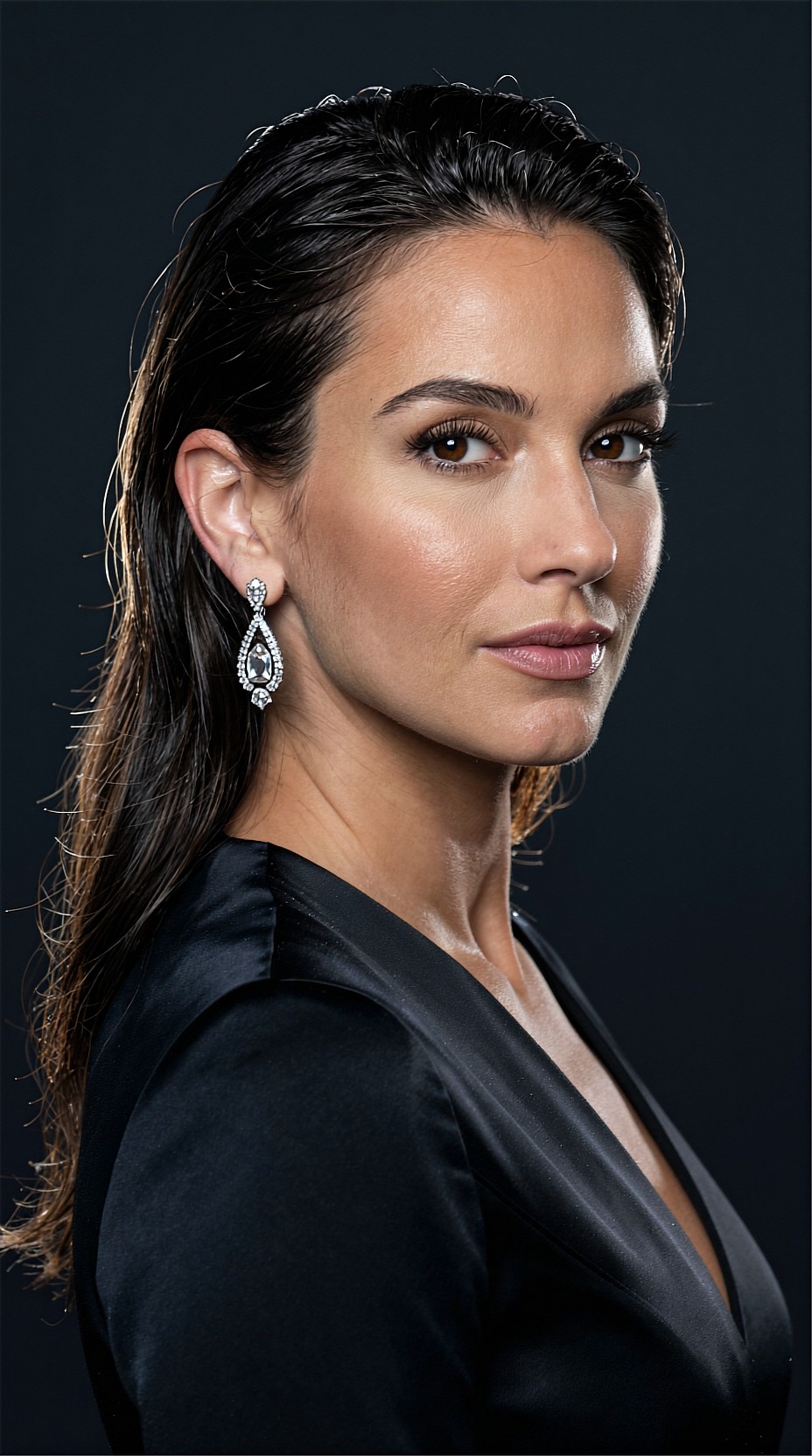
Side-by-side traits to inspect
When comparing FP8 and FP16 outputs, do not judge only from the full image view. Zoom in and inspect the same zones every time.
Check these areas
- the edge of the eyelid
- iris ring and catchlights
- transition from cheek highlight to midtone
- lip texture
- individual strands around the hairline
- teeth if visible
- collar stitching and fabric texture
- earrings and chain details
Typical FP8 failure signs
- skin looks plasticky after sharpening
- fine hair dissolves into a soft outline
- earrings become slightly muddy
- eye texture looks crisp but artificial
- subtle facial asymmetry appears exaggerated
Typical FP16 failure signs
FP16 is not magic. It can still produce:
- over-defined pores if your settings push sharpness too hard
- preserved compression artifacts from low-quality source images
- more visible blemish texture than a client may want
That means FP16 often benefits from a lighter hand in post. You may need less extra sharpening and less texture recovery.
Topic: Actor headshot with sharp eye detail and smooth tonal transitions
Genre: Product Editorial
Camera: Leica SL2-S
Lens: 90mm f/2 APO-Summicron
Lighting: Large octabox key with negative fill
Location: Minimal black studio
Style: Cinematic realism
Final Prompt: dramatic actor headshot of a man in a tailored charcoal jacket over a black crew neck, seated and leaning slightly forward, focused introspective expression, direct eye contact, large octabox key creating soft sculpted facial modeling with negative fill for contrast, minimal black studio environment, Leica SL2-S tonal rendering, 90mm f/2 APO look, highly controlled eye detail, natural lip texture, subtle beard stubble, cinematic realism, restrained monochrome-inspired palette with warm skin tones, premium close-crop composition for casting and editorial use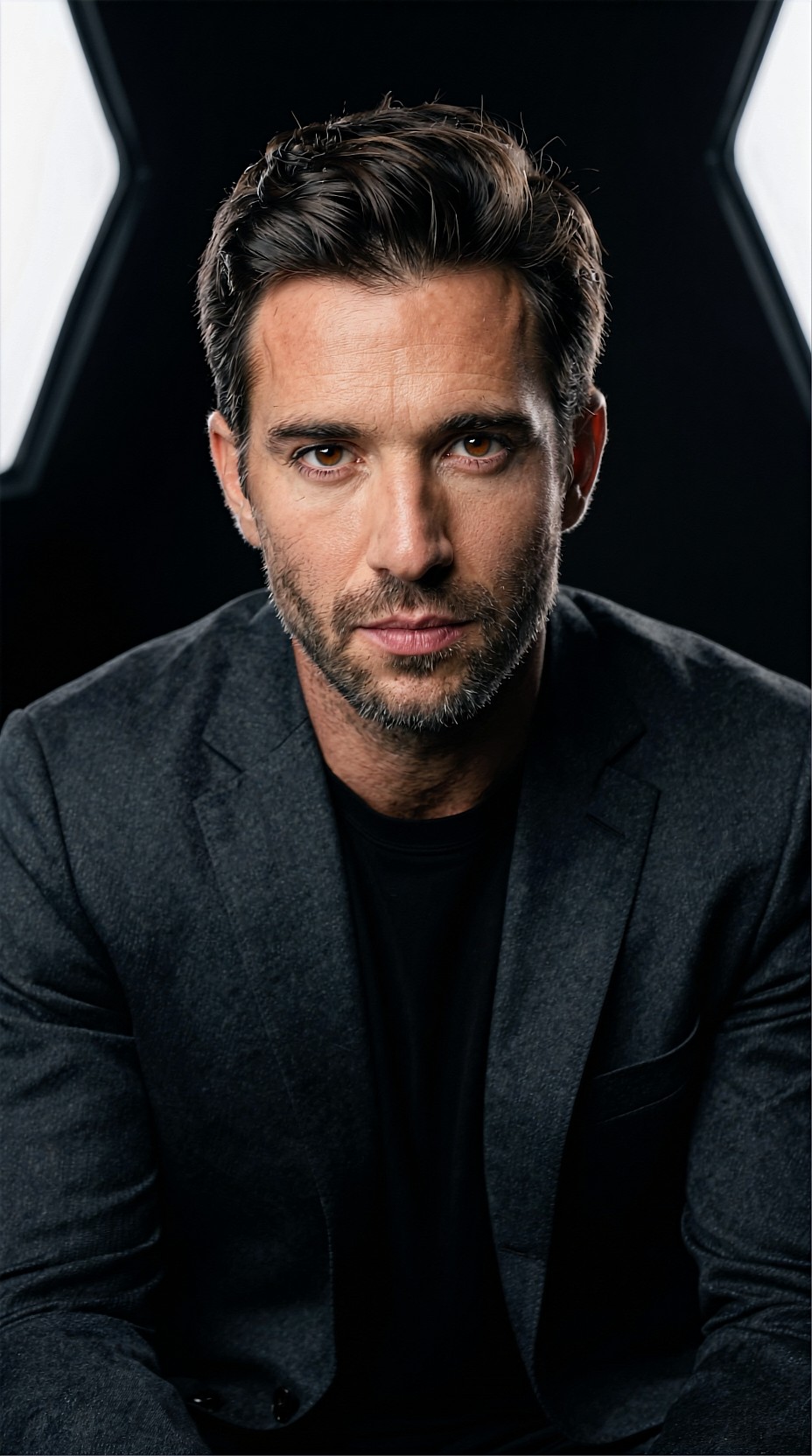
Best workflow: use both, not one
For many creators, the best answer is not choosing one precision forever. It is using each at the right stage.
Recommended portrait workflow
1. Run first-pass upscales in FP8 for speed. 2. Review in grid view and reject weak compositions. 3. Re-run select finalists in FP16. 4. Inspect face, hair, and clothing at 100% to 200%. 5. Finish with minimal retouching, not heavy rescue work.
This saves compute without risking final quality.
It also fits AI image generation pipelines well. If you create portraits in one model, then use SEEDVR2 7B for upscale and cleanup, FP8 is efficient during exploration while FP16 is better for the final export.
Topic: AI-generated wedding portrait refined for final upscale
Genre: Luxury Campaign
Camera: Hasselblad X2D 100C
Lens: 90mm f/2.5
Lighting: Window light with soft reflector fill
Location: Historic hotel bridal suite
Style: Elegant resort editorial
Final Prompt: refined bridal portrait of a woman in a silk wedding gown with pearl earrings and a sheer veil, standing near tall window drapes in a historic hotel suite, gentle smile and lowered gaze, one hand lightly touching the veil at her shoulder, soft window light shaping the face with delicate reflector fill, warm ivory interiors and muted gold accents in the background, Hasselblad X2D 100C medium format richness, 90mm f/2.5 shallow depth, natural skin texture, lace detail, graceful posture, elegant resort editorial mood, soft cream and champagne palette, luxury final-delivery quality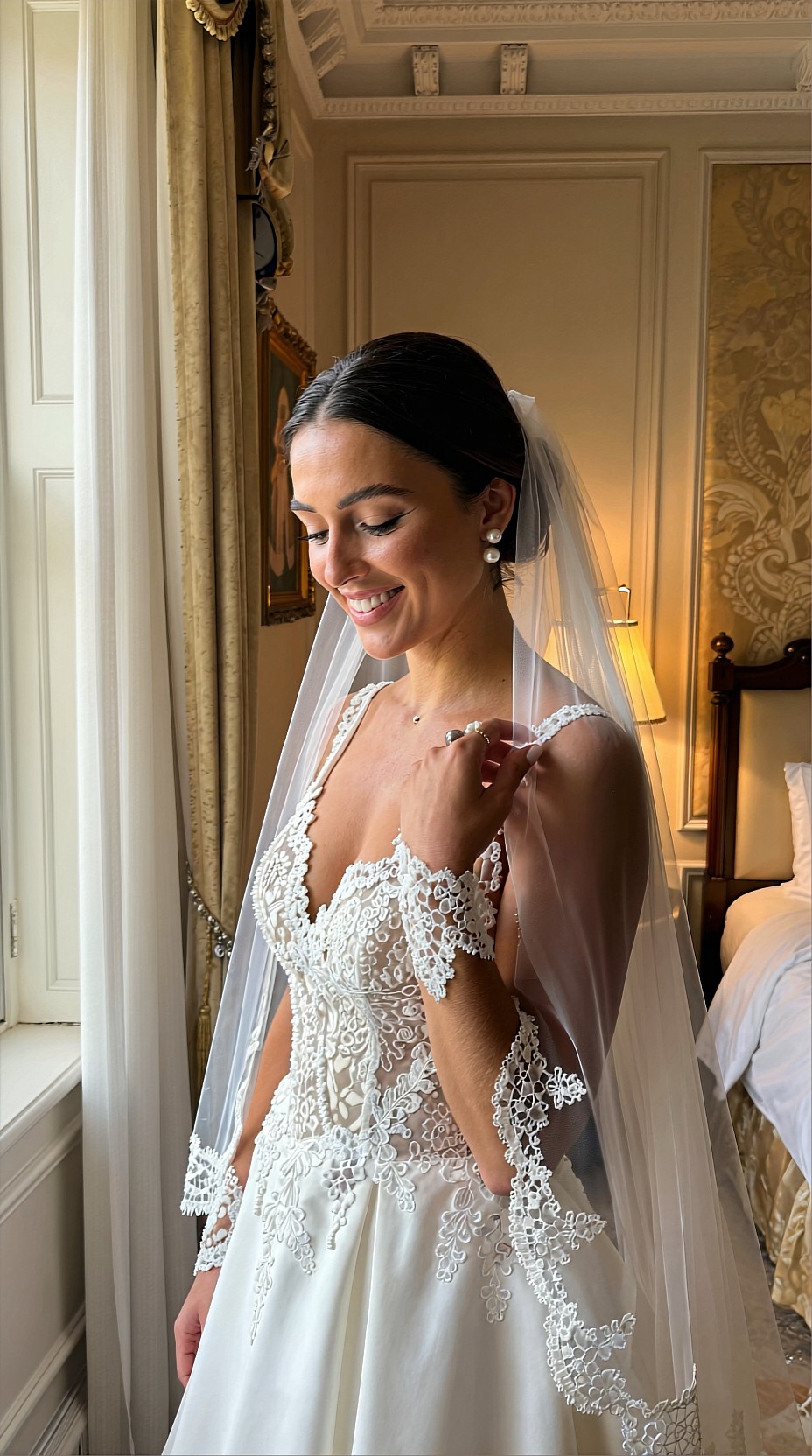
Practical settings advice
Precision is only one variable. Your result also depends on the source image and how aggressively you push enhancement.
If you use FP8
To get the best from FP8:
- start with cleaner source files
- avoid extreme upscale jumps when possible
- keep sharpening conservative
- watch eye detail closely
- avoid over-textured skin prompts if the source is soft
FP8 generally performs best when it is enhancing, not inventing too much.
Topic: Street-style portrait intended for efficient FP8 upscale
Genre: Street Style
Camera: Canon EOS R6 Mark II
Lens: 50mm f/1.2
Lighting: Open shade with neon rim light from storefront
Location: Tokyo side street after rain
Style: Clean commercial look
Final Prompt: stylish street portrait of a young woman standing on a narrow Tokyo side street after light rain, cropped leather jacket over a slate knit top, loose trousers, damp pavement reflecting subtle neon storefront light, relaxed stance with one shoulder angled toward camera, calm editorial expression, open shade on the face with a faint neon rim light from the side, Canon EOS R6 Mark II rendering, 50mm f/1.2 cinematic separation, realistic skin and hair detail, urban commercial styling, cool blue and magenta accents, wet texture in the background, clean polished portrait suitable for social campaign use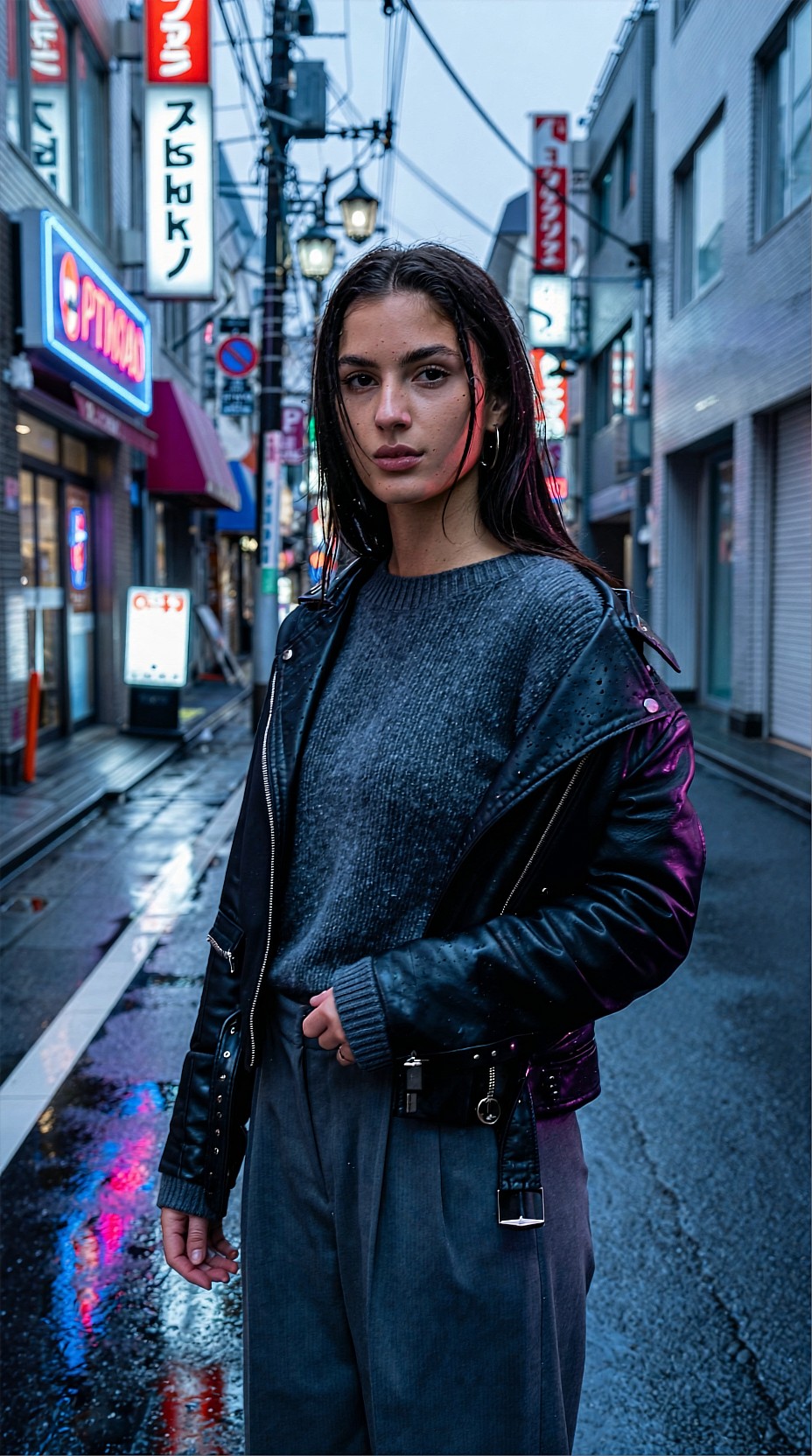
If you use FP16
To get the most from FP16:
- reserve it for final picks
- reduce unnecessary post-sharpening
- use it for difficult hair and beauty shots
- pair it with high-quality prompts and cleaner generations
- check whether the extra detail helps the image emotionally, not just technically
Sometimes FP16 reveals enough detail that you can back off retouching and keep portraits looking more human.
Topic: Mature portrait with nuanced skin texture and tonal realism
Genre: Lifestyle Portrait
Camera: Panasonic Lumix S1R
Lens: 85mm f/1.8
Lighting: Soft north-window light
Location: Quiet apartment reading corner
Style: Cinematic realism
Final Prompt: intimate portrait of a mature woman seated in a quiet apartment reading corner, soft knit sweater in muted olive, short silver hair neatly styled, thoughtful expression with gentle half-smile, hands resting on a closed book in her lap, soft north-window light wrapping across the face, realistic fine lines and natural skin texture preserved, warm wood shelves and linen curtains in the background, Panasonic Lumix S1R detail, 85mm f/1.8 portrait compression, cinematic realism, calm earthy palette, composed and human editorial mood with subtle depth and honest tonal transitions
Prompting for upscale-friendly portraits
Even when you are mainly upscaling, prompt quality affects what the model has to preserve. Portraits that begin with clear structure usually survive precision changes better.
Prompt for:
- clear facial angle
- controlled lighting direction
- visible wardrobe texture
- intentional background separation
- realistic skin language
- specific lens and camera feel
Avoid vague prompts that force the pipeline to invent details too late.
Topic: Editorial portrait with controlled texture and background separation
Genre: Fashion Editorial
Camera: Sony A1
Lens: 135mm f/1.8
Lighting: Golden hour side light
Location: Mediterranean stone courtyard
Style: Luxury fashion campaign
Final Prompt: editorial portrait of a woman in a tailored sand-colored linen suit with a silk scarf, standing in a Mediterranean stone courtyard, body angled slightly away while looking back toward camera, composed confident expression, golden hour side light creating depth across cheekbones and suit texture, soft shadows on warm stone walls, olive trees blurred in the background, Sony A1 precision, 135mm f/1.8 elegant compression, crisp hair edges, natural skin finish, luxury fashion campaign styling, sun-washed beige and olive palette, premium magazine composition with refined detail built for upscale clarity
Topic: Creative portrait with textured makeup and stylized lighting
Genre: Beauty Campaign
Camera: RED Komodo cinematic capture
Lens: 65mm T1.5
Lighting: Teal-magenta split light with soft frontal fill
Location: Minimal color studio
Style: High-end beauty advertising
Final Prompt: stylized beauty portrait of a model with graphic eyeliner, satin berry lips, luminous skin, and sculpted cheek highlight, wearing a structured off-shoulder top in deep plum, posed front-facing with a slight head tilt and intense eye contact, teal and magenta split lighting with soft frontal fill, minimal color studio backdrop fading from slate to violet, RED Komodo cinematic texture, 65mm T1.5 shallow focus, high-end beauty advertising direction, precise lash detail, rich color separation, glossy yet realistic skin, dramatic premium composition designed for upscale testing and close inspectionUse cases in AI image generation workflows
This precision choice matters in several common workflows on AI art and imaging platforms.
Character portraits
If you generate recurring characters for stories, games, or visual novels, FP16 helps maintain facial identity in the final portrait sheets.
Fashion lookbooks
For lookbooks, FP8 can speed up batch processing, while FP16 is better for hero images where garment texture matters.
Creator thumbnails and covers
If the output is mostly viewed small, FP8 is often enough. Save FP16 for banner art or press assets.
Restoration of old portraits
For older scans with soft detail, FP16 is usually more reliable because the model has to make more sensitive decisions around eyes, hair, and skin transitions.
Topic: Restored vintage portrait with careful facial reconstruction
Genre: Product Editorial
Camera: Phase One XF IQ4 capture style
Lens: 120mm f/4 Macro
Lighting: Soft overhead diffusion with gentle side fill
Location: Heritage photo restoration studio aesthetic
Style: Clean commercial look
Final Prompt: restored vintage-inspired portrait of a young woman in a 1940s blouse with softly waved hair, seated against a simple painted studio backdrop, calm neutral expression, soft overhead diffusion with gentle side fill, subtle sepia-neutral tonal balance, realistic skin texture without plastic smoothing, delicate eyelash definition, preserved fabric seams and collar detail, Phase One XF IQ4 capture style, 120mm f/4 macro precision, careful restoration aesthetic, clean commercial finish with respectful natural detail and controlled grain
Final verdict
If your goal is the best-looking portrait upscale, SEEDVR2 7B FP16 usually looks better than FP8. The difference shows up most in skin, eyes, hair edges, and fine wardrobe detail.
But that does not mean FP8 is a poor choice. It is often the smarter operational setting for previews, bulk jobs, and social content.
The practical answer is:
- FP8 for speed and scale
- FP16 for final portrait quality
If you only want one default for portrait work, choose FP16. If you care about workflow efficiency, use both and promote your best images to FP16 before delivery.