The Ultimate Guide to Writing Better ZImage Turbo Prompts 한국어 요약
이 페이지는 ZView Space의 영어 원문을 한국어 검색 사용자도 이해할 수 있도록 정리한 SEO 요약입니다. 핵심은 단순한 얼굴 중심 이미지가 아니라 패션 에디토리얼, 룩북, 아웃핏, 프롬프트 테스트, 이미지 생성 워크플로우를 실제로 어떻게 구성할지입니다.
핵심 요약
- 원문 주제: The Ultimate Guide to Writing Better ZImage Turbo Prompts
- 목적: AI 이미지 생성에서 outfit, silhouette, fabric, pose, location, camera framing을 더 명확하게 설계합니다.
- 활용 범위: Z-Image Turbo, Krea2 Turbo, Qwen Image, Anima, SeedVR2 같은 이미지 생성 및 업스케일 워크플로우에 적용할 수 있습니다.
- SEO 관점: 제목, 설명, 이미지 alt, 프롬프트 예시가 실제 검색 의도와 맞아야 색인 가능성이 높아집니다.
한국어 사용자를 위한 체크포인트
1. 프롬프트가 얼굴 묘사에만 머물지 않고 전체 스타일과 의상 구성을 설명하는지 확인합니다. 2. 패션 이미지라면 상의, 하의, 아우터, 신발, 액세서리, 소재감, 촬영 장소를 분리해서 씁니다. 3. 생성 결과는 바로 게시하지 말고 디테일, 손, 의상 형태, 배경 일관성, 이미지 품질을 비교합니다. 4. 글 본문에는 실제 테스트 기준과 실패를 줄이는 방법이 들어가야 검색엔진에서 얇은 콘텐츠로 보일 가능성이 줄어듭니다.
원문 미리보기
ZImage Turbo is useful when you need fast visual iteration without losing control over composition, style, and production quality. The key is not writing longer prompts. The key is writing prompts that give the model clear visual priorities: subject, setting,
---
ZImage Turbo is useful when you need fast visual iteration without losing control over composition, style, and production quality. The key is not writing longer prompts. The key is writing prompts that give the model clear visual priorities: subject, setting, composition, lighting, style, and constraints.
This guide explains how to write better ZImage Turbo prompts for practical creative work, including product visuals, editorial images, concept art, social content, and design exploration. You will find prompt structures, before-and-after examples, reusable templates, and three illustration prompts you can use for this article or your own tests.
What Makes a Good ZImage Turbo Prompt?
A strong prompt tells the model what matters most and leaves less important details flexible. ZImage Turbo, like most modern text-to-image systems, responds best to concrete visual language. It is usually better to describe what should appear in the image than to explain an abstract idea.
Instead of writing:
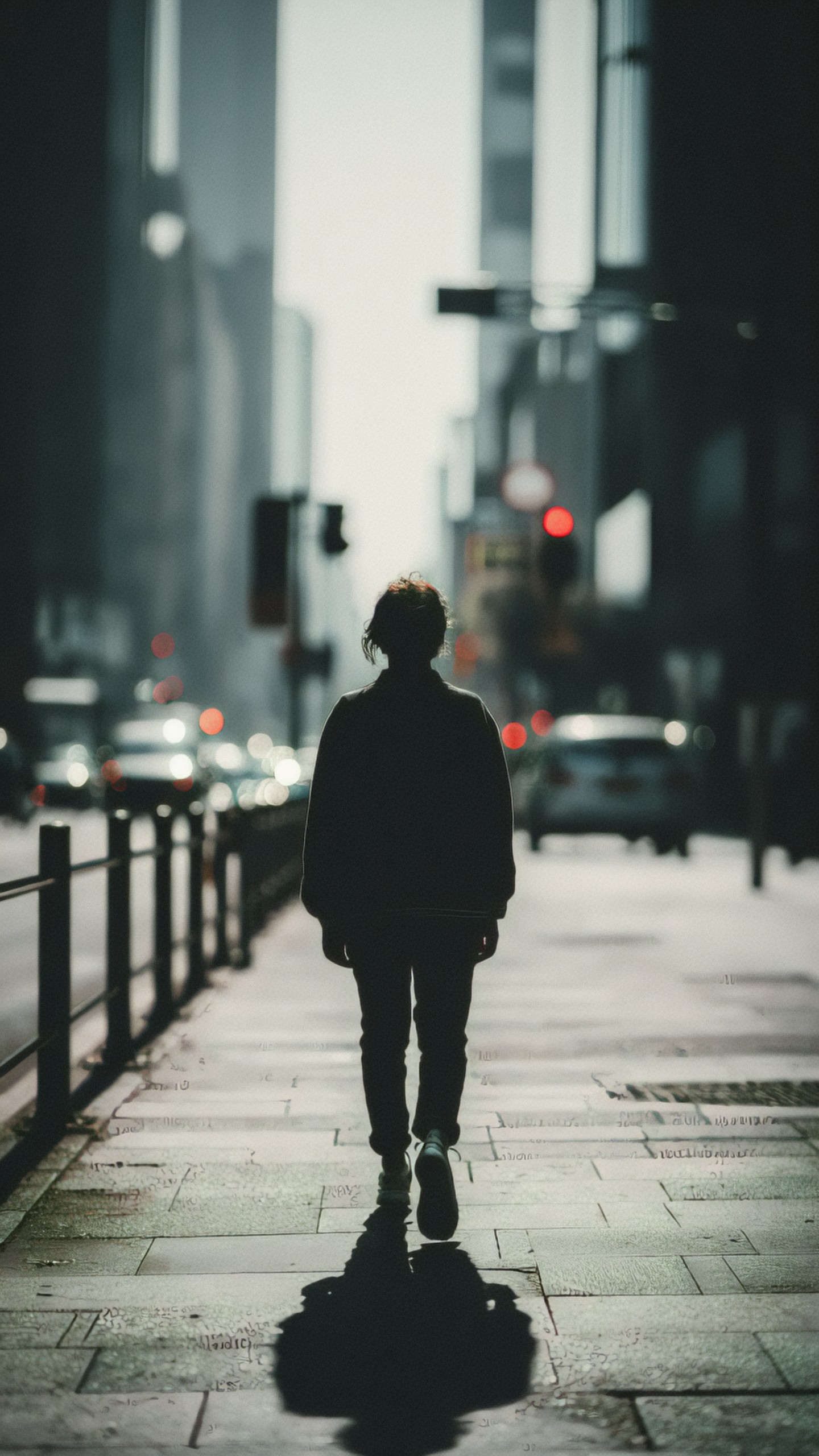
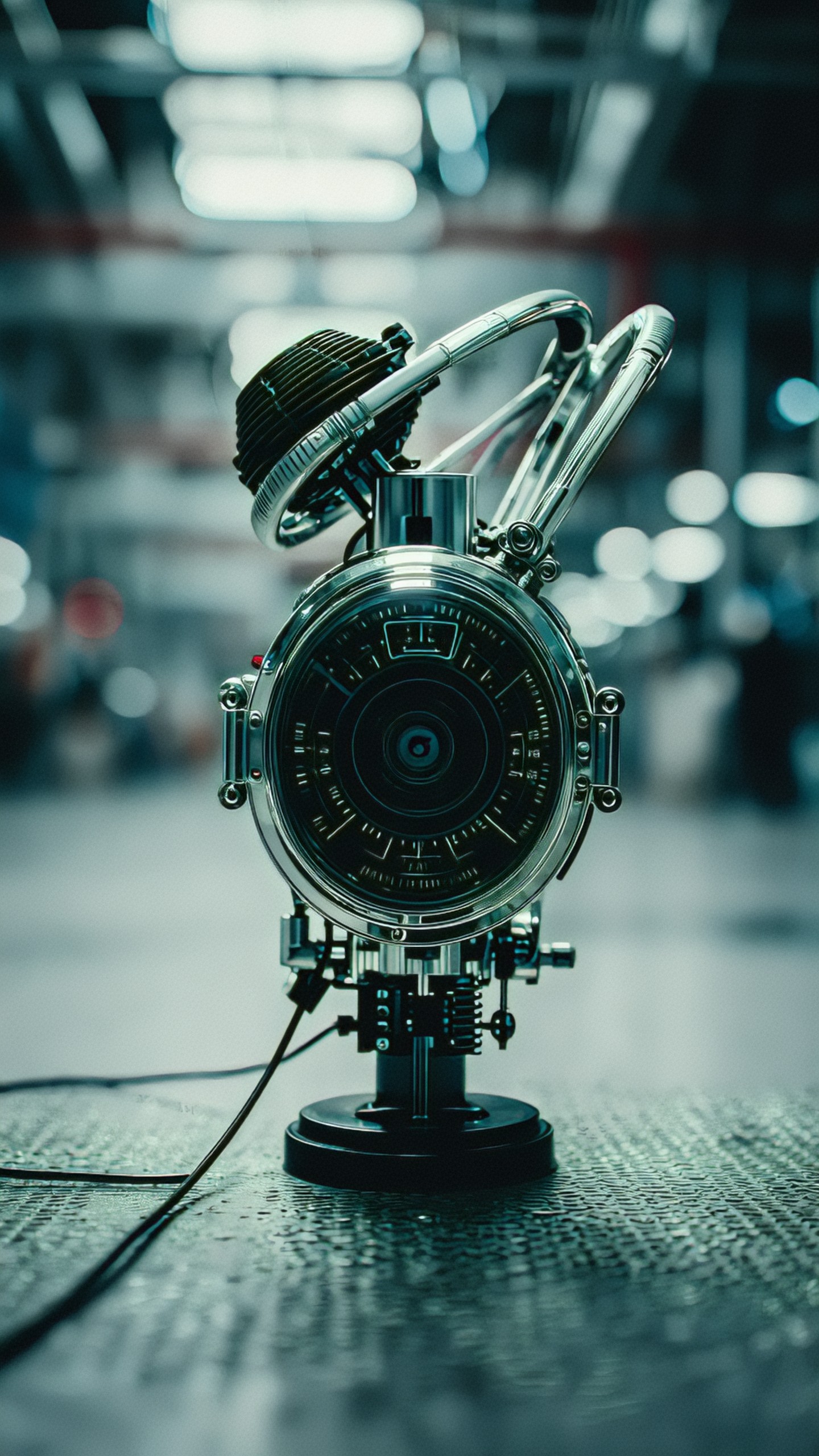
Make something futuristic and cool for a tech brand.
Write:
A sleek black wireless speaker on a brushed aluminum table, soft blue rim light, minimal studio background, high-end product photography, centered composition, shallow depth of field, clean reflections, premium technology brand aesthetic
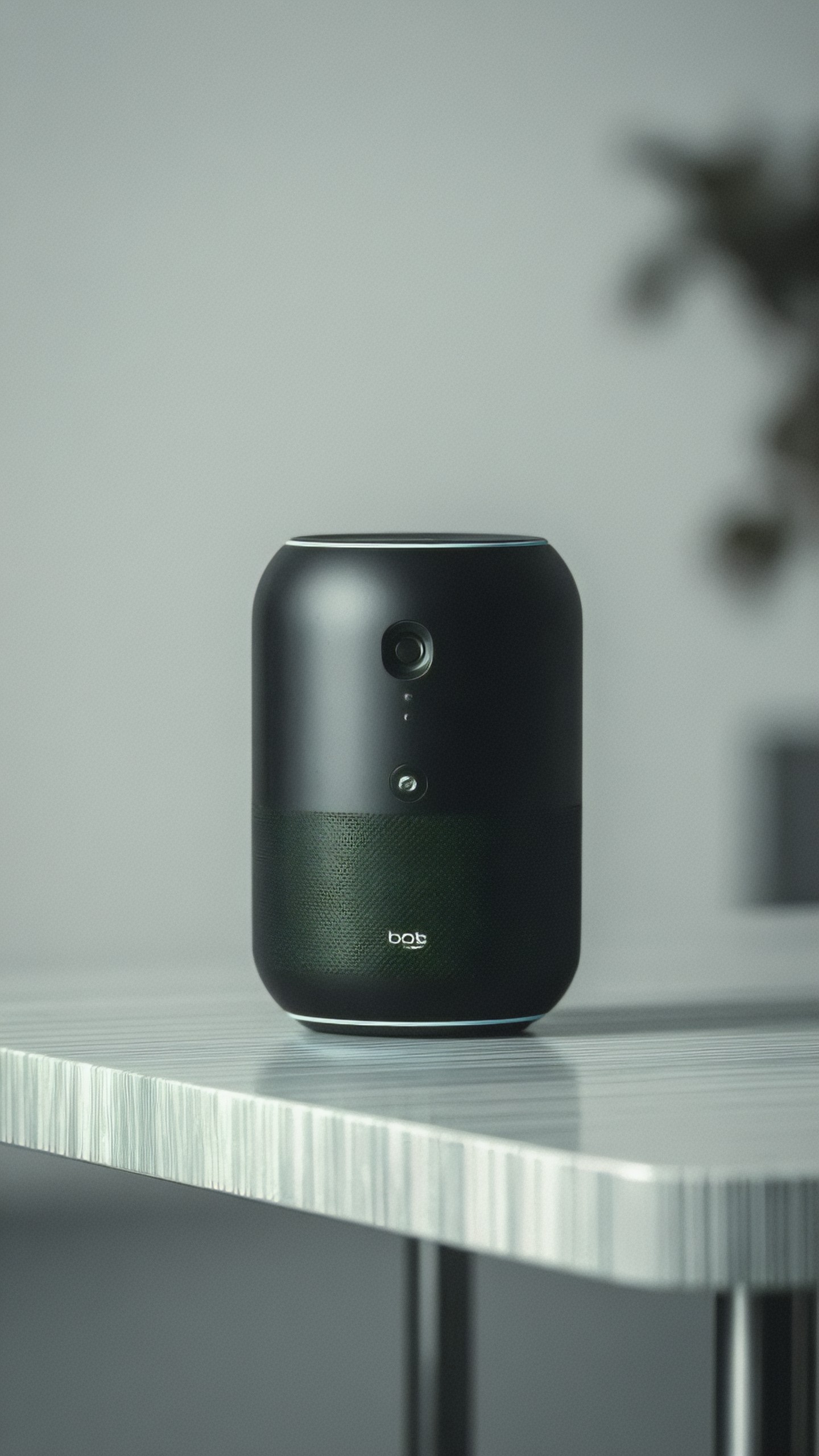
The second prompt gives the model a subject, environment, lighting setup, composition, camera feel, and style direction. That is the foundation of a good ZImage Turbo workflow.
The Core Prompt Formula
A reliable ZImage Turbo prompt can be built from six parts:
Subject + context + composition + lighting + style + quality constraints
You do not need every part every time, but this structure prevents vague results.
1. Subject
The subject is the main thing the viewer should notice first. Be specific.
Weak:
A person in a city
Better:
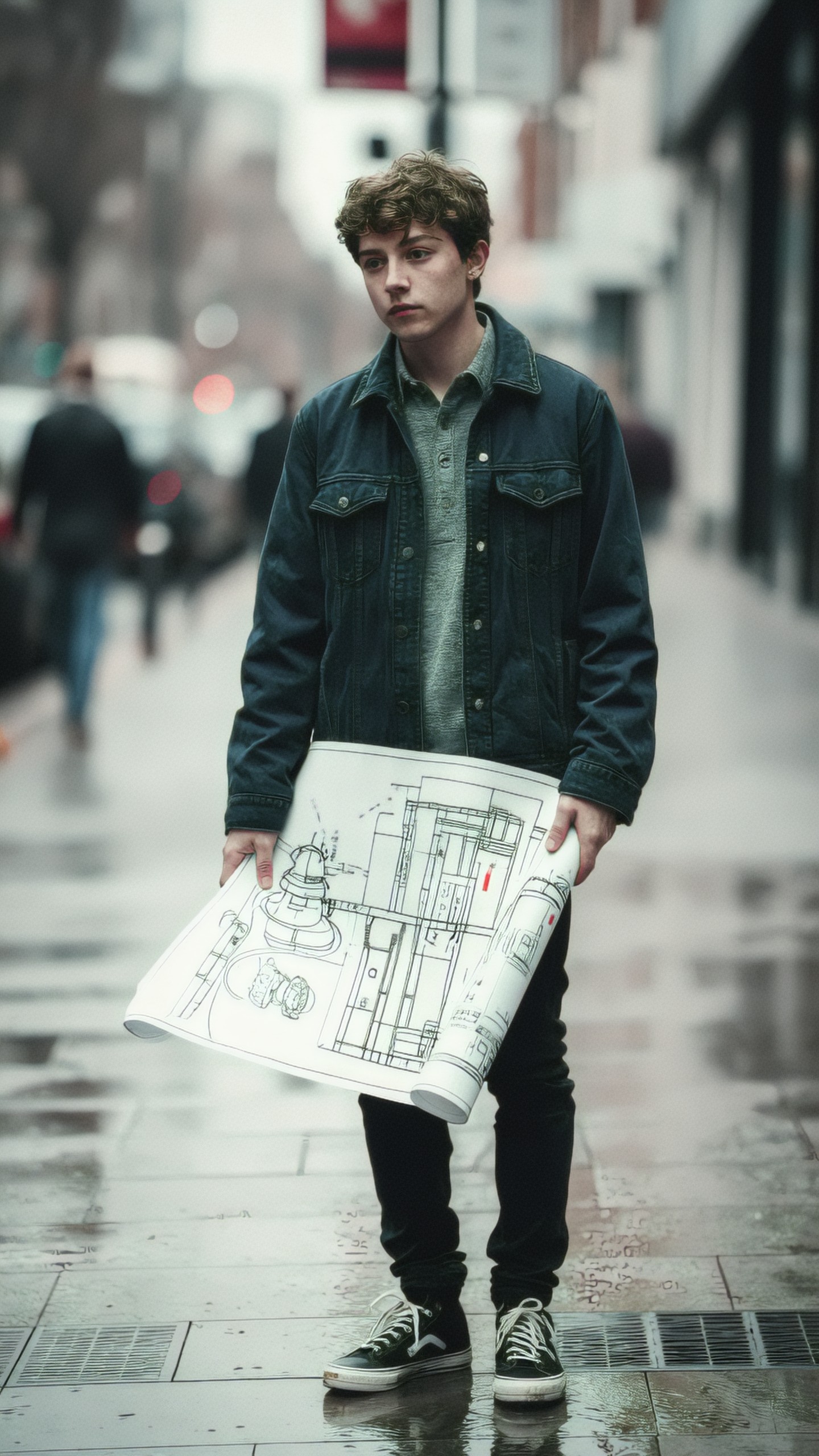
A young architect holding rolled blueprints on a rainy city sidewalk
Better still:
A young architect in a charcoal wool coat holding rolled blueprints, standing on a rainy city sidewalk outside a glass office tower
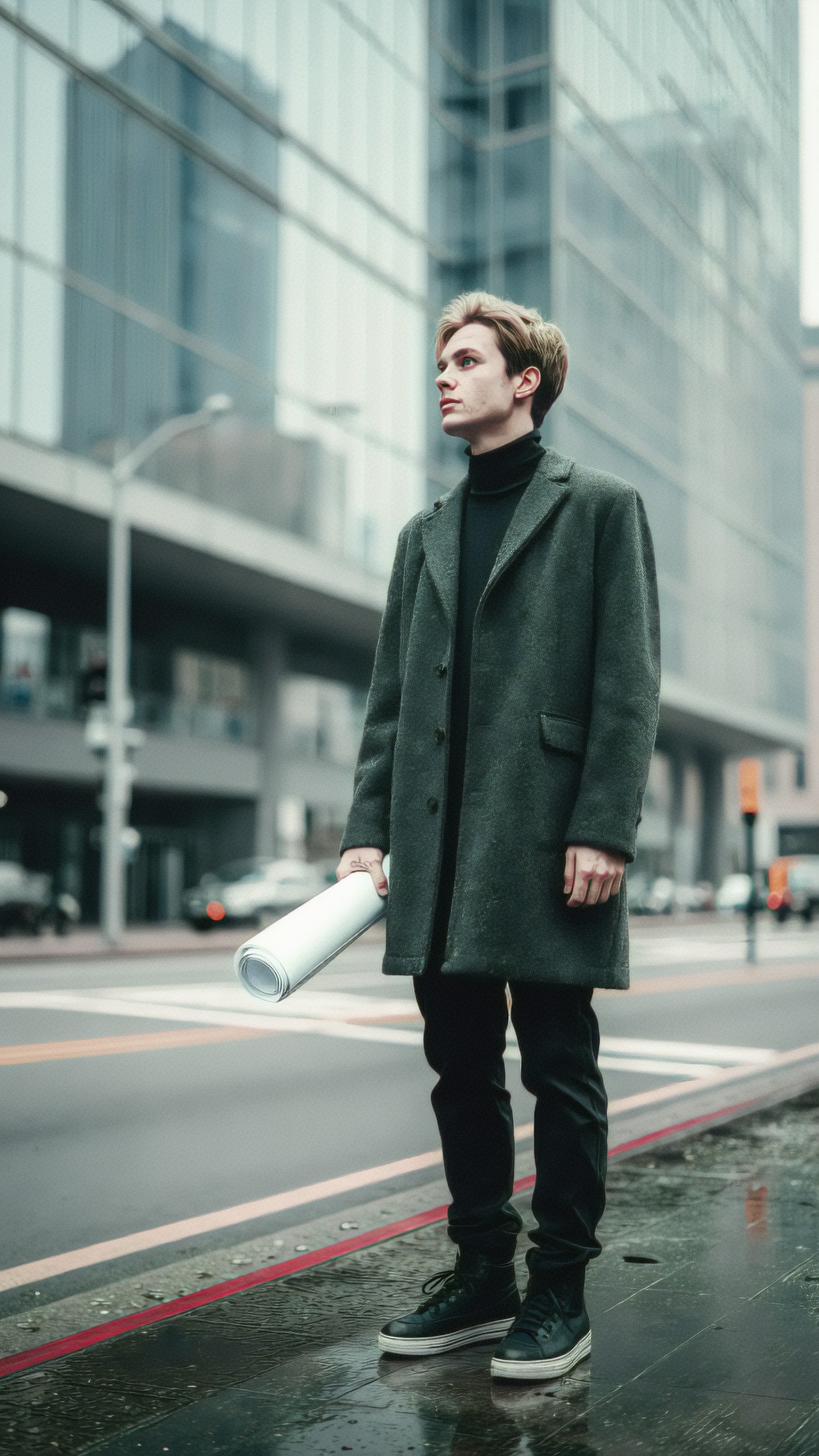
The model now understands role, clothing, prop, environment, and mood.
2. Context
Context answers where the image takes place and what situation is unfolding. It can include location, era, season, weather, activity, or emotional tone.
Examples:
Inside a compact Tokyo apartment at night
On a sunlit Mediterranean rooftop garden in early summer
In a quiet museum archive with shelves of labeled boxes
Context helps prevent generic images. For practical use, it also gives your image a clearer story.
3. Composition
Composition controls how the image is arranged. This is one of the most important parts of prompt writing because it affects whether the result is usable for thumbnails, banners, ads, or editorial layouts.
Useful composition phrases include:
- centered product shot
- wide-angle establishing shot
- close-up portrait
- overhead flat lay
- rule of thirds composition
- negative space on the left
- subject in the lower third
- symmetrical composition
- low-angle view
- eye-level camera
For example:
Overhead flat lay of a travel planning desk, passport, notebook, camera, train tickets, coffee cup, warm morning light, organized composition with negative space on the right for text
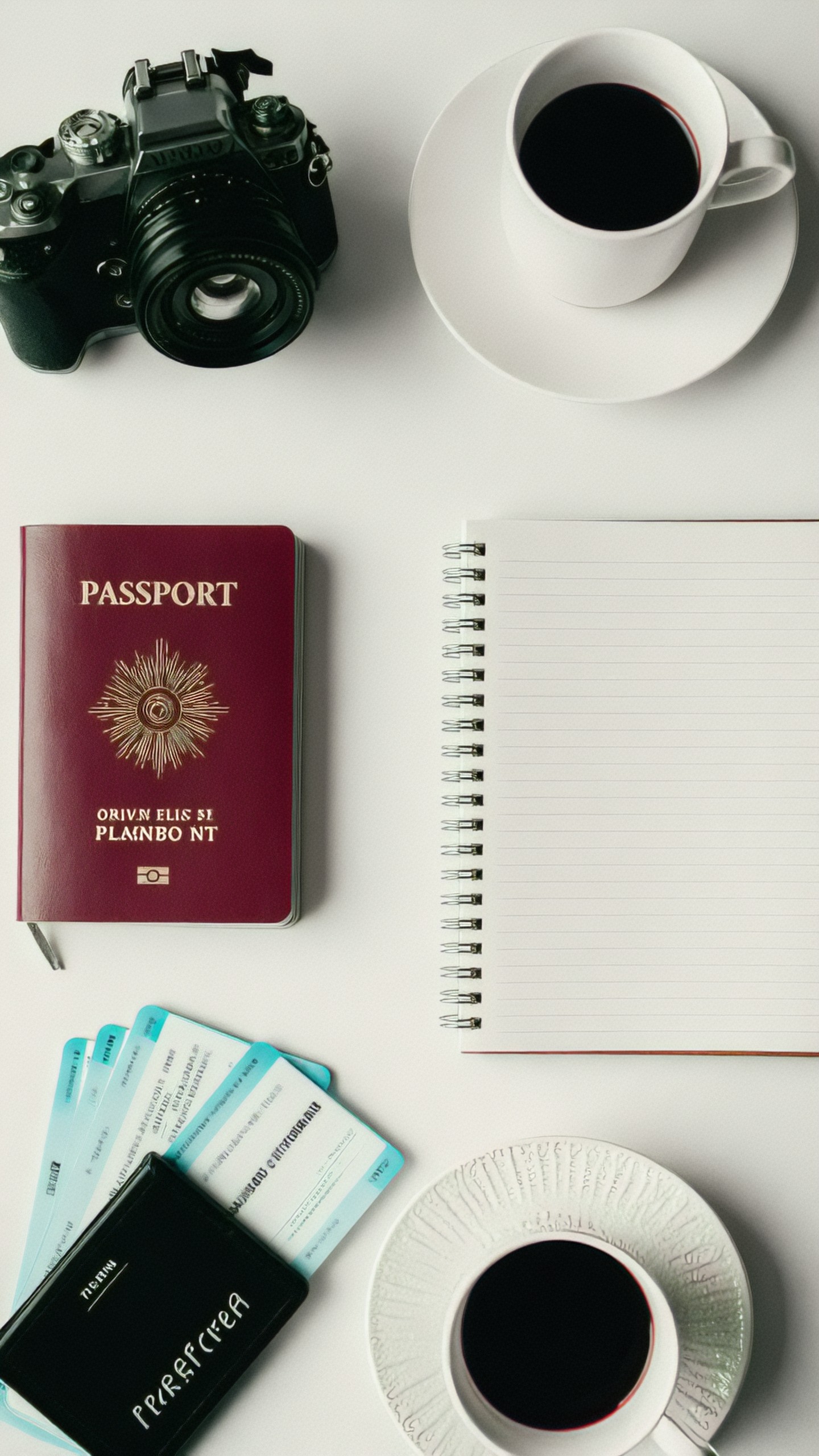
That prompt is immediately more useful for a blog header or social post because it includes layout intent.
4. Lighting
Lighting changes the perceived quality of an image more than almost any other prompt element. If you do not specify lighting, ZImage Turbo will choose for you, and the result may be inconsistent.
Try these lighting phrases:
- soft window light
- golden hour sunlight
- overcast natural light
- dramatic side lighting
- neon rim light
- diffused studio lighting
- hard flash photography
- cinematic low-key lighting
- bright high-key lighting
Example:
A ceramic coffee cup on a wooden cafe table, soft window light from the left, gentle steam rising, warm shadows, shallow depth of field, cozy editorial photography
Lighting phrases are especially useful for product images, food scenes, interiors, portraits, and cinematic frames.
5. Style
Style tells ZImage Turbo what visual language to use. This can include medium, genre, reference category, rendering method, or art direction.
Examples:
- editorial photography
- minimalist vector illustration
- 3D isometric render
- cinematic concept art
- watercolor travel sketch
- clean UI illustration
- documentary street photography
- luxury product photography
- retro science fiction poster
Avoid stacking too many styles at once. A prompt like minimalist watercolor 3D cinematic anime editorial photo asks for conflicting signals. Pick one primary style and one supporting modifier.
Better:
Minimalist vector illustration of a smart home dashboard on a tablet, soft gradients, clean geometric shapes, modern tech editorial style
6. Quality Constraints
Quality constraints help reduce unwanted artifacts and keep the image aligned with your use case. These are not magic commands, but they often help.
Examples:
clean background, sharp subject, natural proportions, readable silhouette, no clutter
For commercial-style images, try:
professional studio lighting, realistic materials, clean reflections, crisp edges, premium product photography
For illustrations:
balanced color palette, clean linework, consistent perspective, uncluttered composition
A Practical ZImage Turbo Prompt Template
Use this template when you need a reliable starting point:
[Main subject], [specific details], [environment or context], [composition and camera angle], [lighting], [style or medium], [color palette], [quality constraints]
Example for a product image:
Matte black reusable water bottle with a small stainless steel cap, standing on a wet stone surface, mountain lake in the background, centered product composition, soft sunrise backlight, realistic outdoor product photography, cool blue and gray palette, crisp edges, natural reflections, no text
Example for an editorial illustration:
A freelance designer working at a compact desk with a laptop, sketchbook, and color swatches, small apartment studio, slightly overhead view, soft afternoon window light, clean editorial illustration, warm neutral palette, organized details, calm creative mood
The template works because it moves from important visual information to finishing details.
How to Prompt for Specific Use Cases
ZImage Turbo becomes more useful when you write for the final placement. A banner image, product mockup, and concept art frame need different instructions.
Blog Headers and Editorial Images
For editorial visuals, prioritize clarity, negative space, and a strong metaphor.
A modern writer's desk with a laptop showing abstract image thumbnails, prompt notes on paper, coffee cup, and desk lamp, overhead composition, generous negative space at the top for headline text, soft natural light, clean editorial photography, muted neutral palette
Use this when creating images for articles about AI workflows, creativity, productivity, or digital tools. If you need room for typography, say so directly.
Product Photography
For product visuals, describe the object, material, surface, lighting, and background. Avoid unnecessary narrative.
A white ceramic smart speaker with a subtle fabric texture, placed on a pale oak shelf, minimal living room background, centered composition, soft diffused studio light, realistic product photography, clean shadows, premium home technology aesthetic, no logos, no text
Product prompts benefit from material words: brushed metal, matte plastic, frosted glass, polished ceramic, woven fabric, recycled cardboard.
Social Media Creatives
Social images need immediate readability. Use bold shapes, simple compositions, and clear focal points.
A colorful stack of oversized app icons floating above a smartphone, bright gradient background, centered square composition, playful 3D illustration, high contrast colors, clean shadows, simple readable shapes, social media campaign visual
If you are generating for Instagram, Pinterest, or a square ad, include square composition or vertical portrait composition depending on your target format.
Concept Art and Worldbuilding
For concept art, focus on environment, mood, scale, and narrative detail.
A small research outpost built into the side of an icy cliff, orange lights glowing through round windows, scientists walking across a narrow metal bridge, snowstorm in the distance, wide cinematic establishing shot, cold blue palette, atmospheric concept art, detailed but readable architecture
Concept art prompts often improve when you include scale cues such as tiny figures, large doors, distant mountains, or massive machinery.
Interior Design and Architecture
Architecture prompts should include room type, materials, design style, camera position, and lighting.
A compact Scandinavian home office with a pale wood desk, white walls, built-in shelves, linen chair, small plants, eye-level view from the doorway, soft overcast daylight, realistic interior photography, uncluttered layout, calm neutral color palette
Avoid vague terms like nice room or beautiful house. Name the style and materials.
Character Portraits
For portraits, include age range, wardrobe, expression, framing, lighting, and background. Keep identity descriptions respectful and relevant.
Portrait of a middle-aged botanist wearing a moss green jacket and round glasses, holding a field notebook, greenhouse background with blurred tropical plants, three-quarter view, soft diffused daylight, natural expression, editorial portrait photography, shallow depth of field
If you need consistent characters across a series, keep a stable description and only change pose, setting, or action.
Before-and-After Prompt Improvements
Prompt improvement is mostly about replacing vague words with visual decisions.
Example 1: Food Photography
Weak prompt:
A delicious breakfast
Improved prompt:
A stack of blueberry pancakes on a handmade ceramic plate, maple syrup dripping down the side, fresh blueberries scattered on a linen napkin, rustic wooden table, soft morning window light, close-up food photography, warm natural colors, shallow depth of field
Why it works: the improved version specifies the food, props, surface, lighting, framing, and style.
Example 2: Startup Landing Page Hero
Weak prompt:
AI business image
Improved prompt:
A clean abstract visualization of connected data nodes forming a subtle human profile, dark navy background, cyan and white highlights, wide banner composition with negative space on the left, modern SaaS landing page hero image, polished 3D render, crisp lines, no text
Why it works: it is designed for a specific placement and includes composition for web layout.
Example 3: Travel Poster
Weak prompt:
A poster of Italy
Improved prompt:
Vintage travel poster of a narrow Amalfi Coast street with lemon trees, pastel houses, sea visible in the distance, elegant simplified shapes, warm sunlit palette, 1950s-inspired graphic design, vertical poster composition, clean borders, no readable text
Why it works: it defines location, era, palette, poster format, and style.
Negative Prompting and Constraints
If your ZImage Turbo interface supports negative prompts, use them to reduce recurring problems. Keep negative prompts short and targeted. Long negative lists can create confusion.
Common negative prompt terms:
blurry, low resolution, distorted hands, extra fingers, unreadable text, watermark, logo, cluttered background, duplicated objects, overexposed, underexposed
For product images:
scratches, dents, warped shape, messy reflections, fake logo, unreadable label, clutter
For portraits:
distorted face, unnatural eyes, extra limbs, plastic skin, harsh artifacts, oversmoothed texture
Do not rely only on negatives. A positive prompt with clear composition and lighting usually does more than a long list of things to avoid.
How to Control Style Without Overloading the Prompt
Many prompt failures happen because the style instructions conflict. A prompt cannot easily be cinematic, flat vector, watercolor, photorealistic, and claymation at the same time.
A better method is to use a hierarchy:
1. Primary style: realistic product photography 2. Secondary modifier: soft studio lighting 3. Finish: minimal background and clean reflections
Example:
A pair of wireless earbuds in a transparent charging case, floating slightly above a pale gray surface, realistic product photography, soft studio lighting, minimal background, clean reflections, crisp shadows, premium consumer electronics aesthetic
For illustration:
A city cyclist stopping at a crosswalk on a rainy evening, clean editorial illustration, limited color palette of teal, orange, and charcoal, simplified shapes, subtle grain texture, clear readable silhouette
The prompt has one main style and a few modifiers that support it.
Camera and Lens Language That Helps
Even if ZImage Turbo is not a camera, photographic language can guide framing and visual feel.
Useful terms:
- close-up
- macro shot
- wide-angle shot
- telephoto compression
- eye-level view
- low-angle view
- top-down view
- shallow depth of field
- deep focus
- bokeh background
- studio portrait
Examples:
Macro shot of dew on a green leaf, morning sunlight, shallow depth of field, soft bokeh background, realistic nature photography, crisp water droplets
Wide-angle view of a modern library atrium with curved wooden balconies, students reading below, soft skylight, architectural photography, deep focus, balanced symmetry
These terms are especially helpful when you need a predictable crop or perspective.
Color Palettes for Better Consistency
Color is a powerful prompt control. Instead of saying vibrant or beautiful, name a palette.
Examples:
warm terracotta, cream, and olive green palette
cool navy, cyan, and white technology palette
muted beige, charcoal, and soft blue editorial palette
pastel pink, lavender, and mint illustration palette
Color palettes are useful when generating image sets for the same brand, article series, or campaign.
Three Image Prompts for This Article
Use these prompts to generate supporting visuals for this guide. They are designed for article illustrations and can be adapted to your preferred aspect ratio.
Illustration Prompt 1: Prompt Writing Desk
An organized creative desk for AI image prompt writing, laptop showing a grid of generated image thumbnails, notebook filled with short prompt phrases, color swatches, stylus pen, coffee cup, overhead editorial composition, soft morning window light, neutral background, clean modern photography, negative space on the right for article text
Illustration Prompt 2: Prompt Formula Diagram
A clean visual diagram showing six connected blocks labeled subject, context, composition, lighting, style, and constraints, floating above a minimal workspace, modern editorial illustration, soft gradients, blue and violet palette, crisp vector shapes, clear hierarchy, no extra text beyond the six labels
Illustration Prompt 3: Before and After Image Generation
Split-screen editorial image showing a vague messy AI image result on the left and a refined polished image result on the right, same product subject improved through better prompting, clean studio setup, subtle arrows and interface elements, modern tech article illustration, balanced composition, high clarity, no logos
A Simple Iteration Workflow
A good ZImage Turbo workflow is not one prompt and done. It is a short cycle of generating, reviewing, and adjusting.
Step 1: Start With a Clear Base Prompt
Write a prompt that includes the main subject, context, composition, lighting, and style.
A handmade ceramic tea set on a linen tablecloth, small vase of wildflowers in the background, eye-level close-up composition, soft afternoon window light, cozy lifestyle photography, warm cream and sage green palette, shallow depth of field
Step 2: Identify the Main Problem
After generating, choose one thing to fix. Do not rewrite everything at once. Common problems include:
- subject is too small
- background is too busy
- lighting feels harsh
- style is inconsistent
- image lacks negative space
- object shape is wrong
- colors do not match the brand
Step 3: Make One Targeted Change
If the subject is too small, add:
large subject in the foreground, tight crop
If the background is too busy, add:
minimal uncluttered background, simple surfaces, clear focal point
If you need space for text, add:
wide composition with empty negative space on the left
Small edits make it easier to understand what changed.
Step 4: Lock What Works
When you get a good result, preserve the successful parts of the prompt. Change only the variable you need, such as color, angle, or prop.
For a product series, keep this stable:
realistic studio product photography, soft diffused light, pale gray background, centered composition, clean reflections, crisp edges
Then change the product description for each image.
Common ZImage Turbo Prompt Mistakes
Mistake 1: Too Many Ideas in One Prompt
If you ask for a forest, spaceship, medieval market, fashion portrait, and data dashboard in one image, the model may blend them awkwardly. Choose one main idea and support it with details.
Mistake 2: Abstract Words Without Visual Details
Words like innovative, inspiring, premium, and elegant can help as final modifiers, but they are not enough. Translate them into visual details.
Premium might mean:
minimal studio background, polished metal, clean reflections, restrained color palette, precise lighting
Inspiring might mean:
open landscape, sunrise light, upward camera angle, expansive sky, warm color palette
Mistake 3: Ignoring the Final Crop
Always prompt for the intended use. A homepage hero image needs space for text. A marketplace product image needs a clean background. A portrait thumbnail needs a strong face and readable silhouette.
Mistake 4: Overusing Quality Tags
Adding masterpiece, ultra detailed, 8k, award-winning, and similar terms is less useful than describing the actual image. Quality tags can be included sparingly, but they should not replace specific direction.
Reusable ZImage Turbo Prompt Templates
Product Template
[Product] made of [material], placed on [surface], [background], [composition], [lighting], realistic product photography, [color palette], clean reflections, crisp edges, no text, no logo
Editorial Blog Template
[Visual metaphor for topic], [specific objects or characters], [setting], [composition with negative space], [lighting], modern editorial illustration, [palette], clean shapes, readable focal point
Character Portrait Template
Portrait of [person description], wearing [wardrobe], [expression or action], [background], [framing], [lighting], editorial portrait photography, natural skin texture, shallow depth of field
Architecture Template
[Room or building type] with [materials], [design style], [key furniture or architectural features], [camera angle], [lighting], realistic architectural photography, balanced composition, uncluttered scene
Final Checklist for Better Prompts
Before you generate, check your prompt against this list:
- Is the main subject specific?
- Does the image have a clear setting or context?
- Have you described the composition or camera angle?
- Is the lighting specified?
- Is there one primary style?
- Are colors or materials named when important?
- Does the prompt match the final use case?
- Are constraints short and relevant?
- If using negatives, are they targeted rather than excessive?
Conclusion
Better ZImage Turbo prompts are built from visual decisions, not longer descriptions. Start with the subject, add context, define the composition, choose lighting, set one clear style, and include only the constraints that matter. Then iterate in small steps.
For practical image generation, the best prompt is the one that helps you get a usable result faster: a clean product shot, a readable article header, a consistent character portrait, or a strong concept frame. Treat your prompt as creative direction, and ZImage Turbo becomes much easier to control.
Example Images
Z-Image
Make something futuristic and cool for a tech brand.

A sleek black wireless speaker on a brushed aluminum table, soft blue rim light, minimal studio background, high-end product photography, centered composition, shallow depth of field, clean reflections, premium technology brand aesthetic

Subject + context + composition + lighting + style + quality constraints

A person in a city

A young architect holding rolled blueprints on a rainy city sidewalk

A young architect in a charcoal wool coat holding rolled blueprints, standing on a rainy city sidewalk outside a glass office tower

Inside a compact Tokyo apartment at night

On a sunlit Mediterranean rooftop garden in early summer

In a quiet museum archive with shelves of labeled boxes

Overhead flat lay of a travel planning desk, passport, notebook, camera, train tickets, coffee cup, warm morning light, organized composition with negative space on the right for text

A ceramic coffee cup on a wooden cafe table, soft window light from the left, gentle steam rising, warm shadows, shallow depth of field, cozy editorial photography

Minimalist vector illustration of a smart home dashboard on a tablet, soft gradients, clean geometric shapes, modern tech editorial style

clean background, sharp subject, natural proportions, readable silhouette, no clutter

professional studio lighting, realistic materials, clean reflections, crisp edges, premium product photography

balanced color palette, clean linework, consistent perspective, uncluttered composition

[Main subject], [specific details], [environment or context], [composition and camera angle], [lighting], [style or medium], [color palette], [quality constraints]